- 43 -
5 Operation
1
5
2
6
3
7
9
4
8
10
Stopping the operation
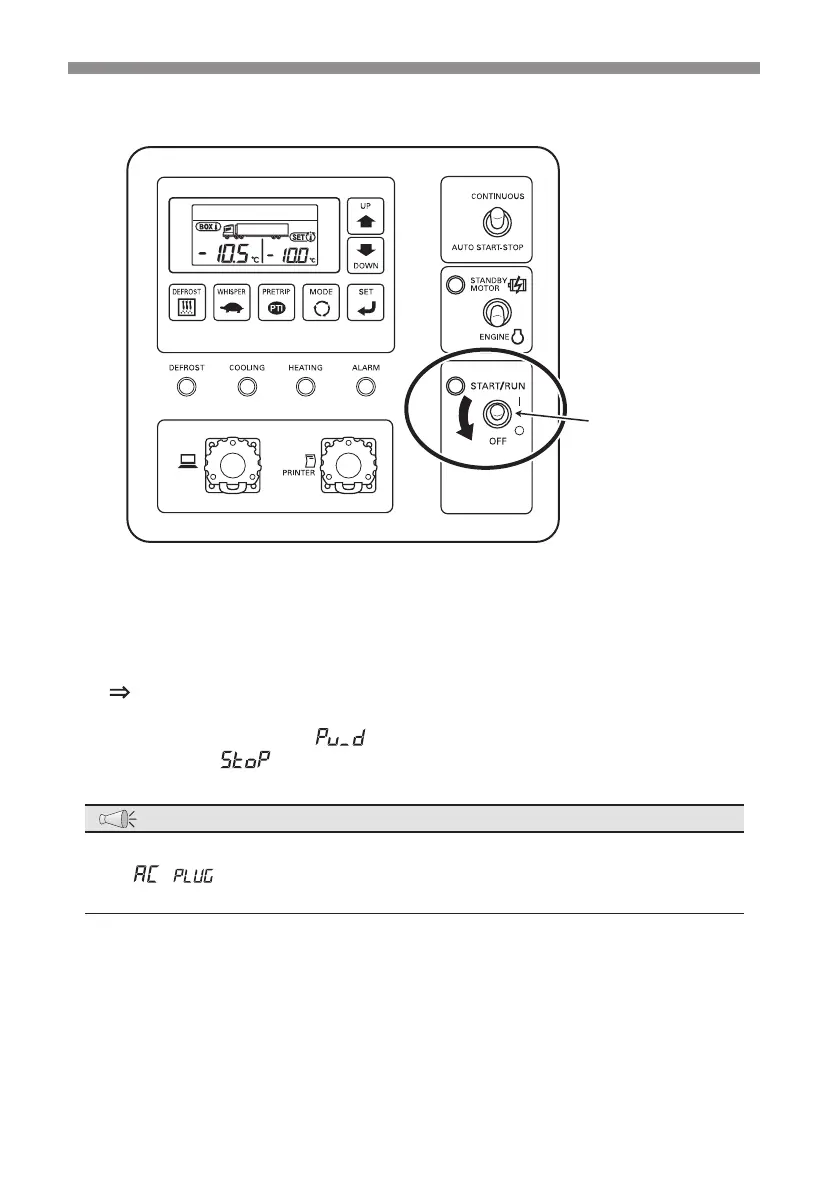
Operation switch
1
Set the "Operation switch" to "OFF" and release your hand after you hear
operating sound of the switch.
The refrigeration unit stops the operation automatically after performing
the device protecting operation for 10 to 20 seconds. (During the device
protecting operation, "
" is displayed in the left side of the digital display
area and "
" is displayed in the right side of the digital display area.)
NOTE
●
When the motor drive operation was stopped, the buzzer sounds (3 times) and
"
" is displayed in the digital display area in order to prevent failure to
disconnect the power plug from the AC power socket.


 To Next Page