
 Need help?
Do you have a question about the Pegasus TFV2000D-E and is the answer not in the manual?
Explains how to switch between motor and sub-engine drives.
Details switching between continuous and auto start/stop modes.
Describes methods for defrosting the unit to prevent frosting.
Explains how to reduce operational sound by slowing the sub-engine.
Allows setting of start and stop times for automatic operation.
Explains the automatic diagnosis process for unit health.
Details the function to protect battery and compressor during long stops.
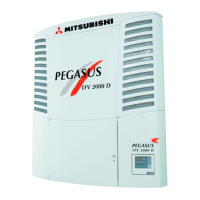
Illustrates the layout and identification of major unit components.
Details the functions and indicators of the unit's control panel.
Explains the purpose and operation of various control switches.
Describes the information shown on the unit's digital display.
Outlines safety features and protective mechanisms of the unit.
Explains warning signs, caution symbols, and their meanings.
Covers essential safety measures for operating the unit.
Safety advice for operation and post-operation procedures.
Safety guidelines for maintenance and repair tasks.
Safety instructions for electrical connections and power handling.
Warnings against unauthorized modifications or specification changes.
Safety requirements for electrical power supply installation.
Provides first aid and emergency response for exposure to refrigerants/oil.
Guidance on understanding and maintaining warning labels on the unit.
Safety measures to prevent accidental startup during maintenance.
Recommendations for appropriate attire and PPE.
Precautions for handling and disposing of lubricants and coolants.
Instructions for responding to unit malfunctions.
Procedures to follow in case of serious accidents or emergencies.
Explains the different display modes and their functions.
Configures settings for printing temperature history data.
Sets the frequency for automatic defrost cycles.
Sets the automatic start time for the unit.
Sets the automatic stop time for the unit.
Configures the protective sleep operation for long periods of inactivity.
Allows adjustment of various controller settings and operability.
Details the flow and options within the user setting mode.
Shows recorded sub-engine operation time.
Shows recorded sub-engine operation time.
Shows recorded motor operation time.
Adjusts the unit's internal clock to the current time.
Guides the setup process for the optional printer.
Sets the time interval for automatic defrosting.
Configures the unit's protective sleep mode.
Procedure to reset the cumulative sub-engine operation time.
Adjusts the unit's internal clock to the current time.
Instructions for turning on the refrigeration unit.
Explains how to select between sub-engine and motor drives.
Details on operating the unit using the sub-engine drive.
Details on operating the unit using the motor drive.
How to select between continuous and auto start/stop modes.
Procedure to set the unit for automatic start/stop.
Procedure to set the unit for continuous operation.
Steps to start and run the refrigeration unit.
Procedure to safely stop the refrigeration unit.
How to adjust the desired temperature for the container.
Enables reduced noise operation for the sub-engine.
Initiates a manual defrost cycle.
How to stop the manual defrost operation.
Configures the unit to start automatically at a set time.
Configures the unit to stop automatically at a set time.
Initiates the unit's self-diagnostic check.
Steps after a successful self-diagnosis.
Response to errors identified during self-diagnosis.
Steps to take before loading cargo into the container.
Detailed procedures for loading and unloading cargo.
Step-by-step guide for loading cargo.
Procedure for unloading cargo from the container.
Safety guidelines to follow before performing inspections.
Instructions on how to open various covers for access.
Procedure for securely closing all unit covers.
Routine checks to perform on the unit daily.
How to check and maintain the coolant level.
Checking the condition and tension of various drive belts.
Procedure for checking and refilling sub-engine oil.
Checking and refilling the sub-engine fuel.
Checking for leaks and the condition of electrical wiring.
How to check refrigerant status via the sight glass.
Advice for prolonged low-temperature operations.
Overview of scheduled maintenance intervals and tasks.
A checklist for scheduled maintenance inspections.
Specifications for recommended lubricants and coolants.
Details the protective sleep mode for extended periods of inactivity.
Steps to ensure the unit is ready for sleep operation.
How errors are indicated on the unit's display.
Navigating between normal and error display modes.
General advice for addressing unit errors.
Instructions for replacing blown fuses.
Information to provide when seeking dealer assistance.
Procedure to restart the unit after an error shutdown.
Details of error codes, their causes, and remedies.
Covers conditions, dimensions, weight, drive, operating system, model, displacement, fuel.
Covers freezing capacity, fuel consumption, oil capacity, rated output/speed, fan speed, refrigerant volume, design pressure.
Details of compressor, evaporator, condenser, standby motor, power supply, fans.
Details on temperature control, operation control, defrosting, and safety devices.
 General
| Brand | Pegasus |
|---|---|
| Model | TFV2000D-E |
| Category | Refrigerator |
| Language | English |

 To Next Page