- 33 -
4 Initial setting
1
5
2
6
3
7
9
4
8
10
Setting the clock
1
2 4 6
3 5 7
1
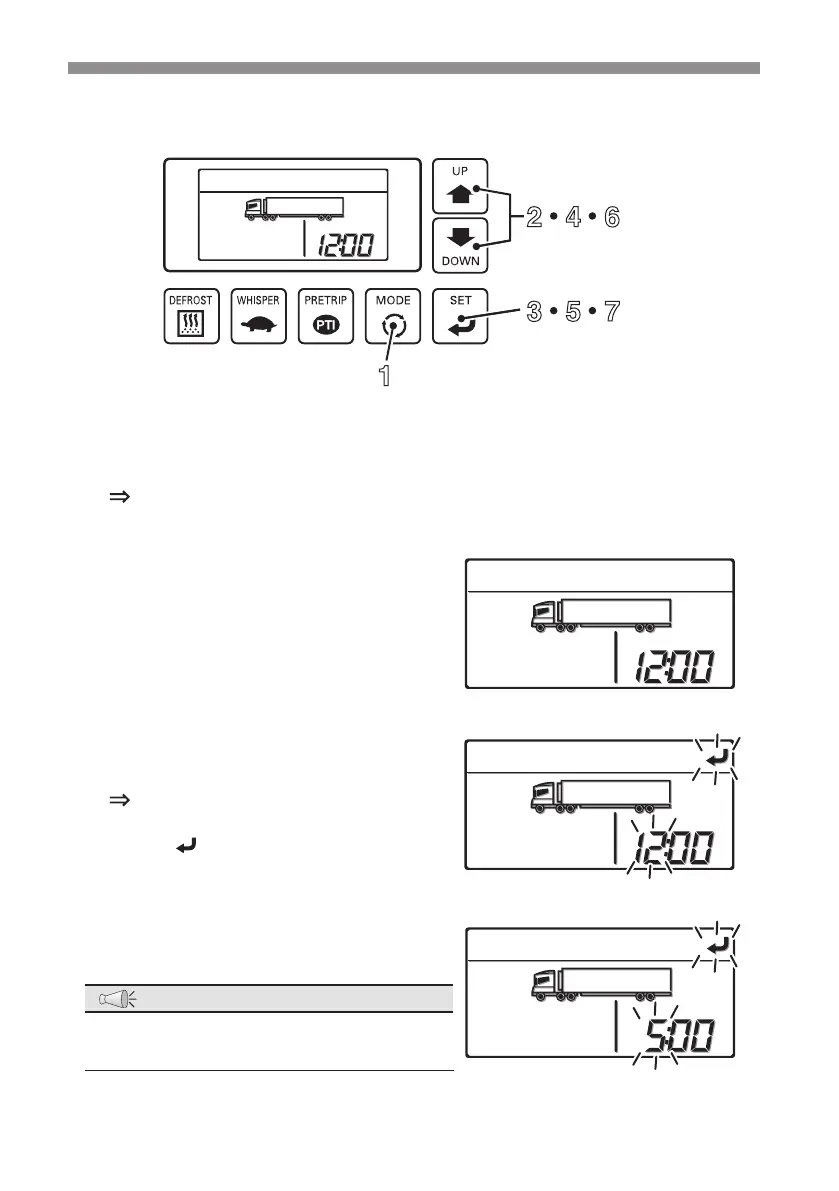
Press the [MODE] switch
The display changes to the "Current error display mode".
2
Press the [UP] or [DOWN] switch until
the display changes to the "Clock
setting mode". (Right gure)
3
Press the [SET] switch.
The time (hour) in the right side of the
digital display area starts to blink.
Icon starts to blink.
4
Press the [UP] or [DOWN] switch to
adjust to the current time (Hour).
NOTE
●
The clock shows the time up to 24 hours.
Set "19:00" if it is 7 o’clock PM.



 To Next Page