- 59 -
7 Inspection
1
5
2
6
3
7
9
4
8
10
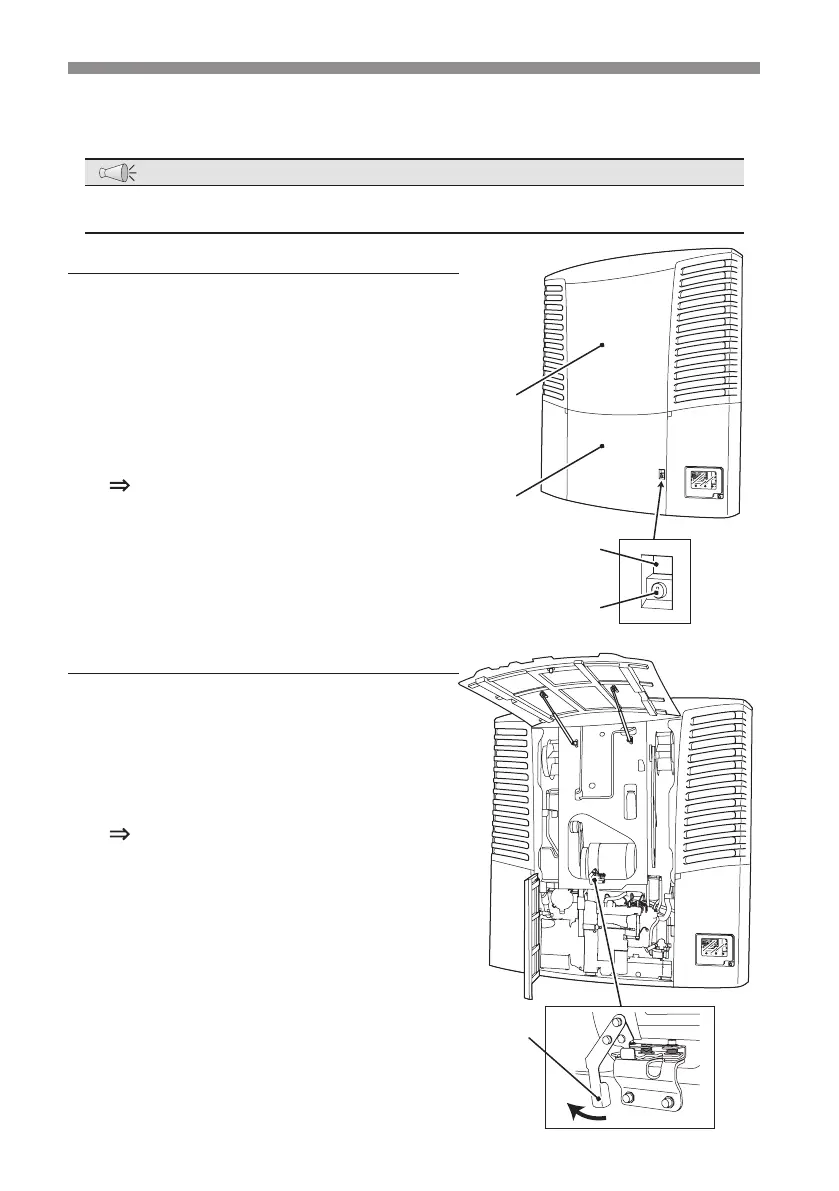
Opening of the covers
The covers can be opened without using tools when performing the inspection.
NOTE
●
Open the cover 1 at rst.
Cover 1
1
Release the lock located under the
"Cover 1 opening lever".
2
Push in the "Cover-opening lever for
the cover 1".
The lock is released and the cover 1
opens a little.
3
Open the cover 1 by hand.
Cover 2
1
While the cover 1 is fully opened, push
the "Lock release lever" located at the
center of the lower part to the left.
The lock is released and the cover 2
opens a little.
2
Pull the lower end of the cover 2 up to
open it.
It will open upward by the force of spring in
the middle.
ver 1
ver 2
Lock
Cover 1
Opening lever
k release lever



 To Next Page