- 28 -
4 Initial setting
1
5
2
6
3
7
9
4
8
10
6
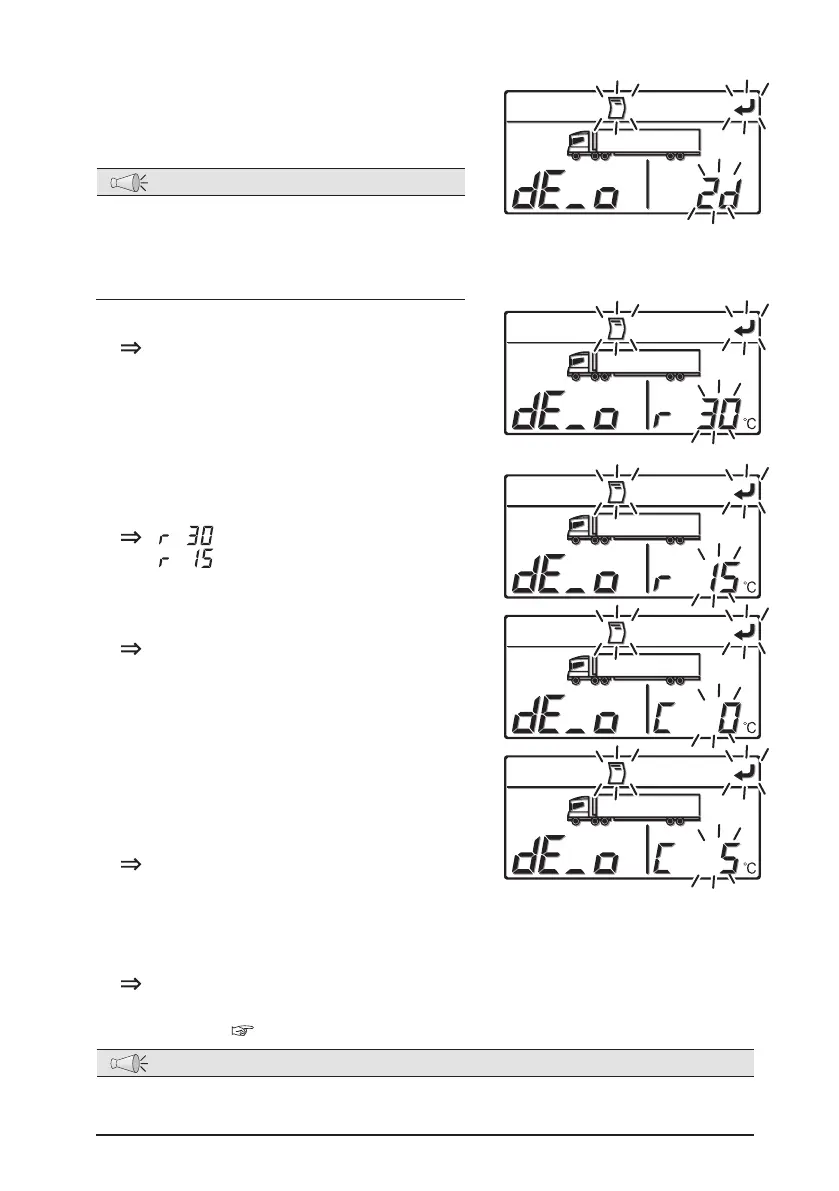
Press the [UP] or [DOWN] switch to select
how many hours earlier from the present
the data to be printed was recorded.
NOTE
●
The time can be selected from 10 steps
ranging from 12H (12 hours earlier) at
the minimum to 7d (7 days earlier) at the
maximum or 1 operation trip.
7
Press the [SET] switch.
It is switched to the printer output
temperature range setting.
8
Select a temperature range to be printed,
by pressing [UP] or [DOWN] switch.
• : Temperature range of ±30
°
C
•
: Temperature range of ±15
°
C
9
Press the [SET] switch.
It is switched to the setting of the
center temperature in the temperature
range to be printed.
10
Select the center temperature in the
temperature range to be printed (5
°
C
intervals), by pressing [UP] or [DOWN]
switch.
•Whenthetemperaturerangeis±30
°
C
Center temperature: -15
°
C ~ 15
°
C
•Whenthetemperaturerangeis±15
°
C
Center temperature: -30
°
C ~ 30
°
C
11
Press the [SET] switch.
Start to print out.
The display changes to the "Printer output setting mode", after completing
the print. (
Refer to page 22.)
NOTE
●
If you press PRINT button on the printer, you can print with the last previous setting.
Even when “OFF” is selected on the printer, you can print with the previous setting.


 To Next Page