BRUSH CUTTER EXCELION 2 DH
53_153238-A
-
5.5.3.5. DISPLAY OF THE TIME REMAINING BEFORE THE MAINTENANCE SERVICE
1. Access the "Information" menu (refer to Sec-
tion 5.5.3, « "Information" menu and access to ma-
chine settings ».
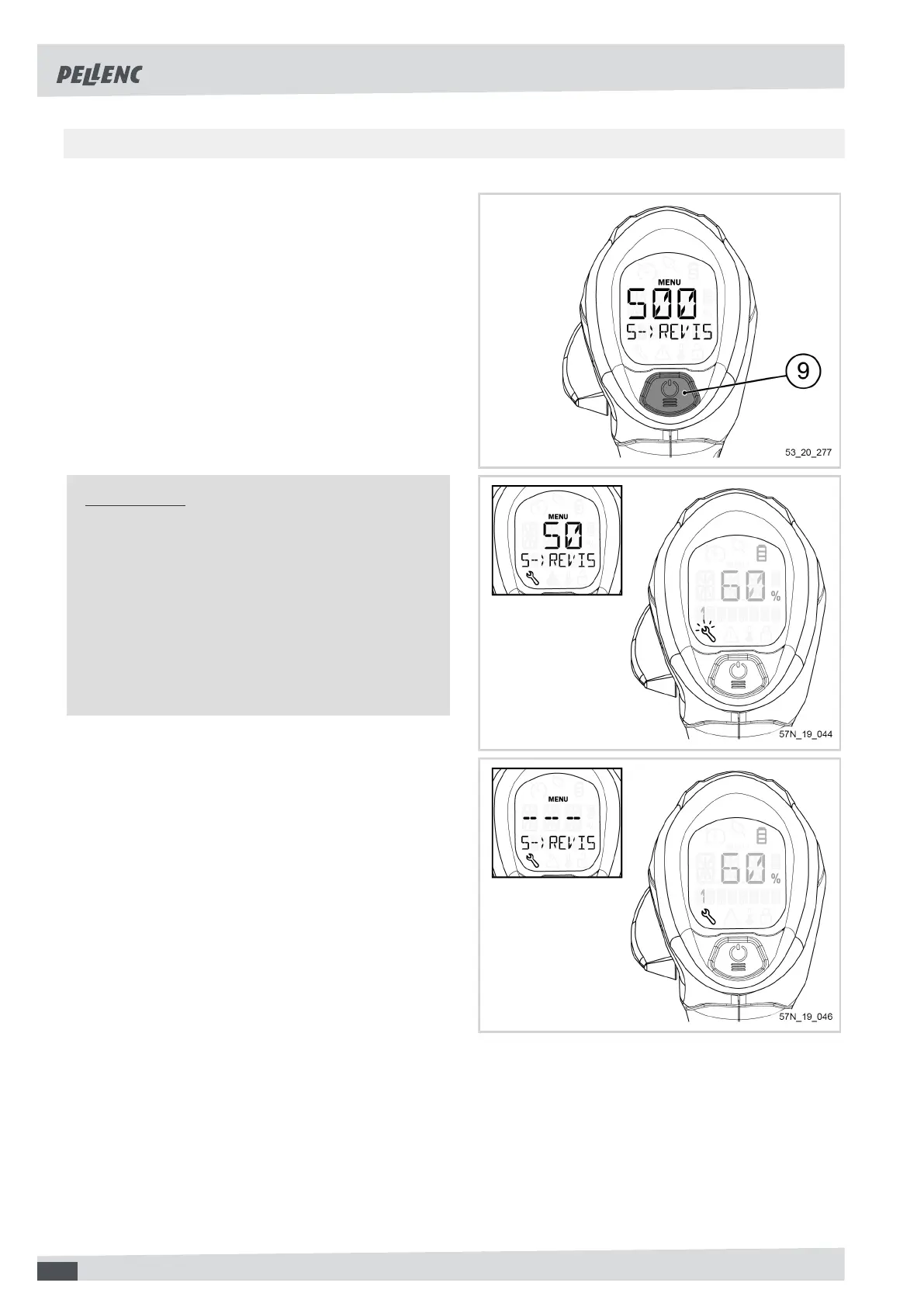
2. Click several times on the POWER / MENU but-
ton (9) so as to display the menu "5--MAINTE-
NANCE-HRS".
When the tool is started for the first time, the screen dis-
plays "500".
The screen displays a value in 10 hour increments.
Important
When the "time before service" counter reaches 50
hours, when the tool is started up, the main screen
displays a flashing pictogram of a wrench symbol.
When the counter reaches "0", when starting the
tool, the screen displays a fixed pictogram with a
wrench symbol.
In both cases, the tool must be serviced by an au-
thorized PELLENC distributor.
56



 To Next Page