84
Playback/Erasing
If you are using Windows 98, follow the procedure below to
install the software. For Windows Me, see p.86, and for
Windows 2000, see p.88.
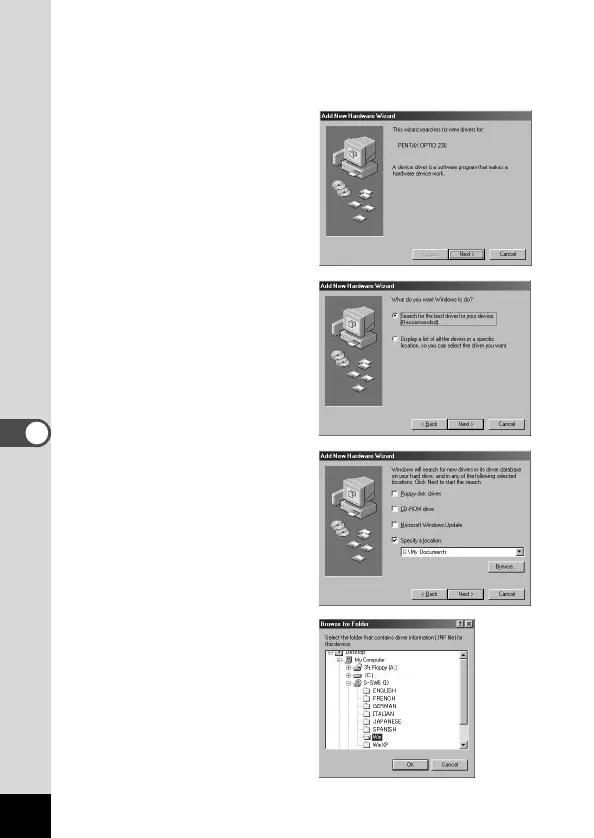
● Windows 98
b Click [Next].
n Select [Search for the
best driver for your
device (Recommended)],
and then click [Next].
m Select [Specify a loca-
tion], and then click
[Browse].
If any other item has been
selected, click the check
box to unselect it.
, Specify the [Win] folder
in the CD-ROM drive and
click [OK].
If you click the [+] symbol,
the folder will open and dis-
play the files inside.











 To Next Page