85
Playback/Erasing
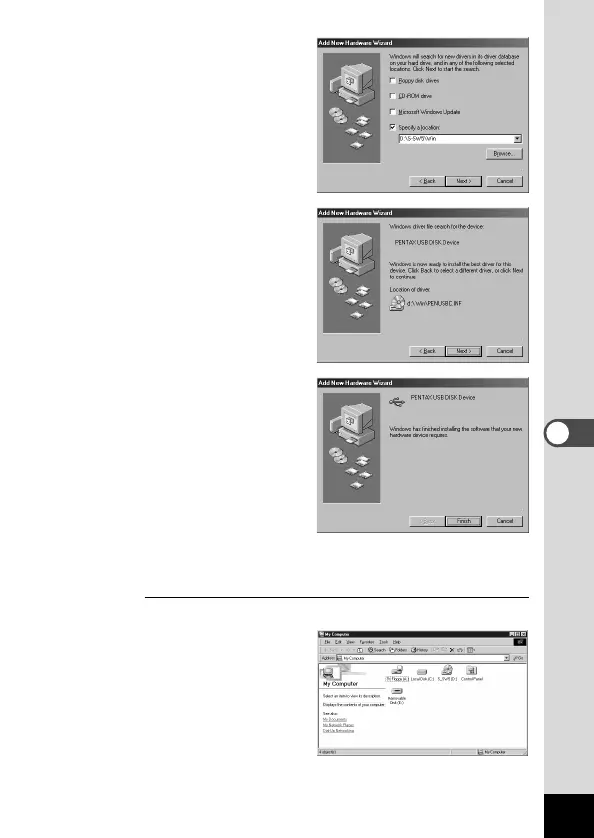
. Make sure that the [Win]
folder is selected and
click [Next].
⁄0 Make sure that [penus-
bp.inf] is selected, then
click [Next].
Installation starts.
⁄1 Click [Finish].
Installation is completed
and the [Wizard] screen is
closed.
⁄2 Turn the camera off and restart your PC.
When Windows is up and running, turn the camera on.
Mak
e sure that the CF Card has been inserted in the camera.
⁄3 Double-click the [My
Computer] icon on the
desktop.
When the camera is turned
on, the Removable Disk
(Camera) icon appears in
the window.











 To Next Page