86
Playback/Erasing
● Windows Me
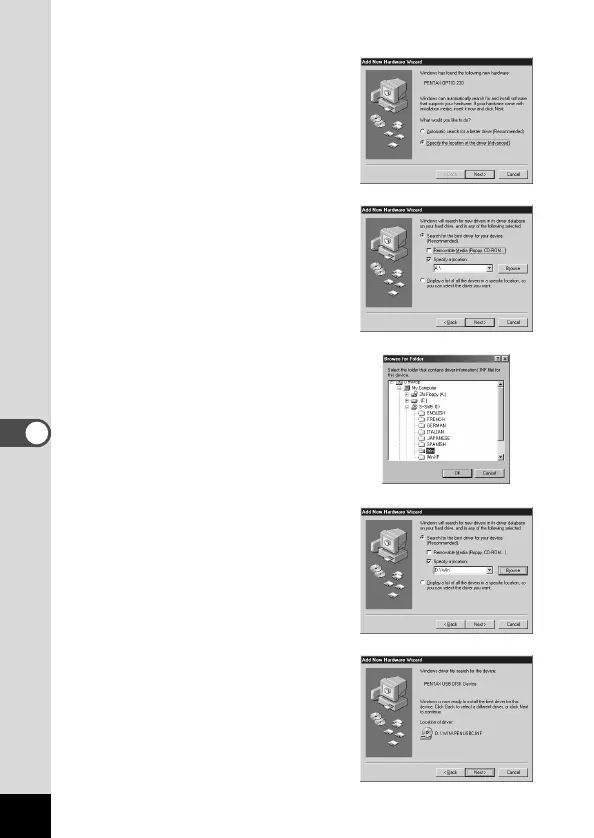
b Select [Specify the location of
the driver (Advanced)], and
then click [Next].
n Select [Specify a location], and
then click [Browse].
If [Removable Media] has been
selected, click the check box to
unselect it.
m Specify the [Win] folder in the
CD-ROM drive and click [OK].
If you click the [+] symbol, the
folder will open and display the
files inside.
, Make sure that the [Win] folder
is selected and click [Next].
. Make sure that [penusbp.inf] is
selected, then click [Next].
Installation starts.



 To Next Page