90
Playback/Erasing
Installing the USB driver (Windows XP)
z Turn on your PC.
x Set the CD-ROM (S-SW5) supplied with the camera in the
CD-ROM drive.
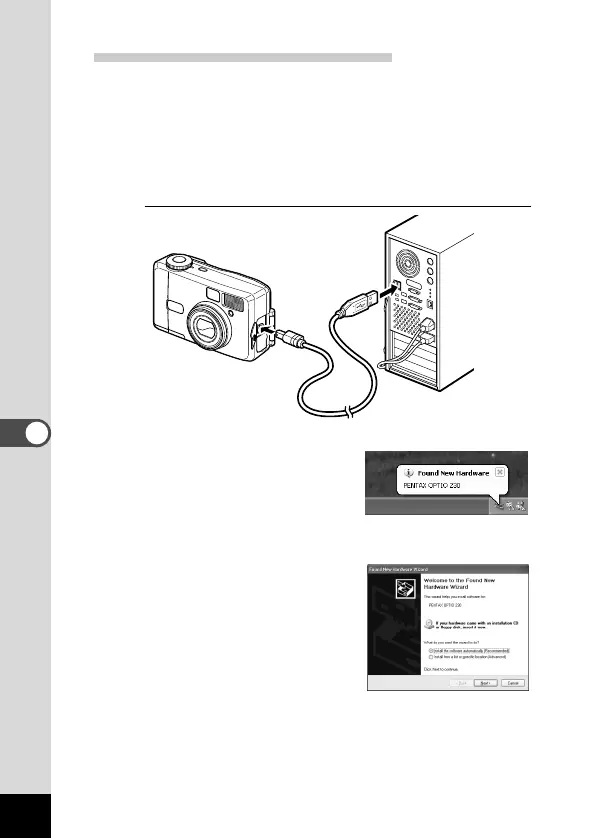
c Turn the camera off and connect the PC and camera
using the USB cable.
Make sure that the CF card has been inserted in the camera.
v Turn the camera on.
[New hardware has been located]
will appear on the task bar and
the [New Hardware Search
Wizard] screen will be displayed.
b Select [Install the software auto-
matically (Recommended)] and
click [Next].











 To Next Page