OXY5737A User’s Manual V1.1
www.perfectron.com
Chapter 3: Getting Started
3.1 Installing System Memory
The OXY5737A supports 1 x DDR3 1333 Swissbit XR-DIMM up to 8GB w/ECC (Top Side)
Disconnect all power supplies to the board before installing a memory module to
prevent damage to the board and memory module.
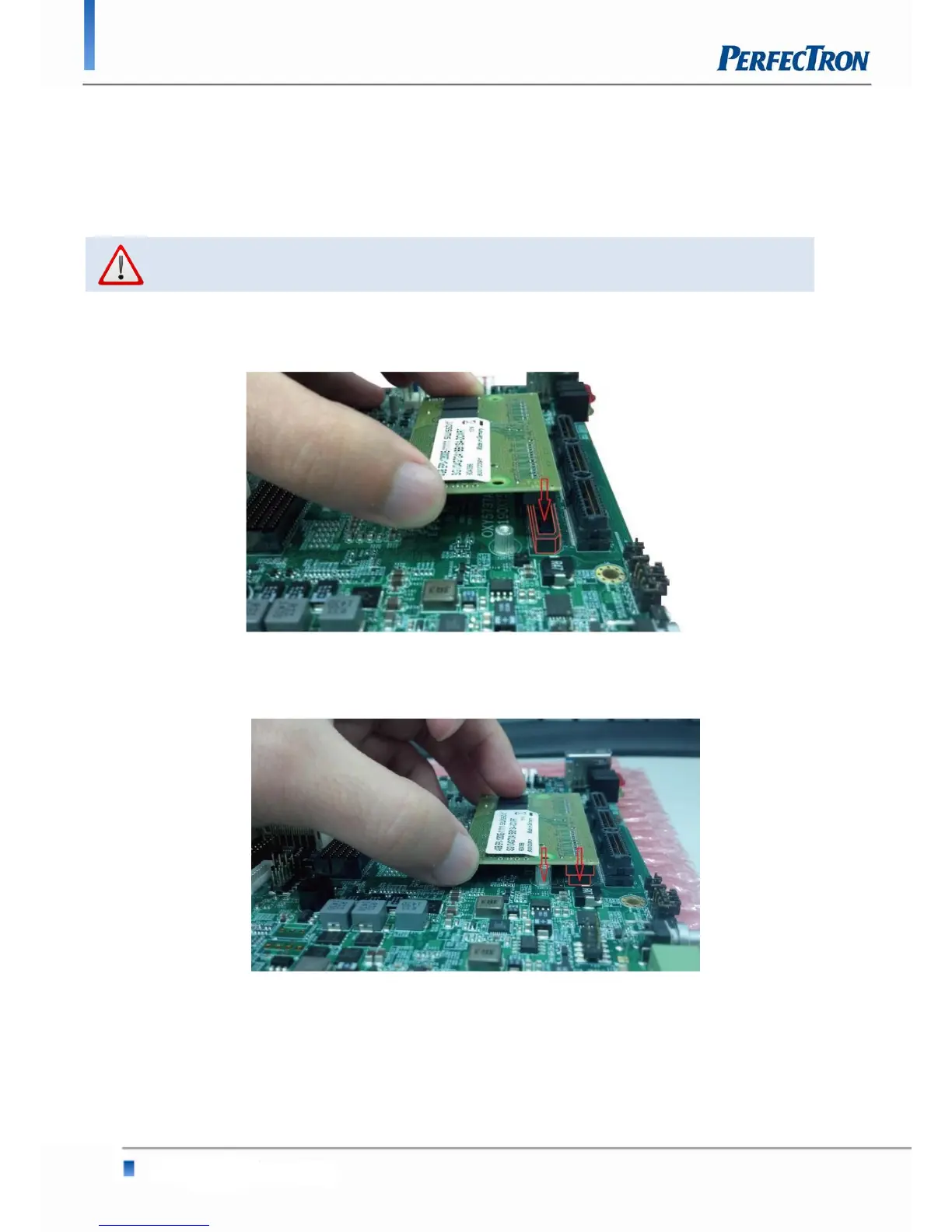
To install a memory module:
1. Located the memory module slots on the motherboard.
2. Align the memory module with the socket to make sure the notch aligns with the slot key on the
socket.


 To Next Page