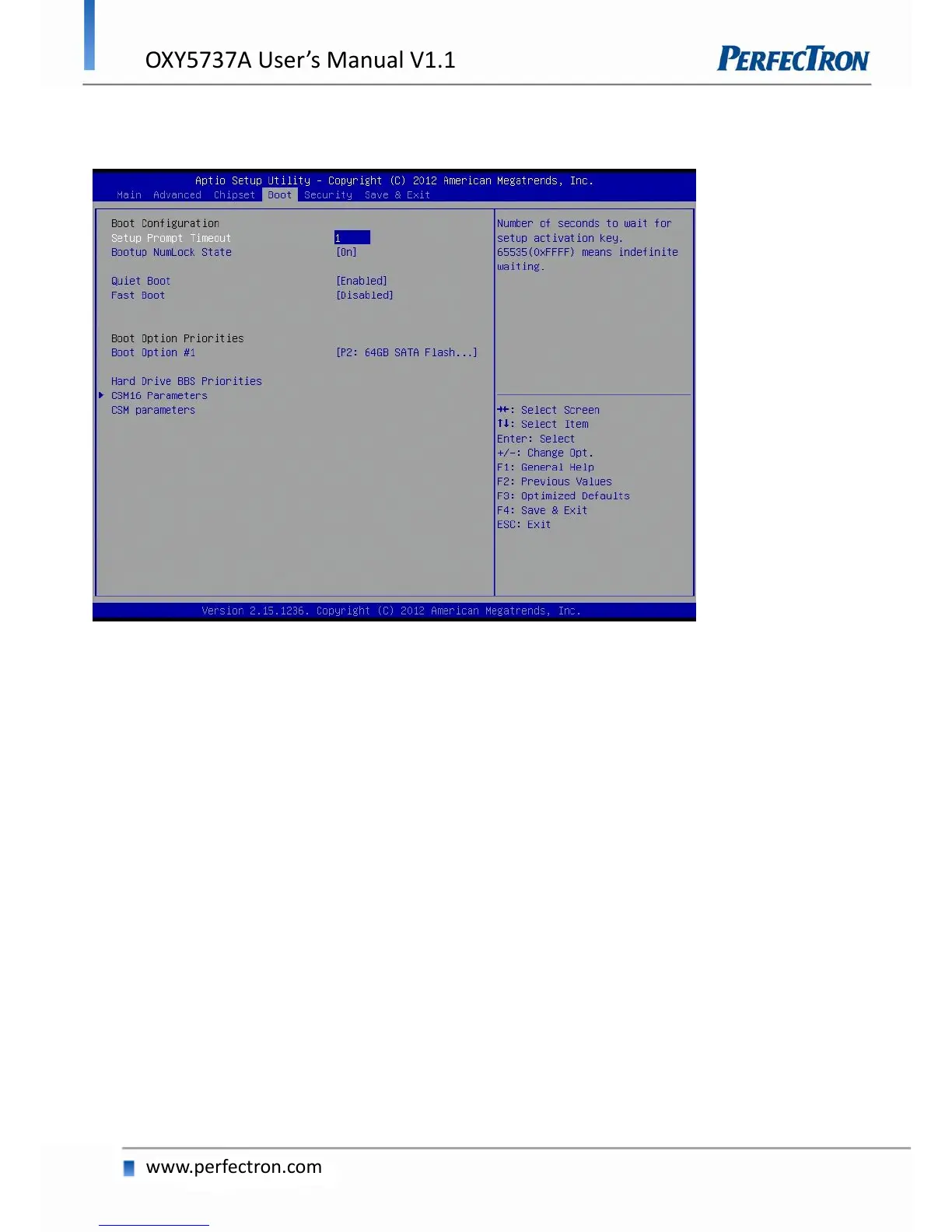
4.6 Boot
This section is used to configure the boot features.
Setup Prompt Timeout
Number of seconds to wait for setup activation key. 65535(0xFFFF) means indefinite waiting.
Bootup NumLock State
Select the keyboard NumLock state.
Quiet Boot
Enables or disables Quiet Boot option.
Fast Boot
Enables or disables boot with initialization of a minimal set of devices required to launch active boot option.
Has no effect for BBS boot options.
Boot option priorities
Boot Option #1: Sets the system boot order.


 To Next Page