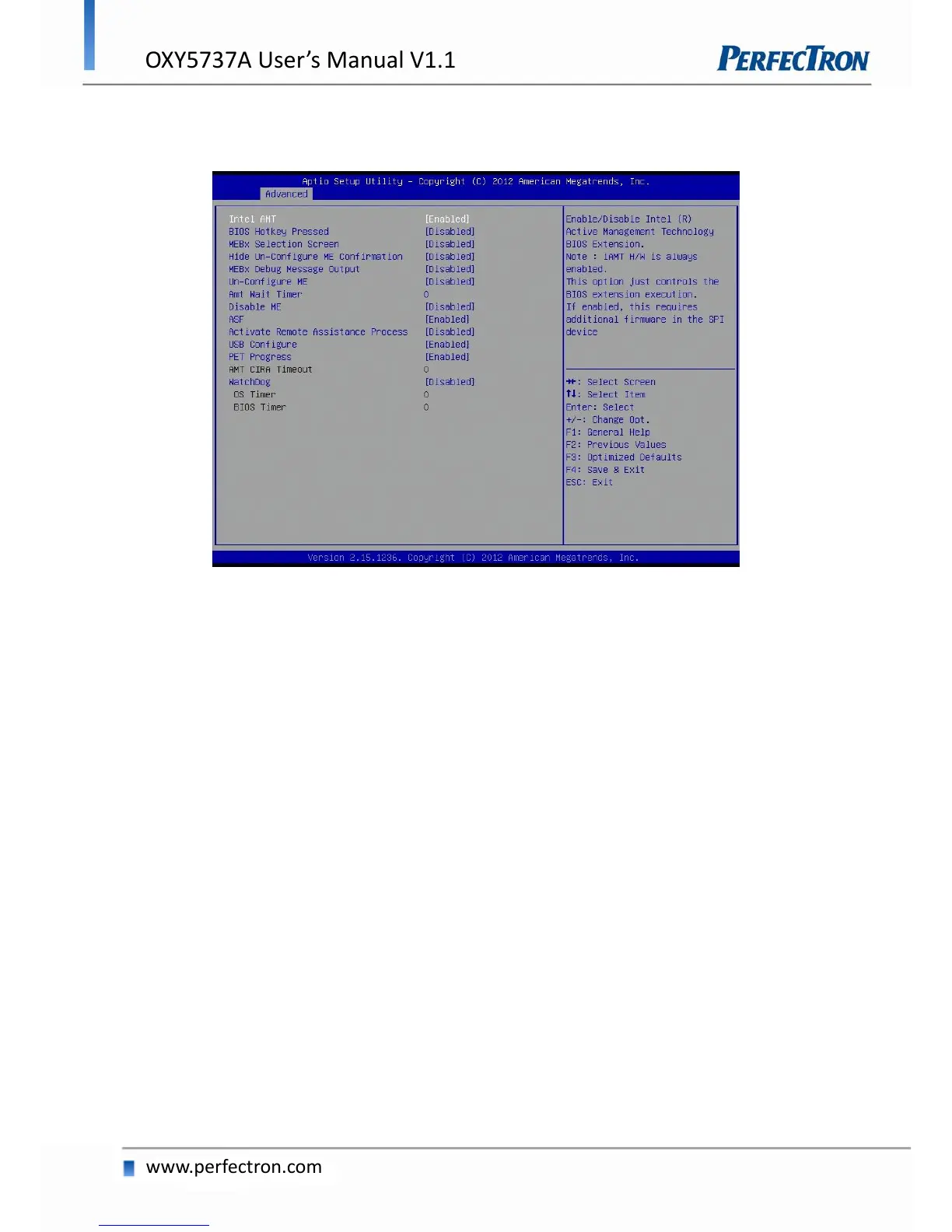
4.4.8 AMT Configuration
Configure Active Management Technology Parameters.
Intel AMT
Enable/Disable Intel Active Management Technology BIOS Extension.
Note: iAMT H/W is always enabled.
This option just controls the BIOS extension execution. If enabled, this requires additional firmware in the
SPI device.
BIOS Hotkey Pressed
OEMFlag Bit 1: Enable/Disable BIOS hotkey press.
MEBx Selection Screen
OEMFlag Bit 2: Enable/Disable MEBx selection screen.
Hide Un-Configure ME Confirmation
OEMFlag Bit 6: Hide Un-Configure ME without password Configuration prompt.
MEBx Debug Message Output
OEMFlag Bit 14: Enable MEBx debug message output.


 To Next Page