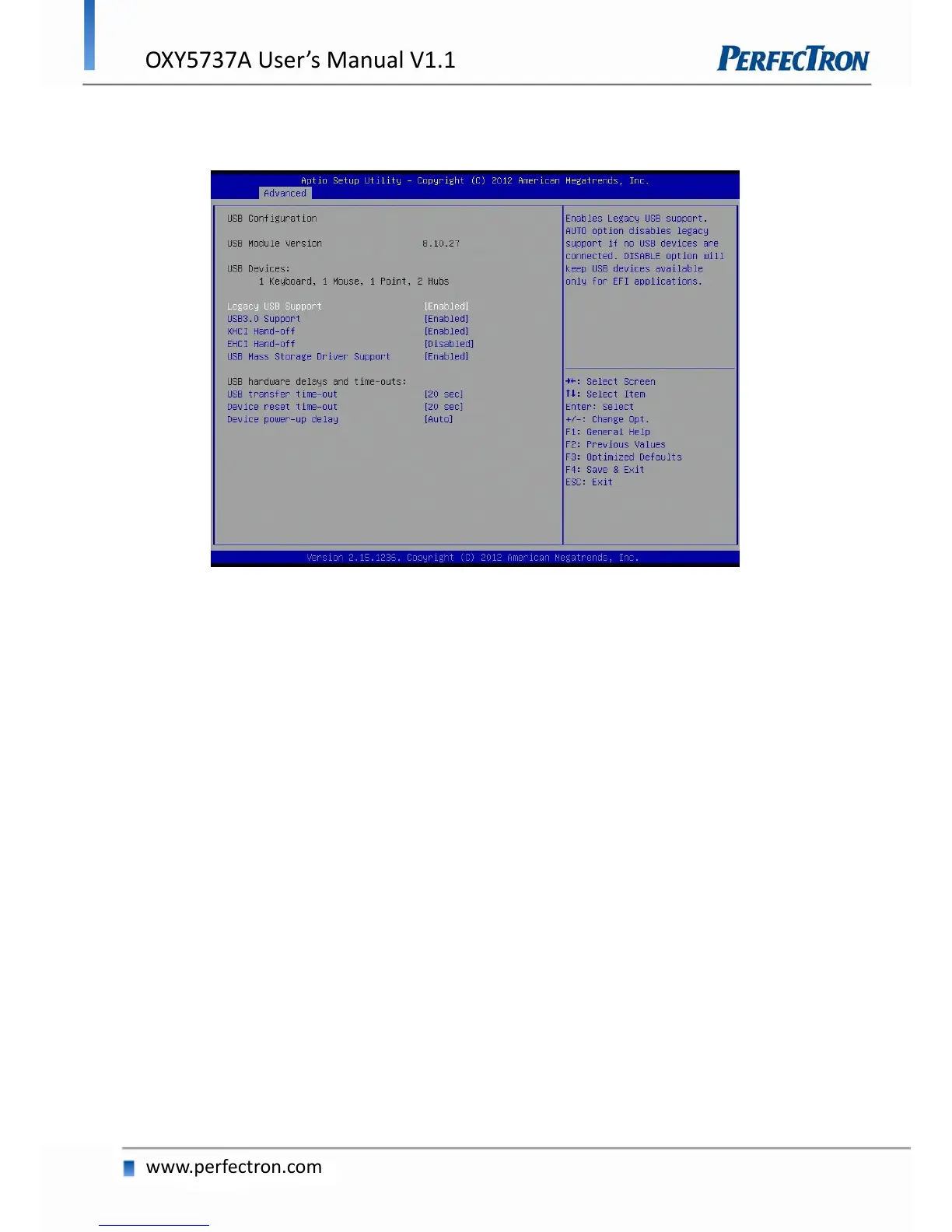
4.4.9 USB Configuration
USB Configuration Parameters.
Legacy USB Support
Enables legacy USB support. AUTO option disables legacy support if no USB devices are connected. DISABLE
option will keep USB devices available only for EFI applications.
USB3.0 Support
Enable/Disable USB3.0 (XHCI) Controller support.
XHCI Hand-off
This is a workaround for OSes without XHCI hand-off support. The XHCI ownership change should be
claimed by XHCI driver.
EHCI Hand-off
This is a workaround for OSes without EHCI hand-off support. The EHCI ownership change should be
claimed by EHCI driver.
USB Mass Storage Driver Support
Enable/Disable USB Mass Storage Driver Support.


 To Next Page