Network Stack
Enable/Disable UEFI network stack
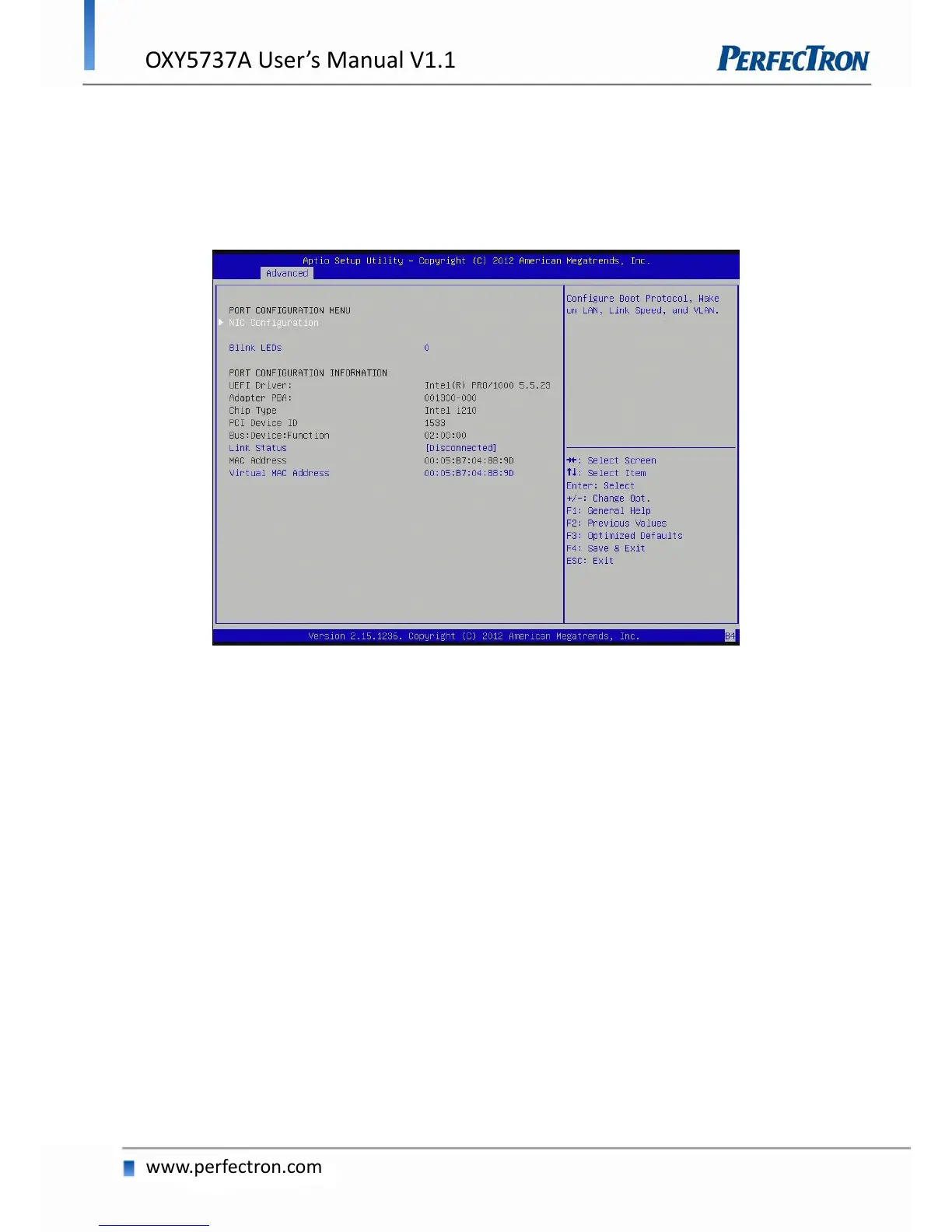
4.4.14 Intel I210 Gigabit Network Connection
Configure Gigabit Ethernet device parameters.
PORT CONFIGURATION MENU
NIC Configuration: Configure Boot Protocol, wake on LAN, Link Speed, and VLAN.
Blink LEDs: Identify the physical network port by blinking the associated LED.
PORT CONFIGURATION INFORMATION
Link Status: Link Status.
Virtual MAC Address: Programmatically assignable MAC address for port.


 To Next Page