Explorer Mini Repairs - Control panel
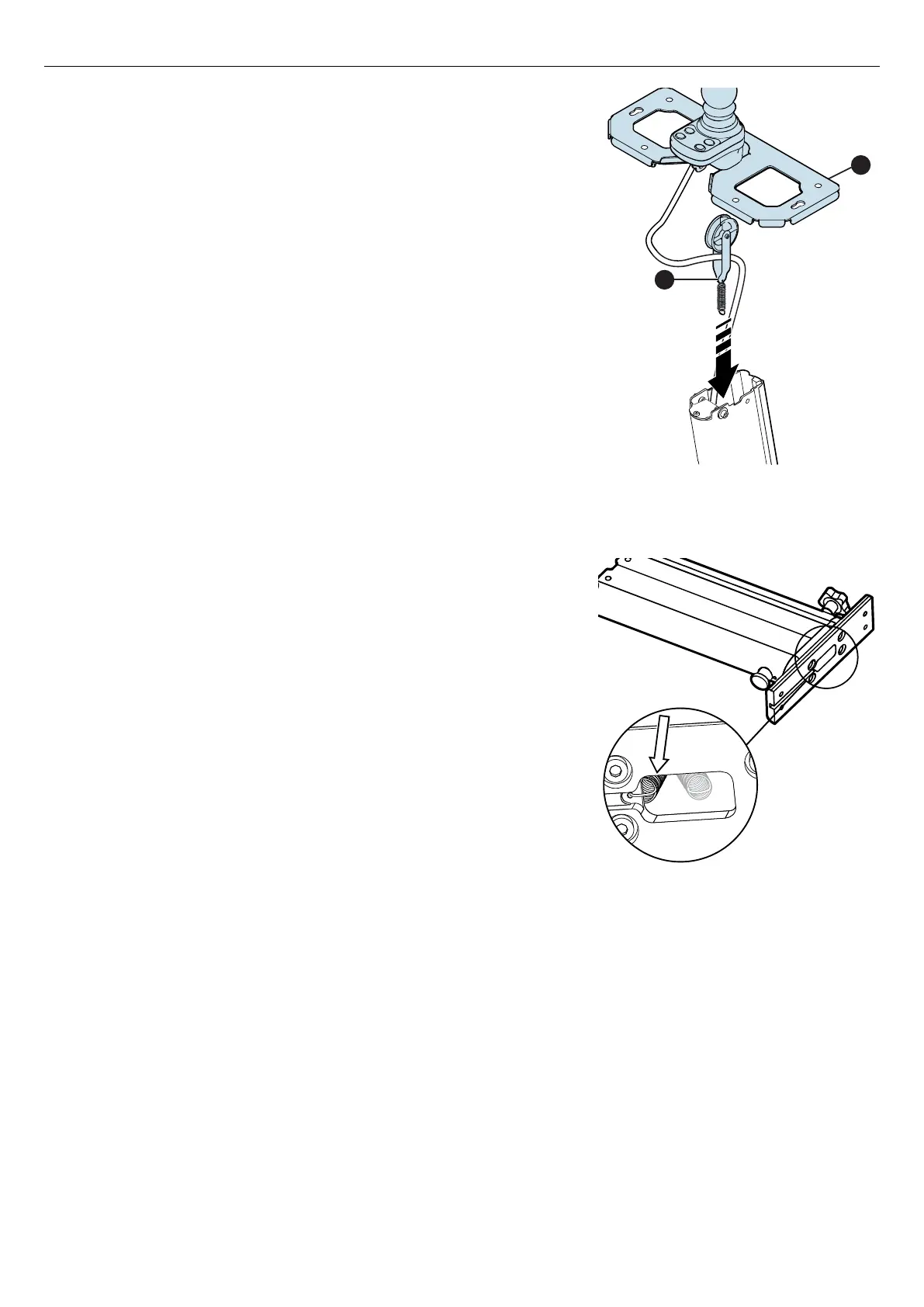
Figure 96. Put the cable pulley assembly (A) in the
column and put the table bracket (B) on the column.
8. Put the cable pulley assembly (A) in the column and use a wire hook
to pull the pull spring through the column.
9. Put the table bracket (B) on the top of the column. Make sure that
the charger socket is facing the front of the column.
Figure 97. Attach the end of the pull spring in the hole
at the bottom of the column bracket.
10. Use a needle-nosed pliers to attach the end of the pull spring in the
hole at the bottom of the column bracket.
49



 To Next Page