Controls
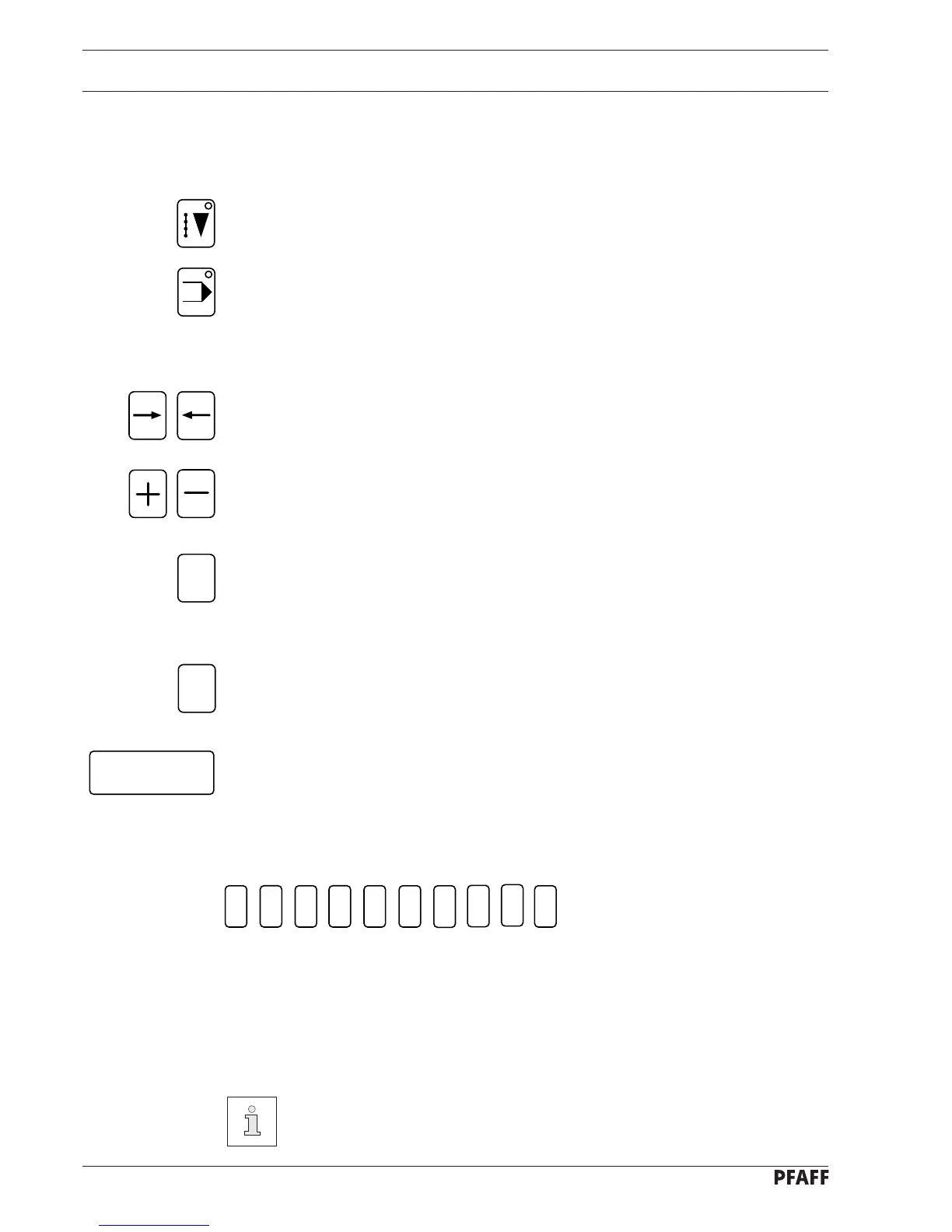
7.07.02 Operation-mode keys
There are two operation modes. The selected mode can be seen by the light emitting diode
in the respective key.
SEWING mode
INPUT mode
7.07.03 Function keys
Arrow keys (right/left)
- Change menu bars.
- for positioning the cursor when entering several values in one line
Plus/Minus keys
- for raising and lowering input values
Esc key
- for interrupting functions without taking on the value inputted
- for returning to superordinate menu functions
- for error acknowledgement after an error message
Clear key
- for returning the input value to 0
- for error acknowledgement after an error message
Enter key
- for confirming an input value
- for error acknowledgement after an error message
7.07.04 Number keys
Esc
Clear
Enter
7 - 5
1
2
3
4
5 6
7
8
9
0
Below the display there is a row of number keys (1-0).
Depending on the current operating mode, these keys have the following functions:
- carrying out the function shown by the symbol displayed above the number key
- inputting a numerical value
- selecting functions or the next level of the menu
Double click = pressing a key twice in rapid succession



 To Next Page