Preparation
9 - 5
9.06 Adjusting the stitch length
● Turn the machine on!
1 2
3
4 5 6 7 9 0
Enter
8
Esc
Clear
Fig. 9 - 06
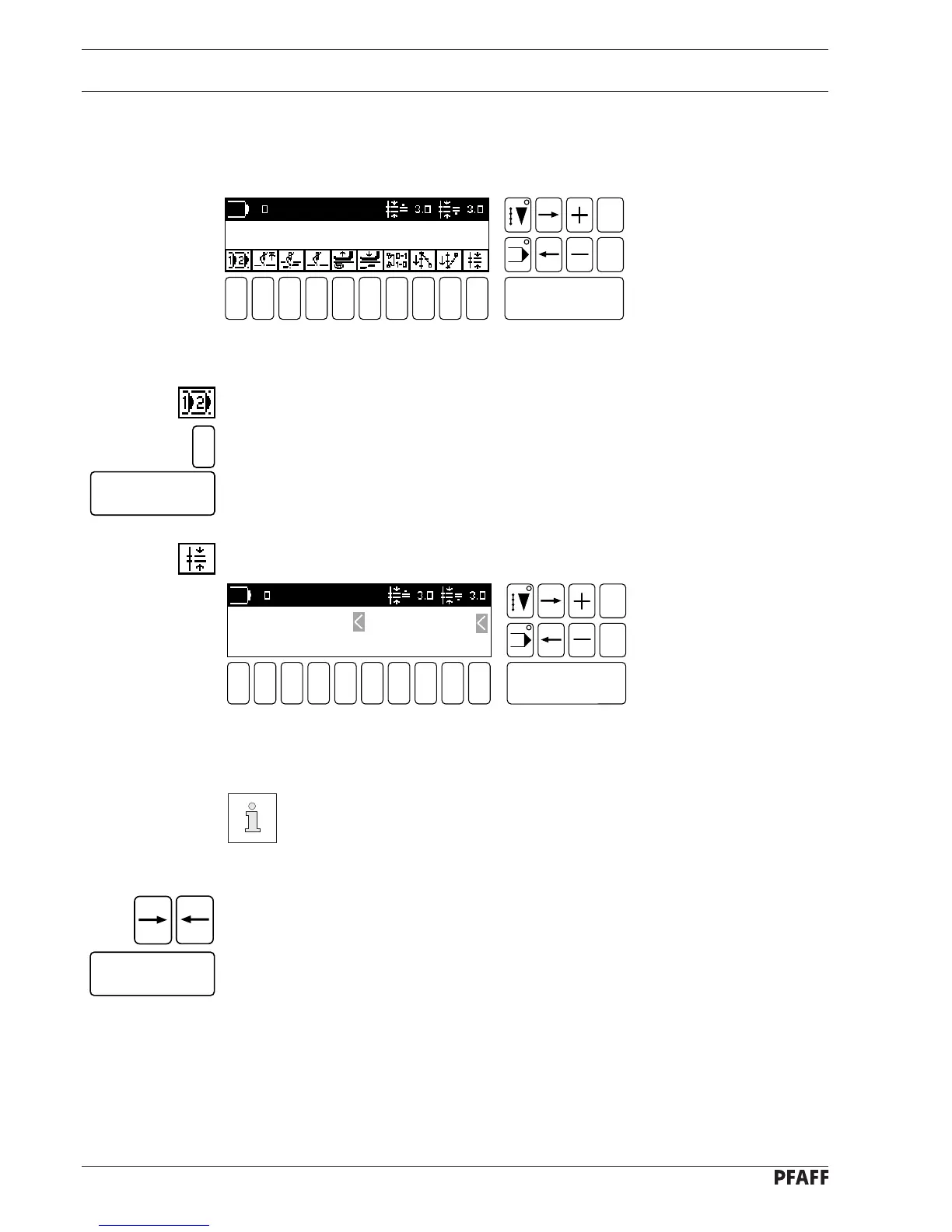
If the display shown in Fig. 9-06 does not appear:
● Select the function select program.
● Enter program number 0.
● Confirm with the Enter key.
● Select the function stitch length with number key 0.
1 2
3
4 5 6 7 9 0
Enter
8
Esc
Clear
Fig. 9 - 07
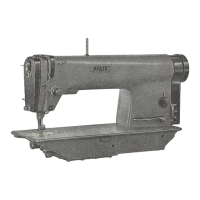
● Using the number keys, input the desired stitch lengths.
The value inputted will also be taken on by the feed wheel and the roller
presser.
If the values for the feed wheel and the roller presser are to vary, the feed
wheel and the roller presser must be selected individually.
When inputting varying feed lengths:
● Select the feed wheel or roller presser separately using the arrow keys (observe cursor).
● Input the required value and confirm with the Enter key.
0
Enter
Enter
ROLLER PRESSER: 2.5 MM FEED WHEEL: 2.5 MM
[ VALID: 0.8 MM - 5.0 MM DIFF.: 1 MM ]



 To Next Page