Sewing
10 - 5
Doku-seam section
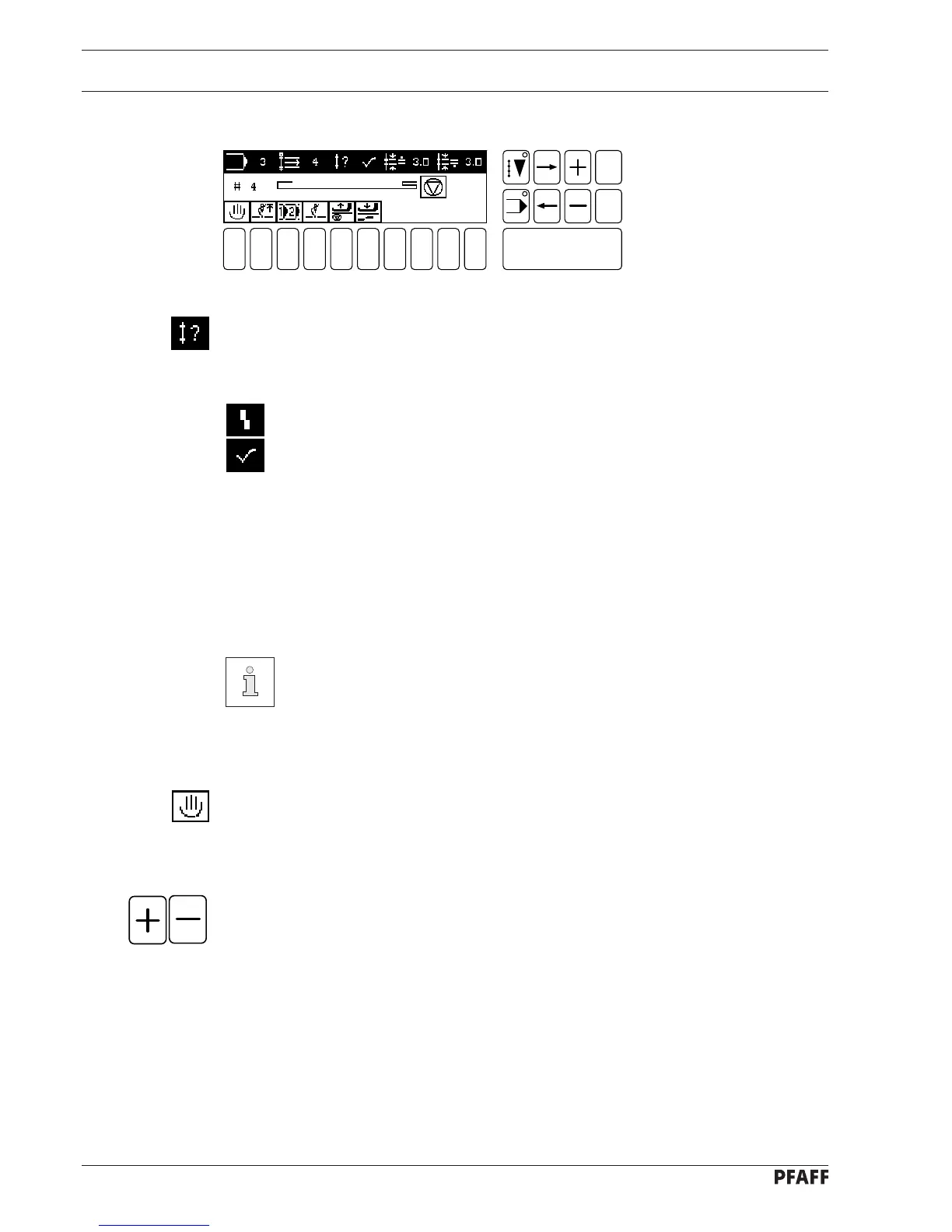
If the selected program contains seam monitoring, indication of whether the seam complies
with requirements is given at the end of the seam segment.
The Doku-seam system has detected a seam fault.
The Doku-seam system has not detected any seam fault.
Only on the PFAFF 1421E1 with Doku-seam system:
1 2
3
4 5 6 7 9 0
Enter
8
Esc
Clear
Fig. 10 - 06
10.04 Decorative seams
Decorative seams are designed as rotary programs. The program does not stop at the end of
the program and the thread is not trimmed. The program is repeated until the pedal is
brought backwards to the 2nd position (pedal position 3 in chapter 7.03 Pedal).
There is an example for programming decorative seams in chapter 11.14.02
Example for programming a decorative seam.
10.05 Program interruption
If the sewing of a program has to be interrupted (e.g. in the case of a thread breakage), the
function program interruption must be activated.
● When pressed once, the machine switches to manual SEWING.
● If you continue sewing manually the stitch length values will be taken from the seam
program (symbol in display appears on a dark background).
● By using the plus/minus keys you can select the seam section in which the seam pro-
gram is to be continued.
● When pressed a second time, you enter the selected seam section. Programmed
SEWING is continued.



 To Next Page