Service Modes, Error Codes, and Fault Finding
EN 26 BJ2.4U/BJ2.5U LA5.
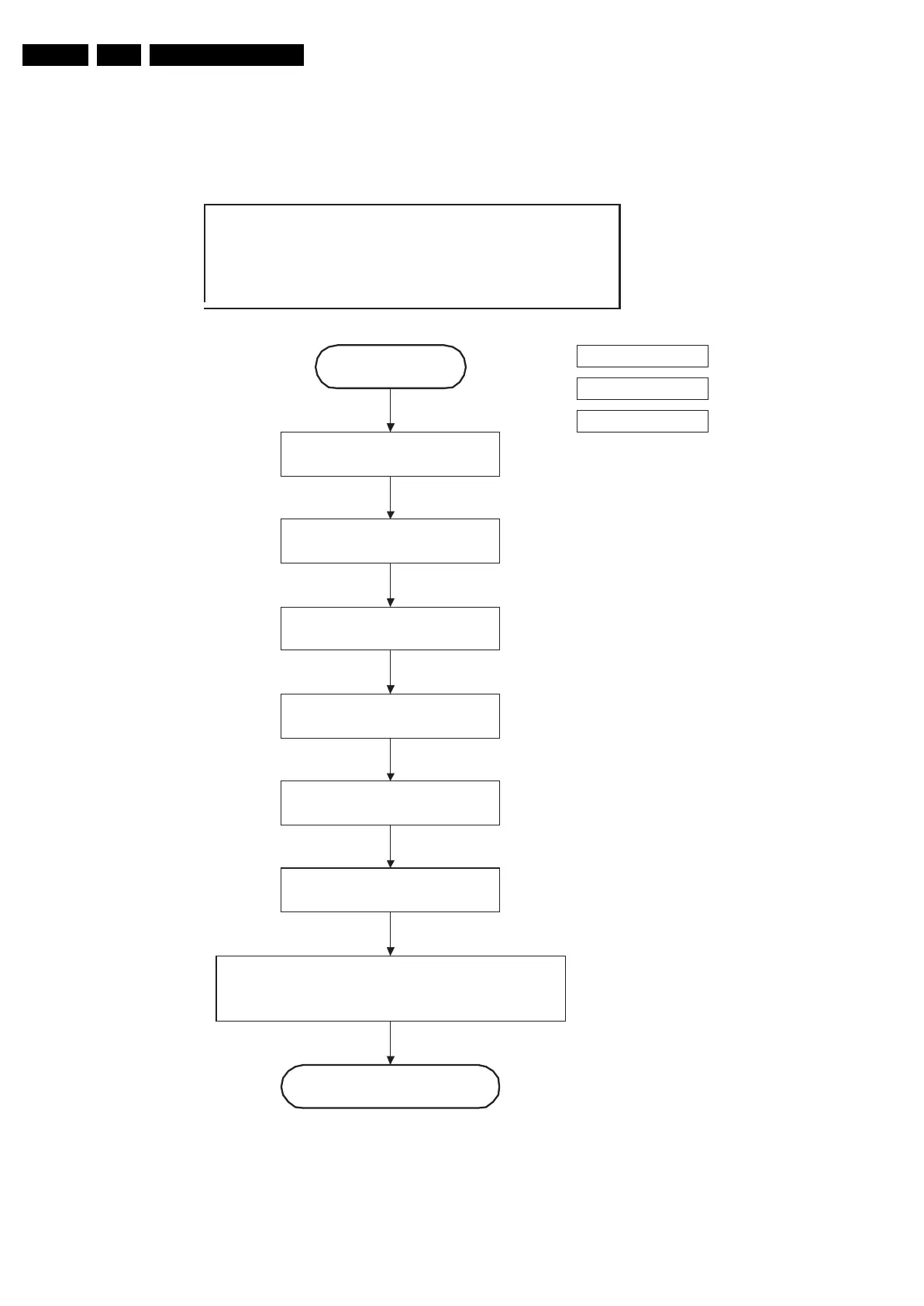
Figure 5-11 “Active” to “Semi Stand-by” flowchart
F_15570_012.eps
230606
Semi Standby
Active
action holder: MIPS
autonomous action
action holder: St-by
Wait 250ms (min. = 200ms)
Switch off 12V LCD supply within a time frame of min.
0.5 ms to max. 50ms after LVDS switch off.
(Viper I/O: LCD_PWR_ON)
32" / 37" / 42" LCD LPL &
32" LCD LPL scanning
backlight
Mute all sound outputs.
Mute all video outputs
switch off LCD lamp
Switch off LVDS signal
(Viper I/O: PD-LVDS)
Switch reset-audio and sound-enable
lines high











 To Next Page