13
Preparing and Loading Medication
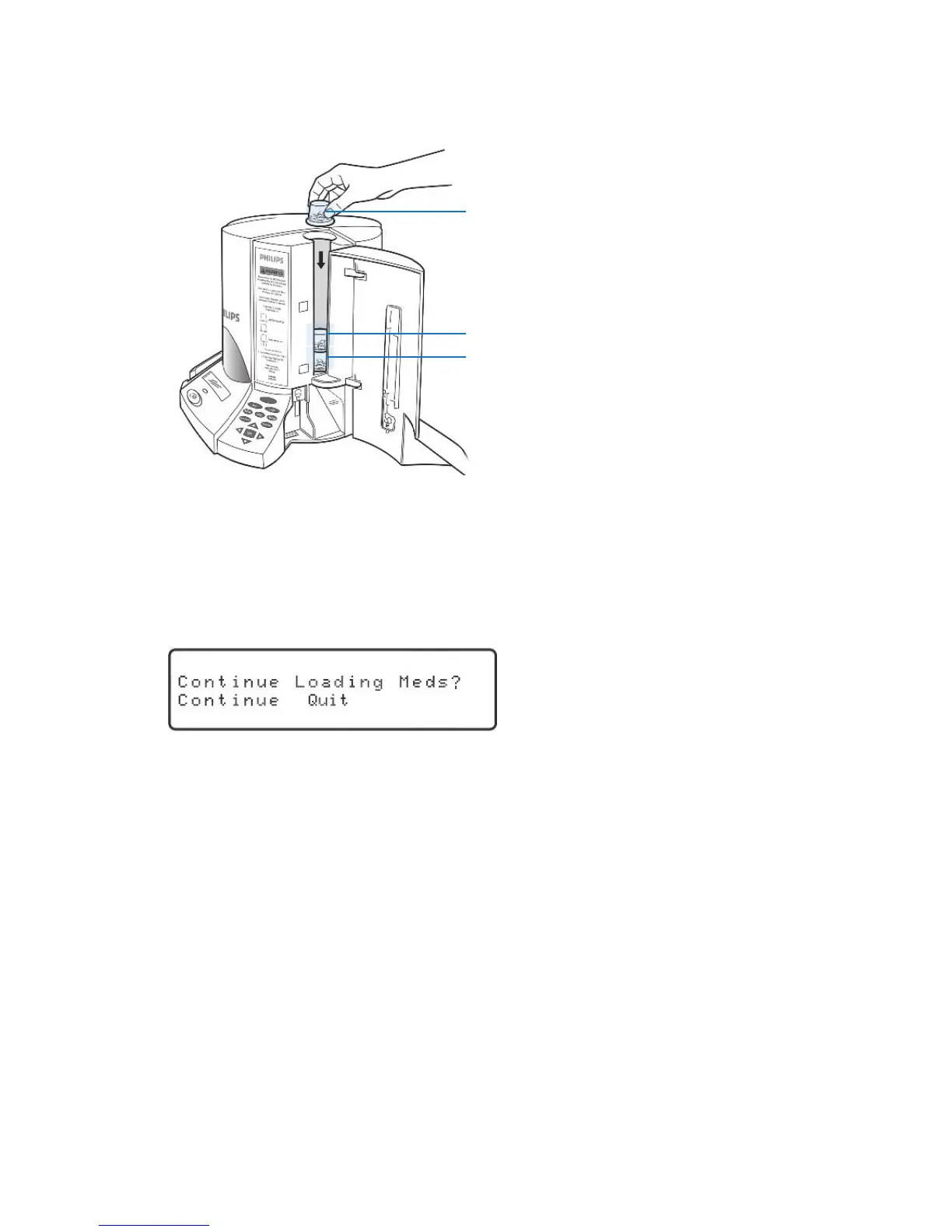
4. Loadmedicationcupsfortheday/datedisplayedonthedispenser.Makesure
toloadthecupsupsidedownintheorderthattheyaretobetaken.Inother
words,the1stdoseofthedayisloadedrst,the2nddoseisloadedsecond,etc.
1
st
dose
2
nd
dose
3
rd
dose
Medication is loaded on a day-by-day basis. After one day’s worth of medication is
loaded, the cylinders will rotate before the next day’s medication is loaded.
5. Whenyouhaveloadedallthecupsfor that day,pressthe“OK”keytocontinue.
Thedisplaywillshow:
“Continue” will be blinking.
6. Tocontinueloadingmedication,pressthe“OK”key.Repeatthestepsaboveuntil
allmedicationsareloaded.
• Alwaysloadacompleteday’sworthofmedication.
• Ifyouareloadingmorethan10days’worthofmedication,thecylinderswill
contain medication cups loaded for a previous day. This is completely normal.
Load the new day’s medication cups on top of those already in the cylinder.
7. Toexitandstoploadingmedication,presstherightorleftarrowkeyuntil“Quit”
isblinkingandthenpressthe“OK”key.
NOTE: If you accidentally select “Continue” instead of “Quit,” simply press the
“Run” key to exit.



 To Next Page