22
For assistance, call the Support Center at 1-888-632-3261.
Almost Empty Alerts
When the dispenser detects that just three days of medication remain, it will start
sending“AlmostEmpty”alerts.ThisalertissentONLYtotherstdesignatedcaregiver
anditisalwayssentat8pm.Therstalertwillbesent72hours(3days)beforethe
dispenser is empty. If the caregiver does not acknowledge this alert, it will be repeated
at 8 pm the next two days until the alert is acknowledged.
Please refer to page 47 for a list of caregiver alerts and the recommended action.
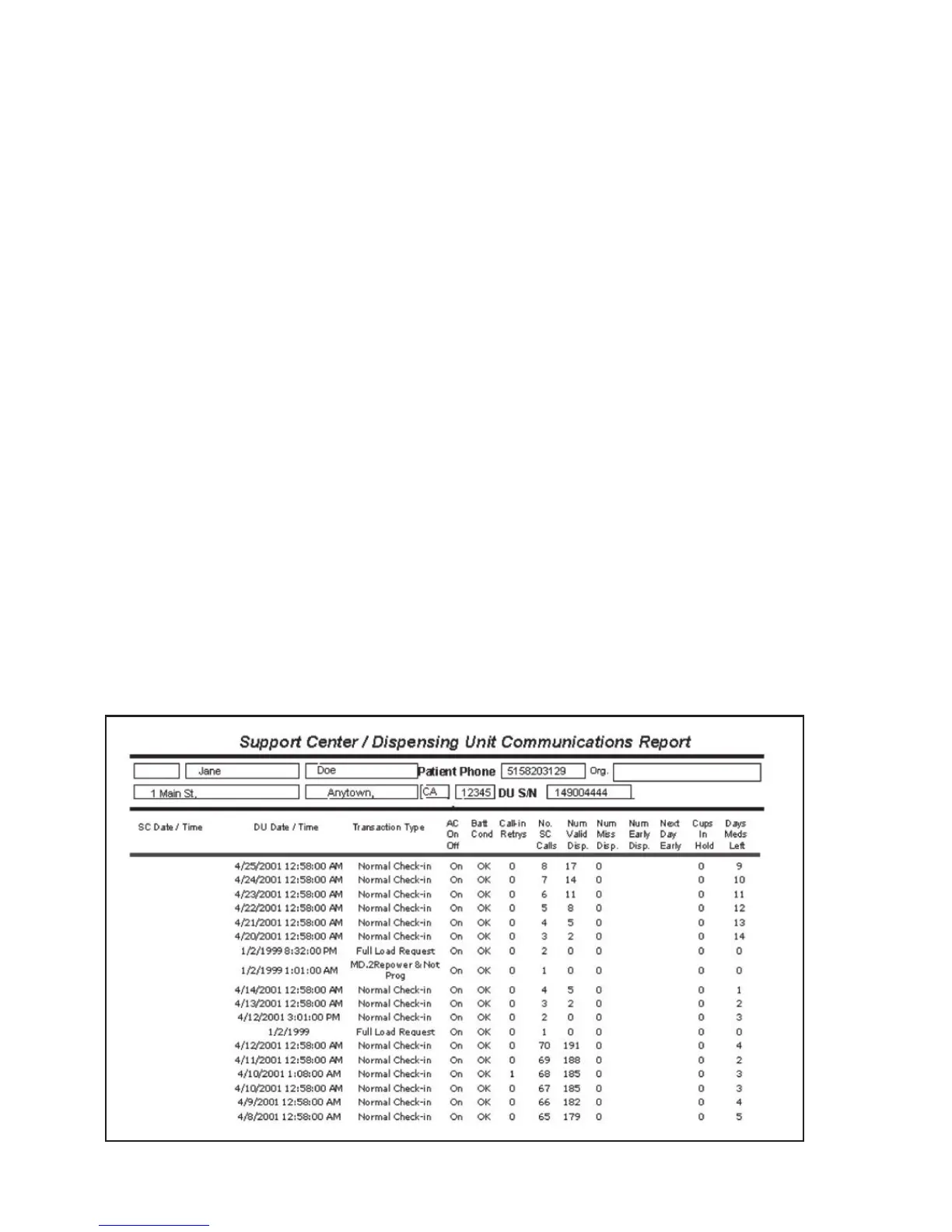
Daily Check-In
Once a day, the Philips Medication Dispenser will automatically call the Support Center to
download information about the system status. The following information is downloaded
each day:
• Numberofmisseddoses
• Daysofmedicationremaining
• Numberofearlydoses
• Systemerrors(e.g.,jammedcups,interruptioninelectricalpower,etc.)
Online Monitoring Report
The information downloaded during the daily check-in is compiled and presented in the
online Philips Medication Dispenser Monitoring Report. This report is available online,
24 hours a day. ToaccesstheMonitoringReport,pleasecontacttheSupportCenter.
A Support Specialist will provide logon information and instructions.



 To Next Page