29
Additional Features
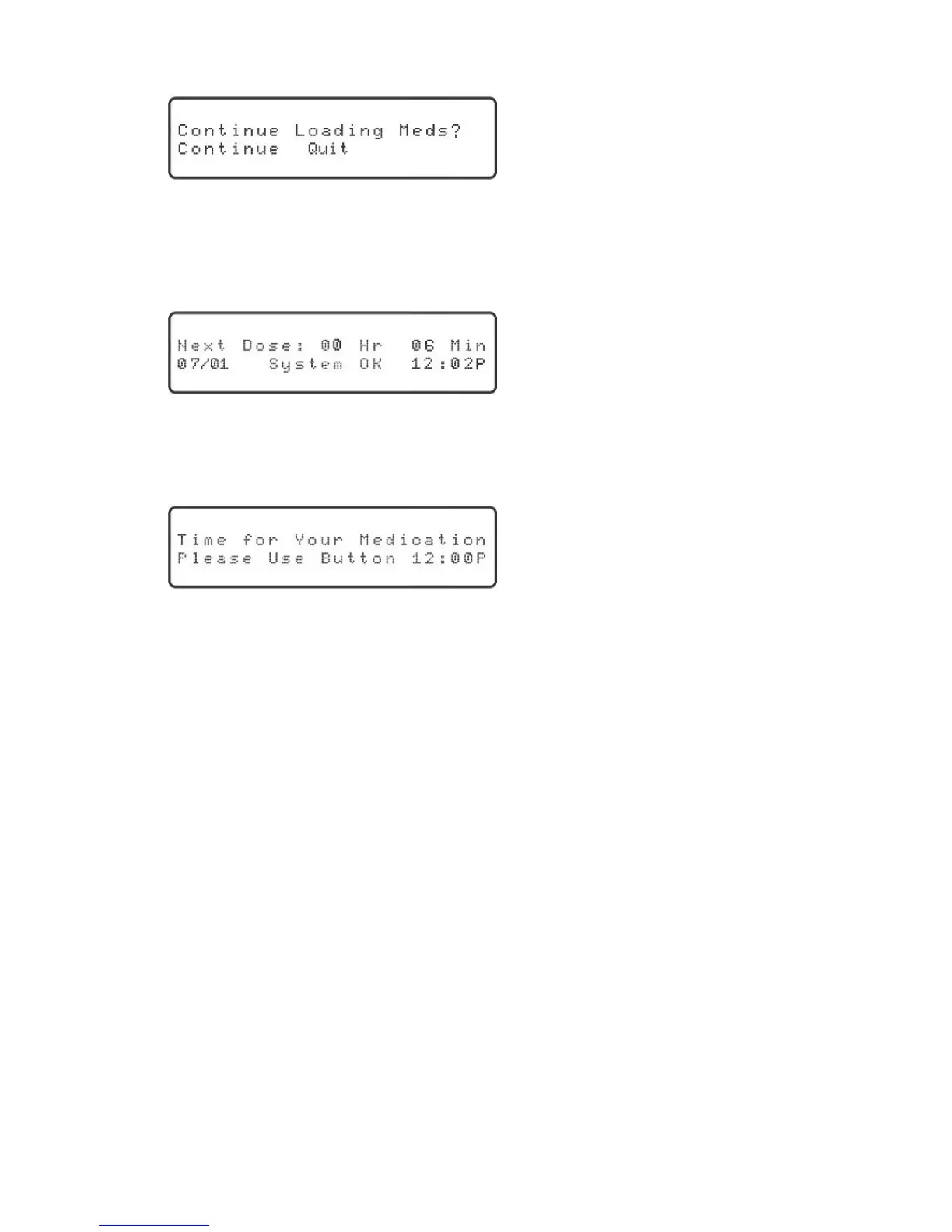
7. Pressthe“OK”keytocontinue.Thedisplaywillshow:
“Continue” will be blinking.
8. Presstherightorleftarrowkeyuntil“Quit”isblinkingandthenpressthe“OK”key.
The Philips Medication Dispenser display will provide information about the next
scheduled dose, as below:
9. After4-8minutes,thedispenserwillpreparetodispensetherstofthethree
doses.“Timeforyourmedication...pressbuttontodispense”willbeannounced.
Theredlightwillstartashingandthedisplaywillshow:
10.Presstheredbuttononthefrontofthedispensertodispensethemedication
cup.Ifthebuttonisnotpressedwithin3-4minutes,aloudbeepwillaccompany
thevoicemessage.Thisisthesamebeepthatisheardduringnormaloperationif
thepatientdoesnotdispensethemedicationwithin45minutes.
The Philips Medication Dispenser will dispense the remaining doses in intervals of
4-8 minutes.



 To Next Page