41
Special Installations
8. Repeattheabovetwostepstoselectthemessagesfortheremainingdosesof
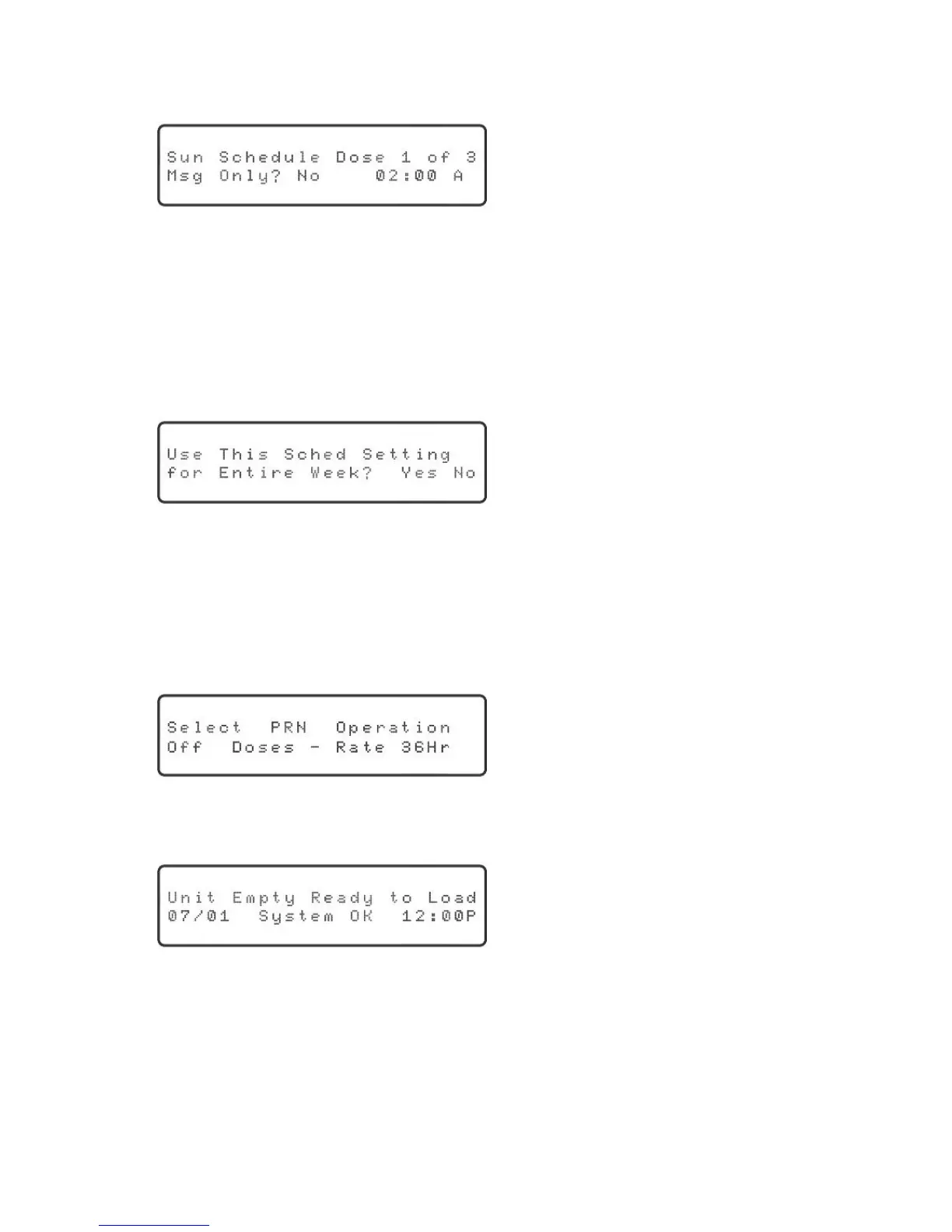
theday.Onceallmessageshavebeenselected,thedisplaywillshow:
“No” will be blinking.
9. Thisscreenallowsyoutodenewhetherthedoseisaremindermessageor
acupofmedicine.Youalsodenethetimeforthisdose.Usetherightor
leftarrowkeytomovearoundandtheupordownarrowkeytochangethe
selections.Oncealltheinformationhasbeenentered,pressthe“OK”key.
10.Repeattheabovesteptomakeselectionsfortheremainingdosesoftheday.
Onceyouhavedenedoneday,thedisplaywillshow:
“Yes”willbeblinking.
11.Ifthesamescheduleistobefollowedforanentireweek,pressthe“OK”key
toselect“Yes.”Otherwise,usetherightorleftarrowkeytoselect“No”
andthenpress“OK.”Youwillthenhavetorepeattheaboveprocessforthe
otherdaysoftheweek.
12.Thedisplaywillthenshow:
“Off” will be blinking.
13.Pressthe“OK”keytocontinue.ForfurtherinformationaboutthePRN
operation,pleasecontacttheSupportCenter.Thedisplaywillshow:
The next step is preparing and loading medication. Please refer to page 9.



 To Next Page