94 EN EN 95
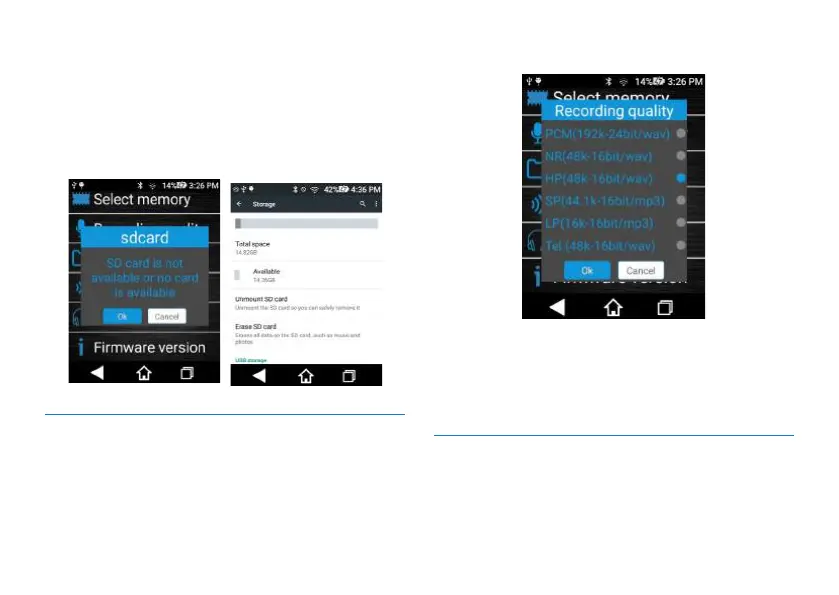
path, and if the interface shows “SD card is not usable and if
you want to format the card”, this means that the SD card
you have inserted is not supported. Please select “Yes” and
then jump to the formatting interface, click “Format SD
card”. After SD car is formatted, the SD card can be used
then.
Interface for formatting SD card:
11.9.2 Recording type
Select the recording type: PCM(192K-24bit/wav), N.R(48K-
16bit/wav), HP(48K-16bit/wav), SP(44.1K-16bit/mp3),
LP(16K-16bit/mp3) or Tel(48K-16bit/wav).
Recording Type interface is shown below:
Reminders:
1. When recording is done in a noisy environment, please
select Noise Reduction Recording (N.R.) to reduce noise.
2. Recording mode Tel is only used for telephone call
recording. For details please check section 5.3.
11.9.3 Folder selection
Select the folders for recording: A, B, C or D.
Folder interface is shown below:














 To Next Page