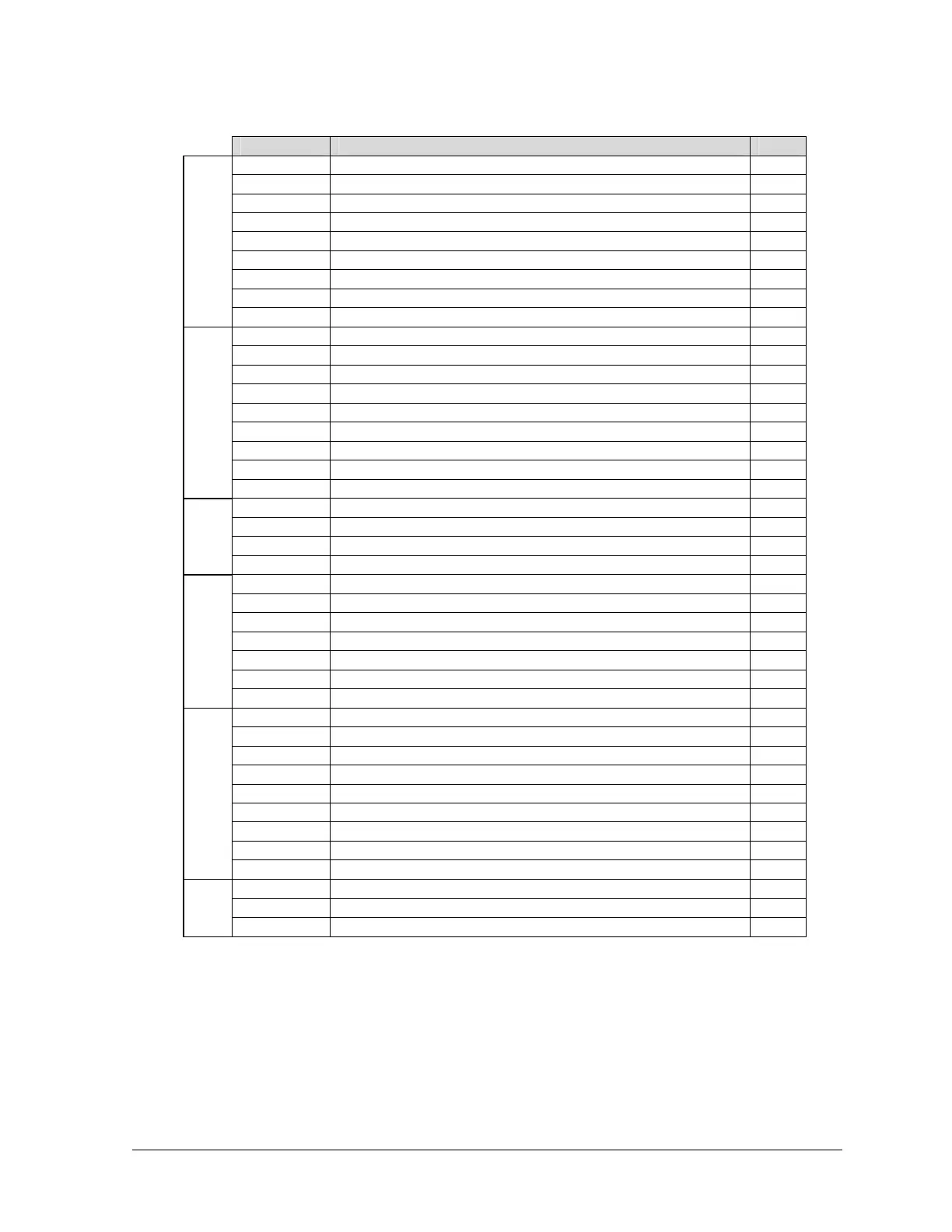
Command Description Page
A10 Check In or Out 27
A11 Message-Waiting On/Off 27
A12 Set / Change Wakeup Call 27
A13 Set Room Status 28
A14 Clear All Room Status Codes 29
A15 Allow/Block Long-Distance Calls 29
A16 Allow/Block Local Calls 29
A17 Allow/Block Extension-to-Extension Calls 30
Hospitality Commands
A35 Manage System Voice Messages (112e only) 30
A18 Check Call Duration 30
A20 Print Individual Extension Wakeup Report 35
A21 Print System Wakeup Report 35
A22 Print Room Status Report 36
A23 Active Stations Report 37
A24 View PhoneSuite Main Board Software Version 37
A25 Request Property Management System Database Dump 37
A26 Display Extension Outbound Call Count (Model 64 only) 38
Reports & Displays
A27 Display Extension Call Count (Model 64 only) 38
A30 Forward Extension’s Calls 43
A31 Clear Voice Mail 44
A32 Do Not Disturb 45
Extn.
Features
A40 Clear Extension Features 46
*
Set PhoneSuite’s Date and Time 48
A28 Assign Name to Extension (112e only) 49
A41
Manual Night Mode On/Off 47
A42 Clear 9-1-1 Alarm 48
A43 Trunk Alarm 49
A44 Access A Specific Trunk 50
System Com-
mands
A45 Check All Extensions In 50
A50 Check-Out Report (Extension Phone Bill) 51
A51 Clear Extension’s Phone Bill 54
A52 Revive Extension Calls 54
A53 Set Credit Limit 55
A54 Print Credit Violations 55
A55 Print Audit Report 55
A56 Clear Audit Report 56
A57 Check Bill Total for an Extension 56
Call Accounting &
Auto Attendant
A59 Record Auto Attendant Messages 56
A61 Set Time 48
A62 Set Date 48
Misc
*
Set Date and Time 48
Hint: If you do not remember an “A Level” command code, you can press the “A” key repeatedly to scroll
through an abbreviated list of available commands. This list includes only the most commonly-used “A”
commands, based on whether this is a hospitality application or a general business application.
For hospitality applications (as configured by the installer), the A Commands scroll list includes:
• Check In or Out
PhoneSuite
®
Console User’s Manual rev. 081106 25



 To Next Page