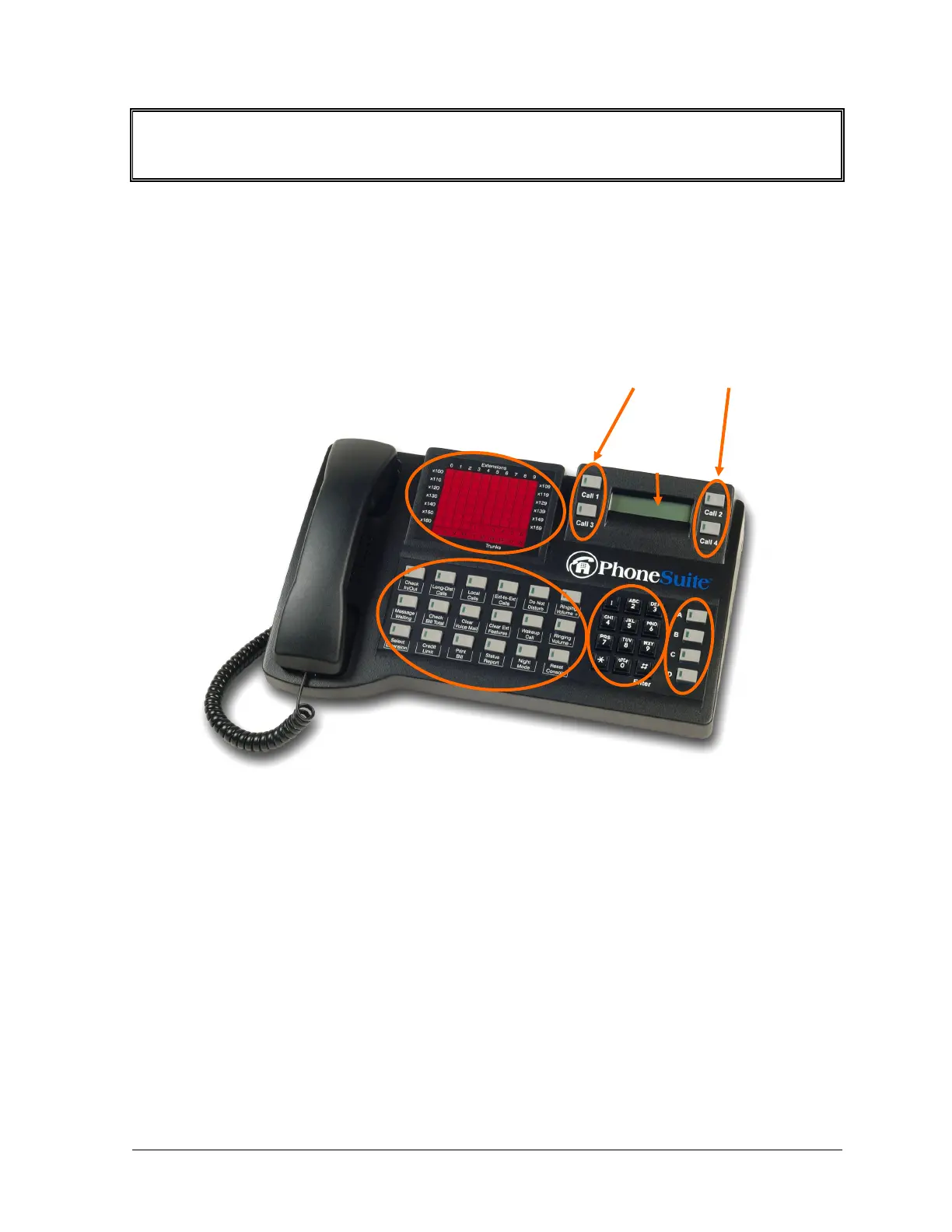
Console Layout & Overview
This manual describes the PhoneSuite console, which is the primary operator station for handling tele-
phone calls with the PhoneSuite telephone system. The console is also used for system programming and to
set guest room and system features.
There are five main parts to the PhoneSuite Console: the LCD Display, the Status Lights, the Keypad, the
Call Buttons, and the Feature-Key Buttons. Each of these is described in detail below.
Command
Buttons
Call Buttons
LCD
Display
Status Lights
(busy-lamp field)
Feature-Key Buttons
Keypad
Typically, a handset is connected to the console, as pictured above. In some cases, a headset or even a sepa-
rate telephone will be connected by the installer. Note that if a telephone is connected, it does not need to
be hung up in its cradle between calls, though the cradle can be used as a convenient resting place for the
handset whenever desired. All dialing is done on the console, so there is no use for a dialing keypad on the
attached telephone set.
• LCD Display: The Display shows information about calls as they arrive at the console. It is also used to
enter and display data for various commands that are described in this manual. In normal operation, the
display is divided into four sections, corresponding to the four Call Buttons (described below). The
origin of each call can be quickly checked by viewing the appropriate part of the display.
• Status Lights / Busy-Lamp Fields (BLF): These lights show the status of the extensions and trunks
that are selected to display. The lights are arranged in rows and columns, where the row indicates the
PhoneSuite
®
Console User’s Manual rev. 081106 1



 To Next Page