PHOTONIS | 30
NVT 200-LC-0103
Revision: D
Page 30 of 43
Setup: Synchronize Sensors Register- Synchronizes the sensor registers between the
camera and the GUI. This option works only when the GUI is operated in “Engineering Mode”.
The GUI will automatically do this operation at power up if the camera is powered on and the
COM port has been previously setup.
Setup: Synchronize Camera Settings- Synchronizes the GUI control values with the camera.
The GUI will automatically do this operation at power up if the camera is powered on and the
COM port has been previously setup.
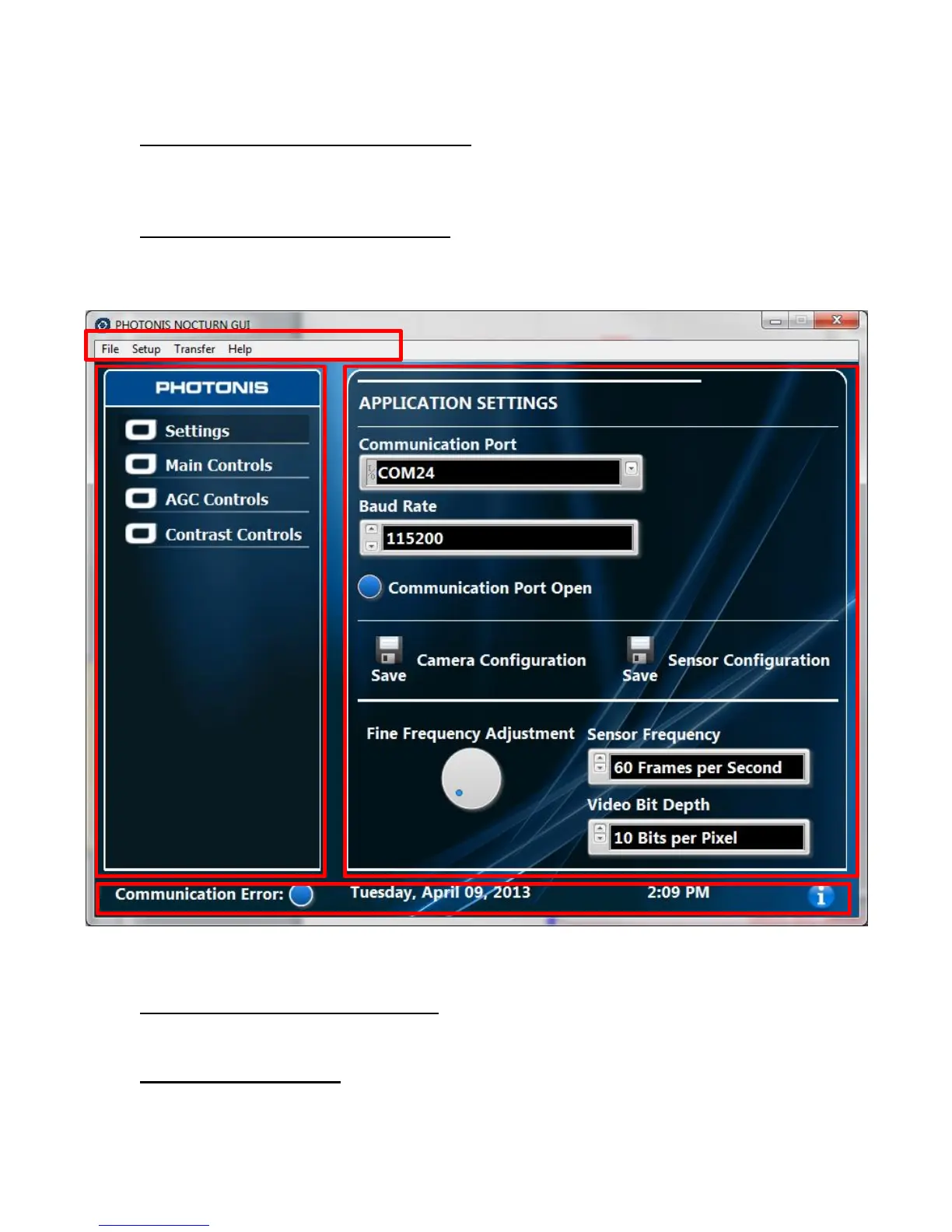
Figure 6 Layout of the NOCTURN XL Evaluation GUI
Setup: Synchronize AGC Settings- Synchronizes the GUI AGC control values with the
camera. The GUI will automatically do this operation at power up if the camera is powered on
and the COM port has been previously setup.
Setup: External Strobe- This options will open the external strobe (camera frame trigger
output) control window (see Figure 7). In that window the “Strobe” button control
enables/disables the external strobe output. The “Strobe Active Polarity” button switches the
Section 1
Section 2
Section 3
Section 4



 To Next Page