39 | User Reference Guide NOCTURN XL Camera
NVT 200-LC-0103
Revision: D
Page 39 of 43
value of the digital output corresponds to the upper limit of the cumulative histogram bin
number.
o EQUALIZATION- Performs standard histogram equalization.
o LIMITED EQUAL.- Performs an a global adaptive contrast enhancement.
Min. Bin- Represents the minimum number of bins to use in the histogram stretching.
Convolution Filter-
o ON/OFF- Enables/Disables the convolution filter.
o FILTER Selection Drop box- Switches between several pre-loaded convolution filters.
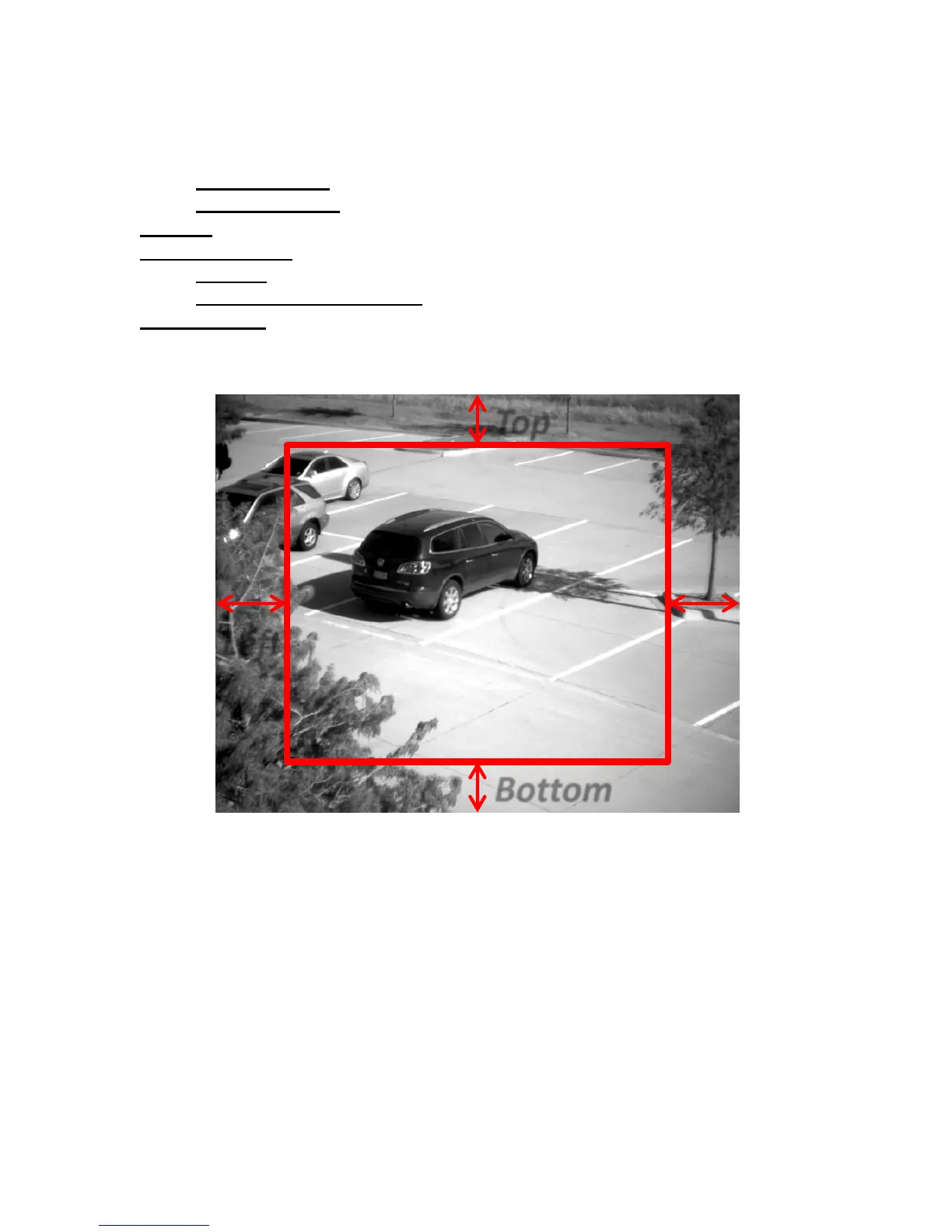
Histogram ROI- Selects the region of interest (ROI) utilized to calculate the histogram for the
AGC and the contrast enhancement (see Figure 15).
Figure 15 Histogram Region of Interest Setup
Set up according to conditions
On the standard NOCTURN XL, we usually do not preset different mode settings since the camera in
this configuration is used for a variety of industrial application where the AGC and Gain parameters are
adjusted to customer specific lighting and applications.
For most of the product that we are putting for man portable applications (using the NOCTURN XS) we
usually have three modes pre-configured: day, automatic and night.
In the day mode
• AGC = OFF (main camera tab of the GUI)



 To Next Page