35 | User Reference Guide NOCTURN XL Camera
NVT 200-LC-0103
Revision: D
Page 35 of 43
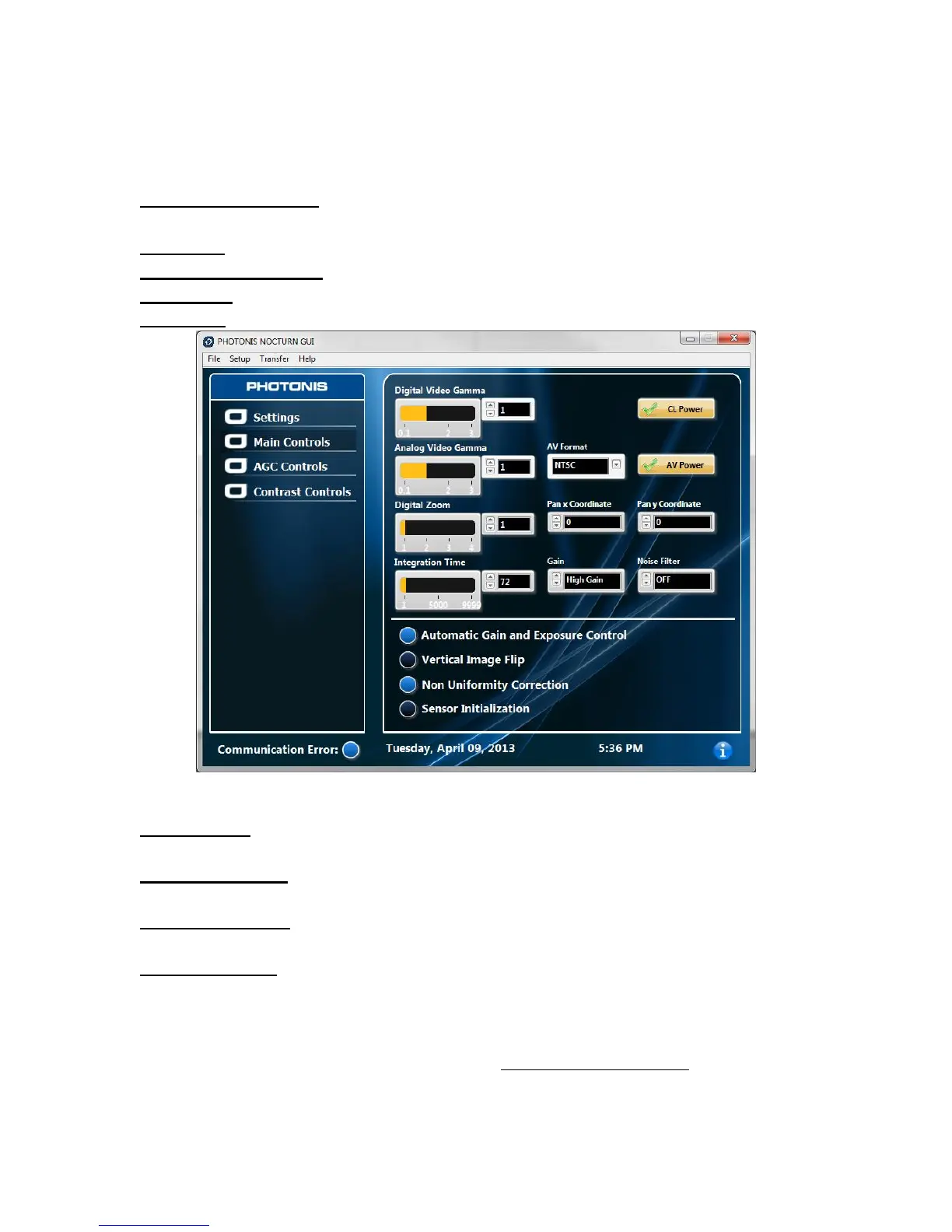
Main Controls
Digital Video Gamma- Adjusts the Gamma on the digital CameraLink® compatible video output
channel.
CL Power- Turns ON/OFF the Camera Link® Compatible video output
Analog Video Gamma- Adjusts the Gamma on the analog video output channel.
AV Format- Allows the user to select between the NTSC or PAL analog video format.
AV Power- Turns ON/OFF the analog video output.
Figure 11 GUI Main Controls Tab
Digital Zoom- Enables the user to adjust the camera digital zoom from 1X up to 4X. The digital
zoom feature only operates in the 30, 50 and 60fps modes.
Pan x Coordinate- Enables the user to pan the image on the X or horizontal axis when in zoom
mode (see Figure 12).
Pan y Coordinate- Enables the user to pan the image on the Y or vertical axis when in zoom
mode (see Figure 12).
Integration time- Allows the user to re-adjust the exposure time in the amount of lines of the
sensor. This setting is only valid when the “Automatic Gain and Exposure Control” is disabled.
The integration time in units of time can be calculated using the following relationship in the 30,
50 and 60fps modes:



 To Next Page