27 | User Reference Guide NOCTURN XL Camera
NVT 200-LC-0103
Revision: D
Page 27 of 43
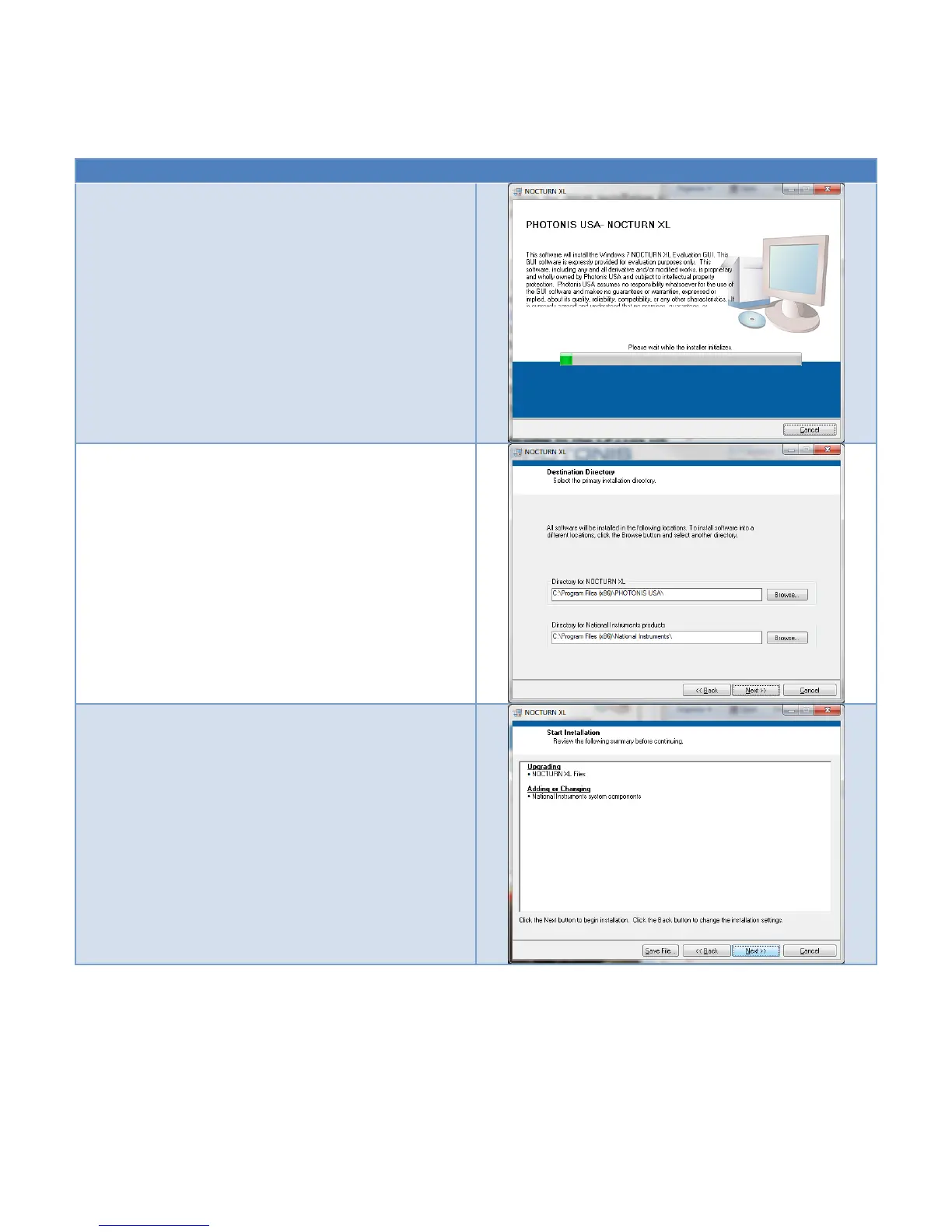
Table 17 Installation of the NOCTURN XL Windows Evaluation GUI
Download the the “Win 7 Evaluation GUI” installer from
the NOCTURN camera website:
www.nocturncamera.com
The GUI is built using National Instruments’ LabVIEW
and requires the installation of the LabVIEW run time
engine as well as National Instruments VISA drivers.
Double click on the installer and wait for the installer to
finish with its initialization.
At the destination directory installation screen, click the
“Next” button.
On the “Start Installation” screen, click the “Next” button
to begin installing the software.



 To Next Page