7 | User Reference Guide NOCTURN XL Camera
NVT 200-LC-0103
Revision: D
Page 7 of 43
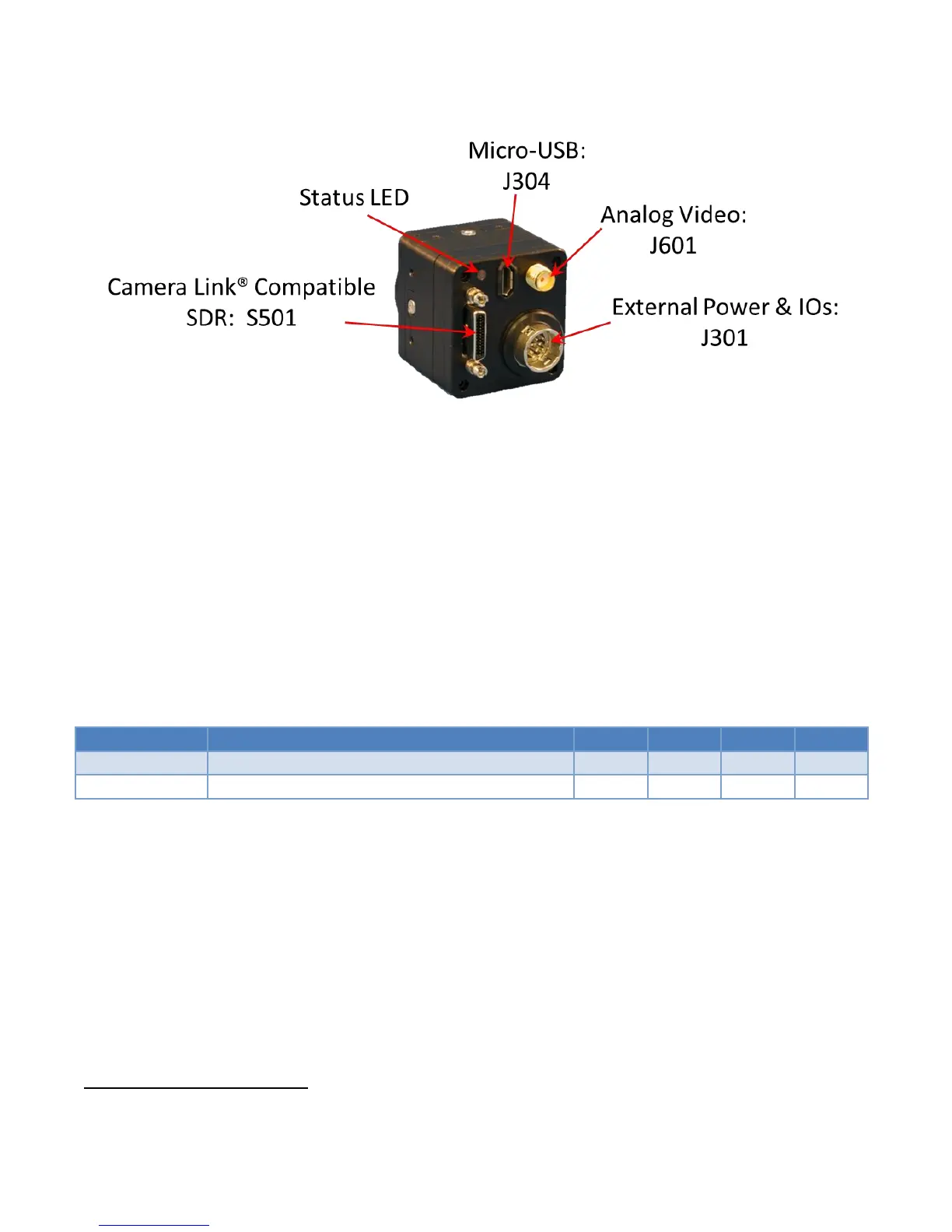
Figure 2 Back Side View of the NOCTURN XL Camera
The user can turn on independently the CameraLink® compatible digital and analog video output via
the serial command over the USB interface. Additionally, the NOCTURN XL is delivered with a tripod
mount adapter that can be easily bolted on to any side of the camera chassis. For full pin-out of the
NOCTURN XL camera please refer to the NOCTURN XL Electro-Mechanical ICD.
The NOCTURN XL can be powered either via the USB interface from a personal computer (cable not
provided) or through the J301 external power and IO connector (see Table 1 for power input
specification). The NOCTURN XL Electro-Mechanical ICD provides both the pin-out of and mating
connector part number for J301.
Table 1 NOCTURN XL Input Power Specifications
Measured with Vin at +5.0 VDC
In 60Hz mode and excludes analog video output power



 To Next Page