EasyManua.ls Logo

Physio Control LIFEPAK 9 - Page 110

Physio Control LIFEPAK 9
214 pages
Print Icon
To Next Page IconTo Next Page
To Previous Page IconTo Previous Page
Loading...
LIFEPAK
9
defibrillator/monitor
4-12
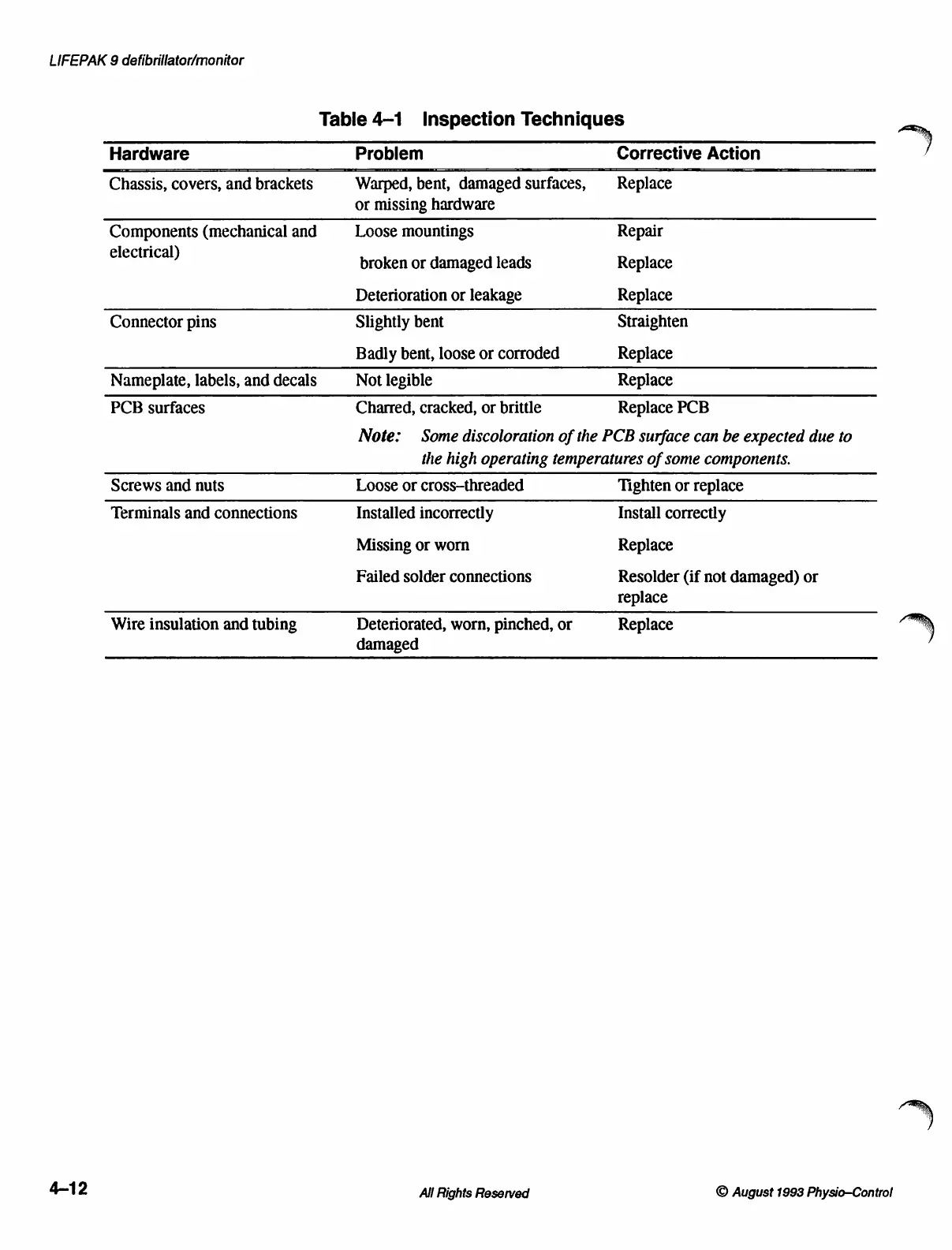
Table
4-1
Inspection
Techniques
Hardware
Problem
Corrective
Action
Chassis,
covers,
and
brackets
Warped,
bent,
damaged
surfaces,
Replace
or
missing
hardware
Components
(mechanical
and
Loose
mountings
Repair
electrical)
broken
or
damaged
leads
Replace
Deterioration
or
leakage
Replace
Connector
pins
Slightly
bent
Straighten
Badly
bent,
loose
or
corroded Replace
Nameplate,
labels,
and
decals
Not
legible
Replace
PCB
surfaces
Charred,
cracked,
or
brittle
Replace
PCB
Note:
Some
discoloration
of
the
PCB
surface
can
be
expected
due
to
the
high
operating
temperatures
of
some
components.
Screws
and
nuts
Loose
or
cross-threaded
Tighten
or
replace
Terminals
and
connections
Installed
incorrectly
Install
correctly
Missing
or
worn
Replace
Failed
solder
connections
Resolder
(if
not
damaged)
or
replace
Wire
insulation
and
tubing
Deteriorated,
worn,
pinched,
or
Replace
damaged
All
Rights
Reserved
©
August
1993
Physio-Control

Table of Contents

Other manuals for Physio Control LIFEPAK 9

Related product manuals