C-863.12 Mercury Controller MS249E Version: 1.2.1 235
Requirements
✓ If you want to change parameter values in the nonvolatile memory of the C-863.12: You
have saved the parameter values of the C-863.12 in a text file on the PC (p. 233).
✓ You have established communication between the C-863.12 and the PC with
PIMikroMove (p. 54).
Changing parameter values: General procedure
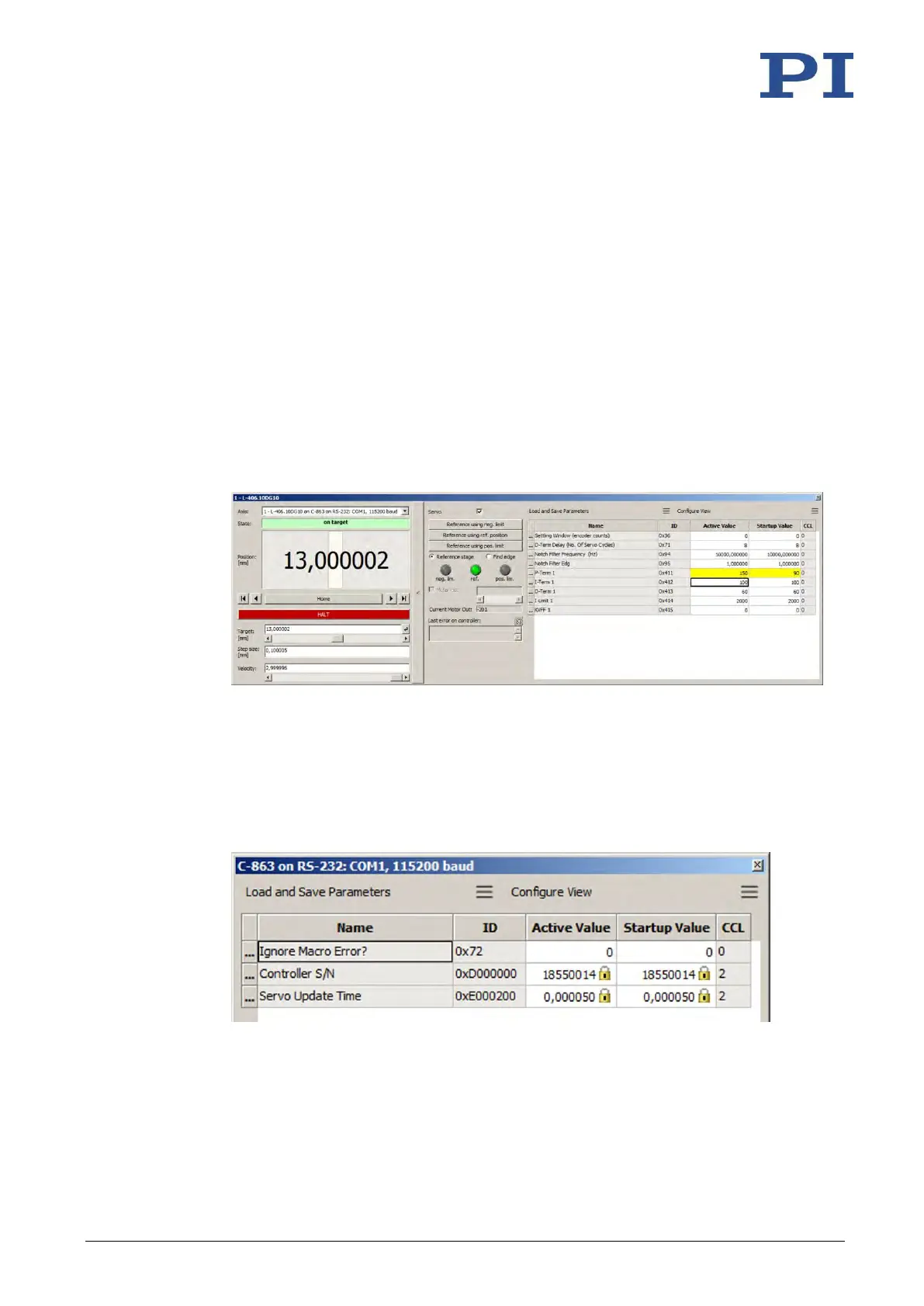
1. Display the parameter list in PIMikroMove.
If you want to change the axis-related parameters of the C-863.12:
a) Open the expanded single axis window for the connected positioner in the main
window of PIMikroMove by clicking the right mouse button on the corresponding
line of the Axes tab and selecting Show Expanded Single Axis Window in the
context menu.
b) If the parameter to be modified is not included in the list on the right-hand side of
the window, click Configure View > Select parameters... and add it to the list. You
can also display certain groups of parameters or all axis-related parameters.
If you want to change the system-related parameters of the C-863.12:
− Open the window for the system-related parameters of the C-863.12 in the main
window of PIMikroMove by selecting C-863.12 > Show system parameters in the
menu.
2. Change the desired parameter values in the volatile or nonvolatile memory of the C-
863.12 in the corresponding parameter list.
If you want to change parameter values in the volatile memory, you have the following
options:



 To Next Page