C-863.12 Mercury Controller MS249E Version: 1.2.1 237
▪ You can open and edit the positioner database directly with the PIStages3Editor, which is
included on the PI software CD.
PIMikroMove is used in the following for creating a new positioner type and for changing an
existing positioner type.
Requirements
✓ You have installed the latest version of the PISTAGES3.DB database onto your PC (p.
39).
✓ If PI provided a custom positioner database for your positioner, the dataset was
imported into PIStages3 (p. 41).
✓ You have established communication with PIMikroMove between the C-863.12 and the
PC (p. 54).
Creating a positioner type in the positioner database
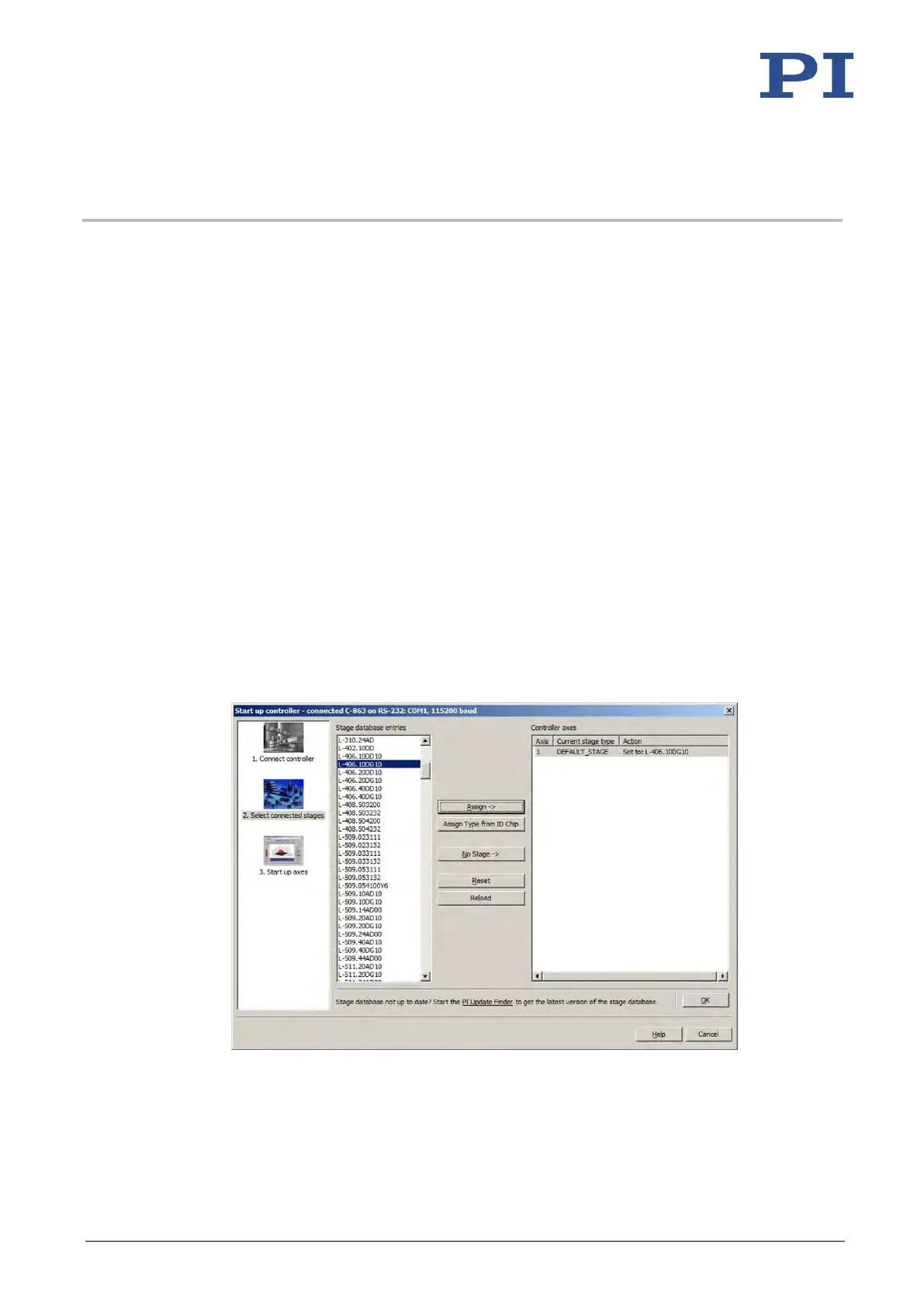
1. Select the C-863 > Select connected stages... menu item in the main window of
PIMikroMove.
The Start up stages/axes for C-863 window opens and the Select connected stages step
is active.
2. Select an appropriate type of positioner during the Select connected stages step:
a) Mark the positioner type in the Stage database entries list.
b) Click Assign.
Figure 24: Start up controller – Select connected stages
c) Confirm the selection with OK.



 To Next Page