238 Version: 1.2.1 MS249E C-863.12 Mercury Controller
3. Click Keep the changes temporarily in the Save all changes permanently dialog to load
the parameter settings into the volatile memory of the C-863.12.
The Start up stages/axes window changes to the Start up axes step.
4. Click Close in the Start up axes step to close the Start up stages/axes window.
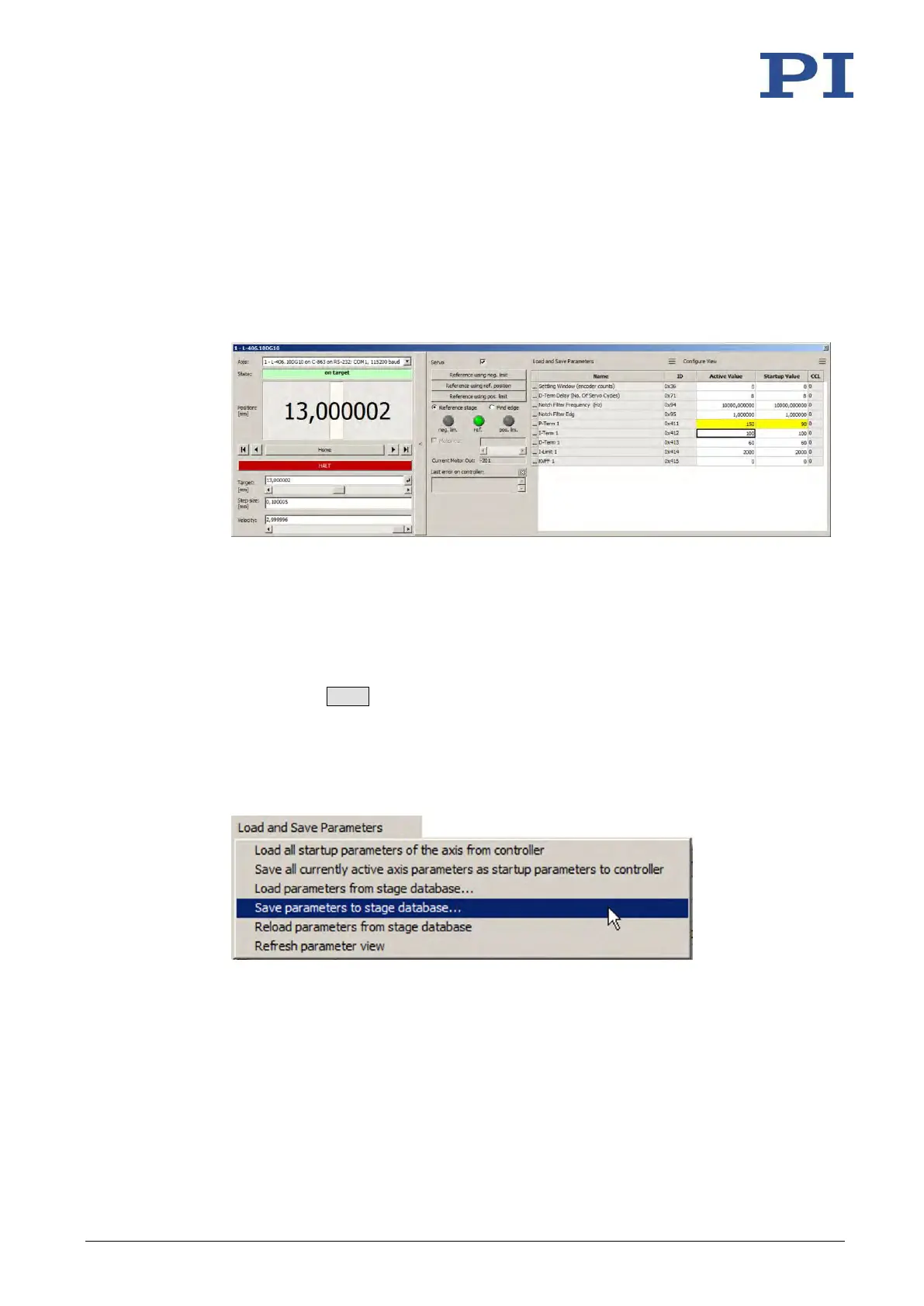
5. Open the expanded single axis window for the selected positioner in the main window
of PIMikroMove by clicking the right mouse button on the corresponding line of the
Axes tab and selecting Show Expanded Single Axis Window in the context menu.
6. Enter new values for the parameters to be changed:
a) If the parameter to be modified is not included in the list on the right-hand side of
the window, click Configure view > Select parameters... and add it to the list. You
can also display certain groups of parameters or all axes-related parameters.
b) Type the new parameter value into the corresponding input field in the Active
Value column of the list.
c) Press the Enter key on the PC keyboard or click outside the input field with the
mouse to transfer the parameter value to the volatile memory of the controller.
Note: If a parameter value in the volatile memory (Active Value column) is different
to the parameter value in the nonvolatile memory (Startup Value column), the line
in the list is highlighted in color.
7. Click Load and Save Parameters -> Save parameters to stage database....
The Save Parameters as User Stage Type dialog opens.
8. Save the changed parameter values as new positioner type in the Save Parameters as
User Stage Type dialog:
a) Leave the entry in the Parameters of axis field unchanged.
b) Enter the name for the new positioner type into the Save as field.
c) Click OK.



 To Next Page