C-863.12 Mercury Controller MS249E Version: 1.2.1 59
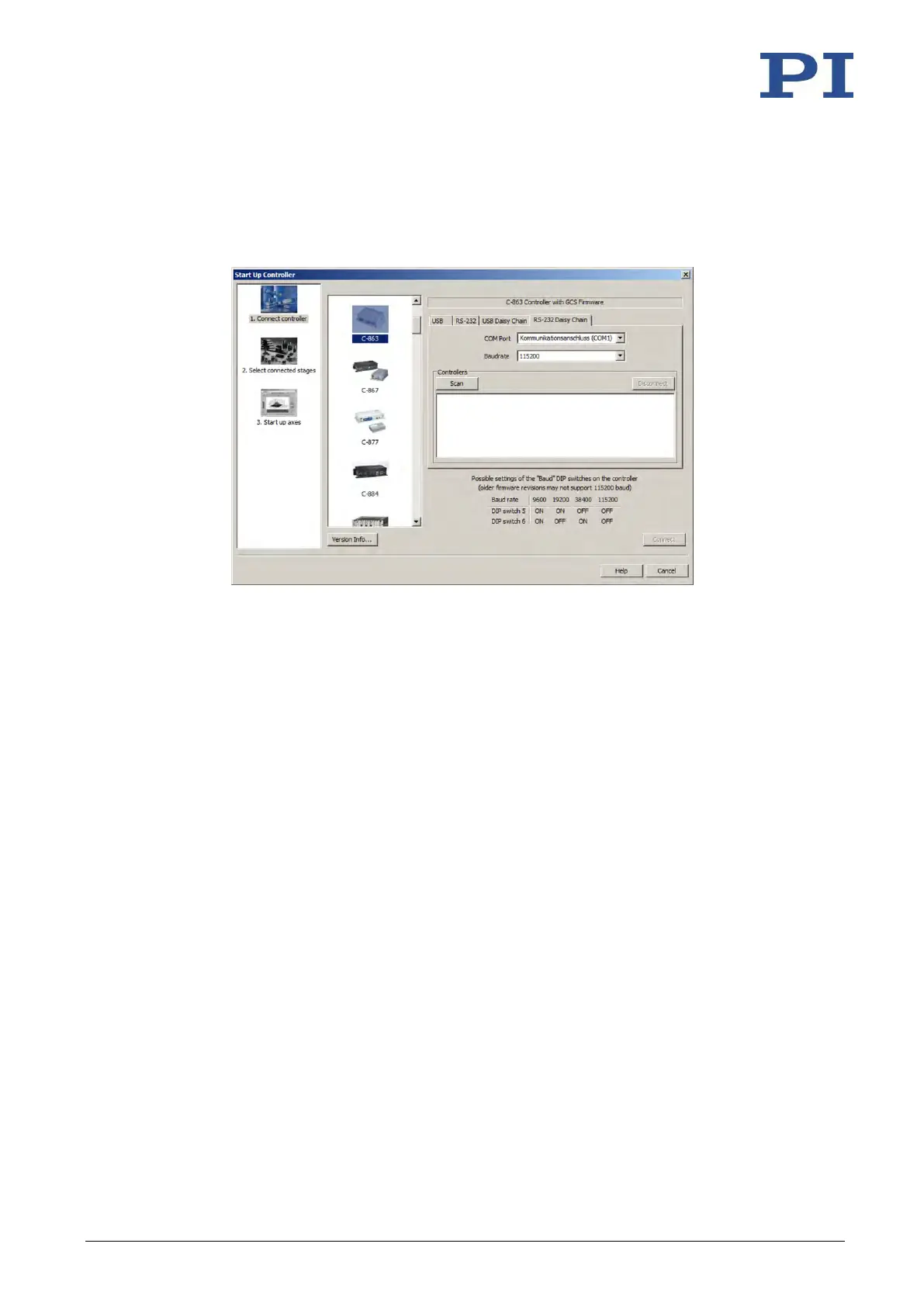
2. Select the appropriate controller type in the field for controller selection.
In the example in the following figures, there is a daisy chain network from a C-863.12
with the controller address 1 and a C-663.12 with the controller address 2. If you want
to connect the C-863.12 first, select C-863.
3. Select the appropriate tab on the right-hand side of the window:
− If you have connected the first controller in the chain to the PC via the RS-232
interface, select the RS-232 Daisy Chain tab.
− If you have connected the first controller in the chain to the PC via the USB
interfaces, select the USB Daisy Chain tab.
4. Make the settings for the interface in the tab selected:
− RS-232 Daisy Chain tab:
Select the COM port of the PC in the COM Port field which you connected to
the first controller in the chain.
Set the value in the Baudrate field that is set for all controllers in the chain.
− USB Daisy Chain tab:
Select the controller in the upper part of the tab connected to the PC.



 To Next Page