60 Version: 1.2.1 MS249E C-863.12 Mercury Controller
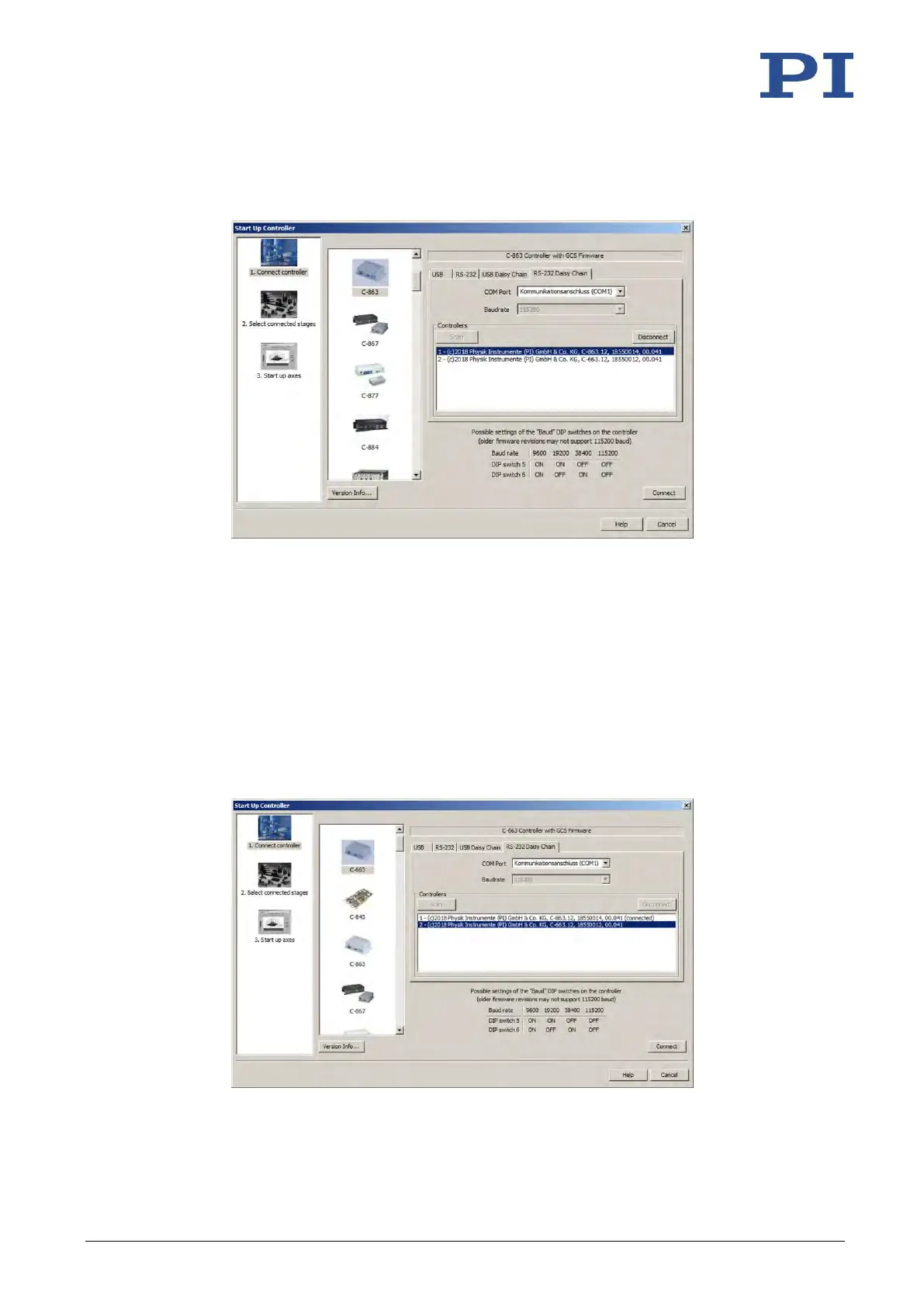
5. Click the Scan button in the bottom section of the tab to list every controller in the
daisy chain network.
6. Select a controller from the list. The selection must match the controller type that you
selected in step 2.
7. Click Connect to establish communication with the controller selected.
When communication has been successfully established, PIMikroMove guides you
through the configuration of the C-863.12 for the connected positioner.
− Proceed further as described in "Starting Motion" (p. 62).
8. If you want to connect an additional controller of the daisy chain network, select the
Connections > New... menu item in the main window.
9. Do steps 2, 6, and 7 once again in the specified order.
In the following figure, the C-663 is to be connected as well.



 To Next Page