64 Version: 1.2.1 MS249E C-863.12 Mercury Controller
✓ You have installed the latest version of the PISTAGES3.DB database onto your PC (p.
39).
✓ If PI provided a custom positioner database for your positioner, the dataset was
imported into PIStages3 (p. 41).
✓ You have installed the positioner in the same way as it will be used in your application
(corresponding load, orientation, and mounting).
✓ You have connected the C-863.12 to the positioner (p. 44).
✓ You have established communication with PIMikroMove between the C-863.12 and the
PC (p. 54).
Starting motion with PIMikroMove
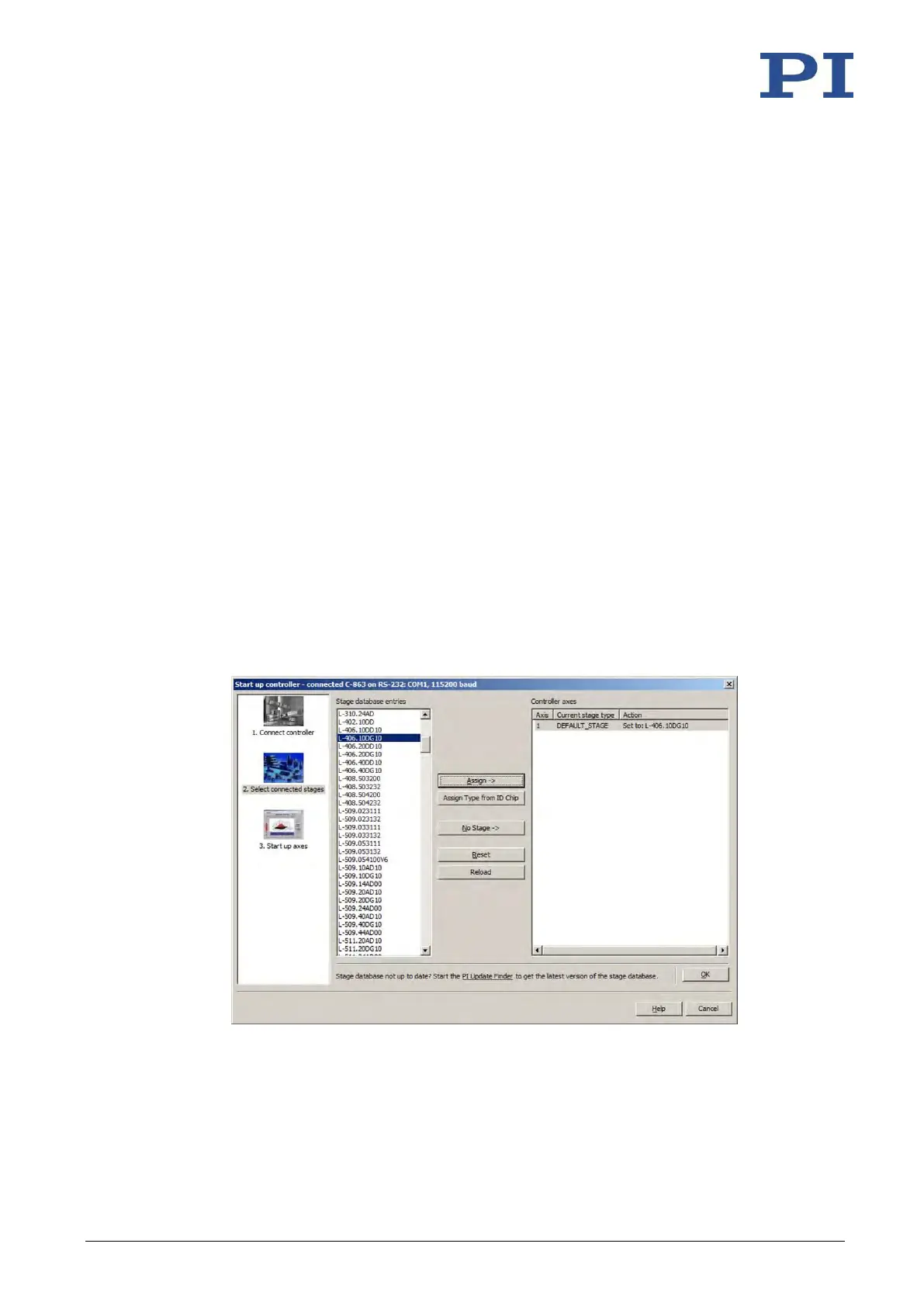
1. If in PIMikroMove the Select connected stages step is displayed, select the positioner
type of the positioner connected:
If the correct positioner type is already listed in the Current stage type column in the
Controller axes list on the right of the window:
− Click OK.
If the listed positioner type is not correct:
a) Mark the positioner type in the Stage database entries list.
b) Click Assign.
c) Confirm the selection with OK.
Figure 14: Start up controller – Select connected stages
2. Specify how you want to load the parameter settings into the C-863.12 in the Save all
changes permanently? dialog box:



 To Next Page