C-863.12 Mercury Controller MS249E Version: 1.2.1 65
− Temporary load: Click Keep the changes temporarily to load the parameter settings
into the volatile memory of the C-863.12. The settings are lost when the C-863.12 is
switched off or rebooted.
− Load as default values: Click Save all settings permanently on controller to load the
parameter settings into the nonvolatile memory of the C-863.12. The settings are
available immediately after switching on or rebooting the C-863.12 and do not need
to be reloaded.
The Start up controller window changes to the Start up axes step.
3. In the Start up axes step, perform the reference move for the axis so that the controller
knows the absolute axis position:
− If you want to start the reference move to the reference switch, click Ref. switch.
− If you want to start the reference move to the negative limit switch, click Neg. limit.
− If you want to start the reference move to the positive limit switch, click Pos. limit.
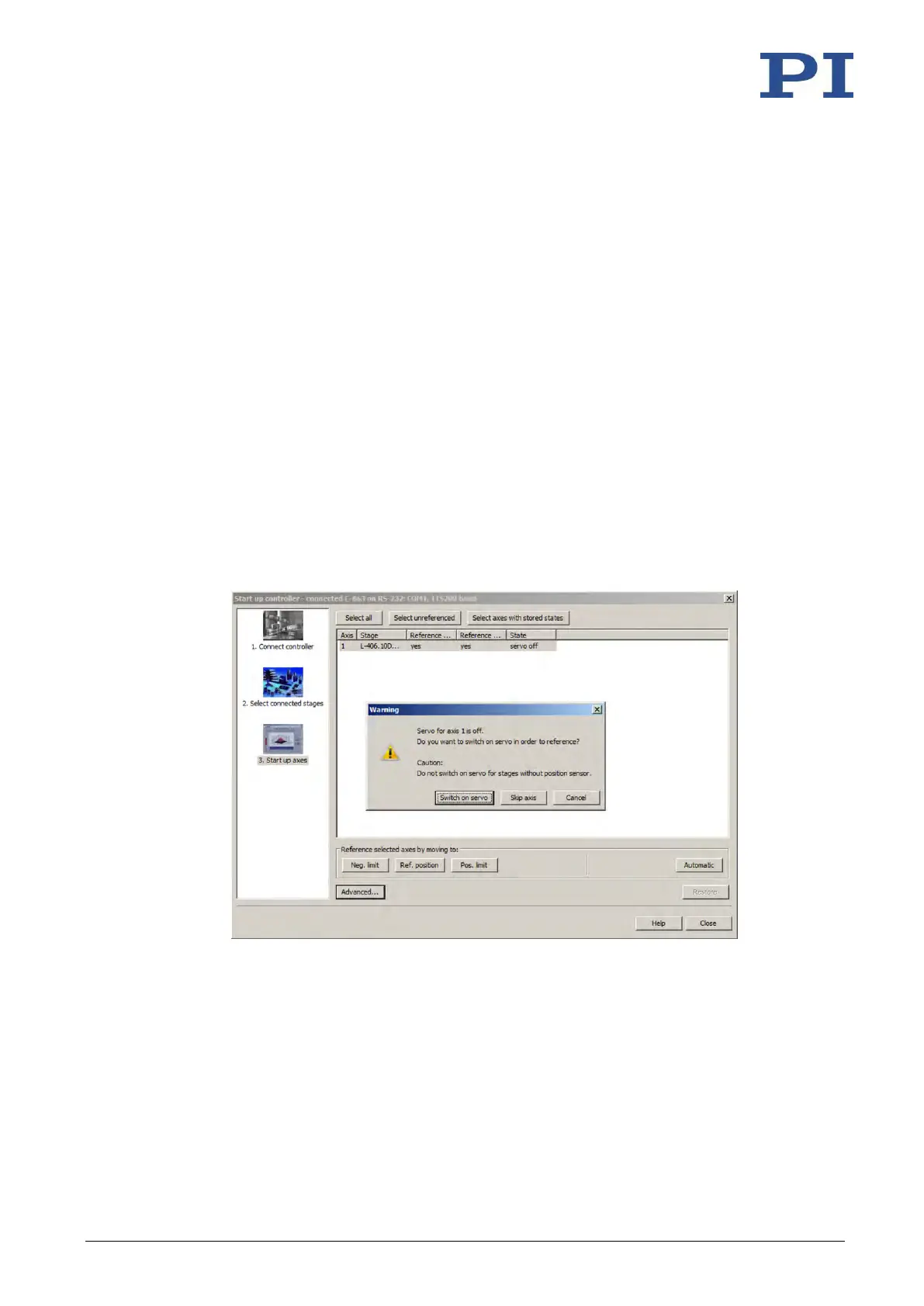
If a warning message appears indicating that servo mode is switched off:
− Switch on the servo mode by clicking on the Switch on servo button (closed-loop
operation).
The axis performs the reference move.
Figure 15: Start up controller – Start up axes
4. After a successful reference move, close the Start up controller window by clicking OK >
Close.
The main window of PIMikroMove opens.
5. Test the motion of the axis several times.



 To Next Page