PicoQuant GmbH HydraHarp 400 Software V. 3.0.0.1
5. Specific Measurement Tasks
5.1. Setting Up the Input Channels
This section provides help and instructions for the first basic steps of setting up the instrument. However, if you
are running TCSPC measurements for the first time we strongly recommend you read our TechNote on
TCSPC first. The document is on your distribution CD. This will help you getting started more quickly.
In order to acquire any data, the input channels and the SYNC input of the HydraHarp 400 must be set to
match their electrical input signals. The HydraHarp input channels are designed identically, all with a Constant
Fraction Discriminator (CFD). They can handle an input pulse peak range from 0 to −1 V for regular operation.
The absolute maximum rating (beyond which damage may occur) is ±1.5 V.
In case of coincidence correlation experiments between two or more detectors, the channels are typically used
for one detector each and data is collected in T2 mode. The SYNC is then usually not required. If a quick
visualization of coincidence is required, it is also possible to use histogramming mode. In that case, one
detector is connected to the SYNC input. Coincidence histograms will be collected for each input channel with
respect to the SYNC input. In time–resolved fluorescence measurements with a pulsed excitation source
(typically a laser) the SYNC input receives a sync signal from the laser. Here we focus on the latter, more
common case. Perform the following steps to set up the input discriminators.
Using the Panel Meters
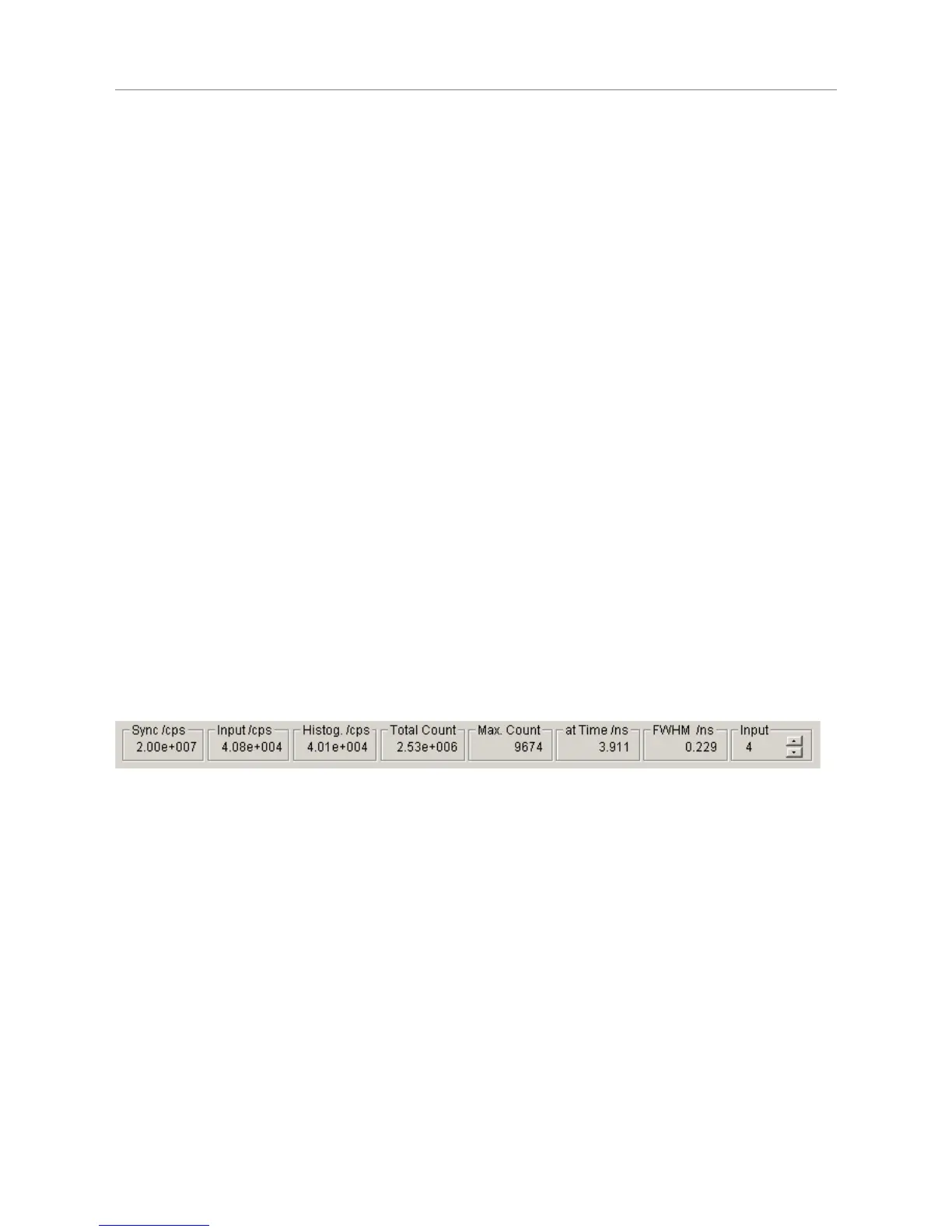
At the bottom of the main window you find a set of panel meters. These are very important during set–up. The
meters showing units of cps (counts per second) in their title are rate meters. The leftmost rate meter shows
the Sync input rate. The next meter shows the channel input rate. Note the selector at the right of the panel
meters. This selects the channel the rate meters (except Sync) are referring to. Select the channel you are
currently setting up. The HydraHarp software enumerates the physical input channels as logical input channels
1 to N, where N depends onthe number of installed TDC modules. The mapping of physical to logical channels
is obtained by counting as follows: start form the leftmost TDC module and count top to bottom within each
TDC module. At the time of factory assembly this mapping will be marked by plastic labels at each IN
connector.
The other meters show the histogramming rate, the total count in the histogram, the maximum (peak) count
and the position of the maximum. They all depend on the input selector.
Note that the Input selector also has a selection option Sum. In this case the meters are fed from the sum of all
input channels. Also note that the internal rate counters have a gate time of 100 ms. Very low rates can
therefore not be measured very accurately and the meter reading may fluctuate between two values.
Setting up the SYNC Input
For typical fluorescence decay measurements, the HydraHarp needs an electrical SYNC signal from the light
source. The PDL 800 family of diode lasers from PicoQuant provides this signal directly. If the laser does not
provide an electrical sync signal (e.g. Ti:Sa lasers), a SYNC detector (photo diode) such as the TDA 200 must
be used. The SYNC signal must consist of pulses with falling active edge. The pulse edges must be steep
(2 ns rise⁄fall time or faster). For example, a NIM type signal is appropriate. This is a steep negative pulse
(0.5 ns … 1 ns wide) of typically −800 mV into 50 Ω. The HydraHarp can actually handle −1 V but amplitudes in
excess of −800 mV may cause excess interference and crosstalk between the input channels. Amplitudes
around −200 mV … −300 mV are best in terms of timing accuracy and lowest histogram ripple. Another rule of
thumb for lowest signal distortion is to use signals of similar amplitude on all channels. SMA in-line attenuators
of suitable bandwidth can be used to adjust this. The adjustable CFD level is restricted to −1000 mV to 0 mV.
Initially you should set it to half of the SYNC pulse amplitude. The zero cross setting should be set to 10 mV
initially.
Page 25



 To Next Page