PicoQuant GmbH HydraHarp 400 Software V. 3.0.0.1
5.4. Time–Resolved Excitation and Emission Spectra
In time–resolved fluorescence research it is often of great interest to observe time–dependent spectral shifts
and decay changes, e.g. in the context of solvent relaxation dynamics and general spectral evolution. This
requires recording Time–Resolved Excitation/Emission Spectra (TRES), ideally with automated wavelength
scan and TCSPC data collection under full software control.
In order to measure excitation or emission spectra in combination with fluorescence lifetime, the HydraHarp
software provides an automated TRES measurement mode. This mode allows to control a monochromator via
a stepper motor and automated collection of spectrally resolved lifetime histograms. Data is collected as in
standard “Integration Mode” and saved in different blocks of memory for each wavelength. Note, however, that
TRES data is always collected through input channel 1 only.
If a monochromator with appropriate stepper motor and associated drivers is installed, a speciali-
zed dynamic link library (Mono.dll) can be installed together with the HydraHarp software. The
presence of this DLL will be detected by the software. In this case the button for Monochromator
and TRES control on the toolbar will be enabled.
Note that most of the monochromators can be controlled only through dedicated stepper motor hardware from
PicoQuant or selected vendors, usually installed as part of a complete PicoQuant spectrometer. Custom confi-
gurations can only be supported upon special request.
Clicking the monochromator button will launch a dialog for manual monochromator control and TRES setup.
There you can set up parameters such as the start, step and end of the wavelength scan. There will be error
messages if the monochromator / stepper and associated drivers are not configured properly.
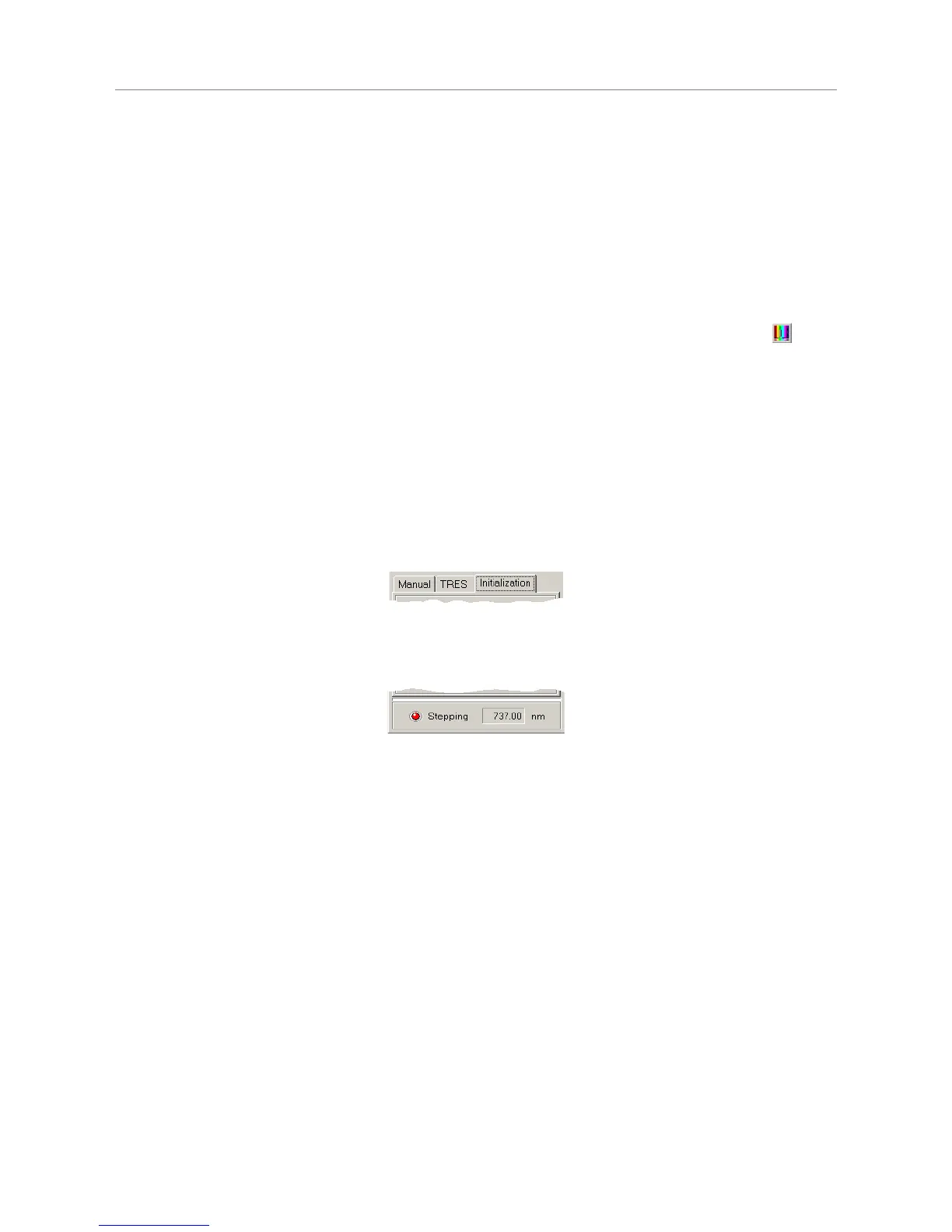
The monochromator used for TRES measurements is controlled by a special dialog. It shows a tab control and
a status panel at the bottom of the dialog. The three tabs give access to the Initialization, TRES and Manual
page of the dialog.
The status panel shows the current monochromator position in nm and whether the monochromator is currently
moving (the red "LED" labelled Stepping is flashing, when it moves).
The dialog is "non modal", i.e. it does not need to be closed before other windows can be accessed. It has its
own icon in the Windows Taskbar, from where it can be brought back to the top, should it have been covered
by other windows.
Monochromator Models
The type of the current monochromator is displayed in the title bar of the dialog. Apart from a simulation mode,
as of this release the following monochromator models are supported: Sciencetech ST–9030, ST–9030DS and
ST–9055, Acton Research SP–2150, SP–2155, SP–150 and SP–275. Some other Acton Research models are
partially supported. Note that some monochromators can only be controlled through dedicated stepper motor
hardware from PicoQuant or the monochromator supplier. Usually these are installed as part of a complete
PicoQuant spectrometer. Please contact PicoQuant for details.
If your system is not configured for use of a real monochromator, the Monochromator / TRES dialog shows the
caption Simulation. This is for demonstration purposes only. It will work the same way as the "real" ST–9030
monochromator described below, except that it controls no real hardware and just simulates the
monochromator adjustments. Of course the simulated monochromator adjustments will not have any effect on
the measured TCSPC histograms.
Page 36



 To Next Page