PicoQuant GmbH HydraHarp 400 Software V. 3.0.0.1
Restore command
Use this command to return from an enlarged window to the previous size.
Note: The command is only available for already maximized or minimized windows.
Shortcut
Mouse: Click the maximize button on the title bar;
or double–click the title bar of the enlarged window.
Keys: <Alt>+<Space> R
Close command
Use this command to close the active window or dialog box.
Double–clicking a system menu box is the same as choosing the Close command.
Shortcuts
Mouse: Click the close button on the title bar.
Keys: <Alt>+<F4>
<Alt>+<Space> C
Panel Meters
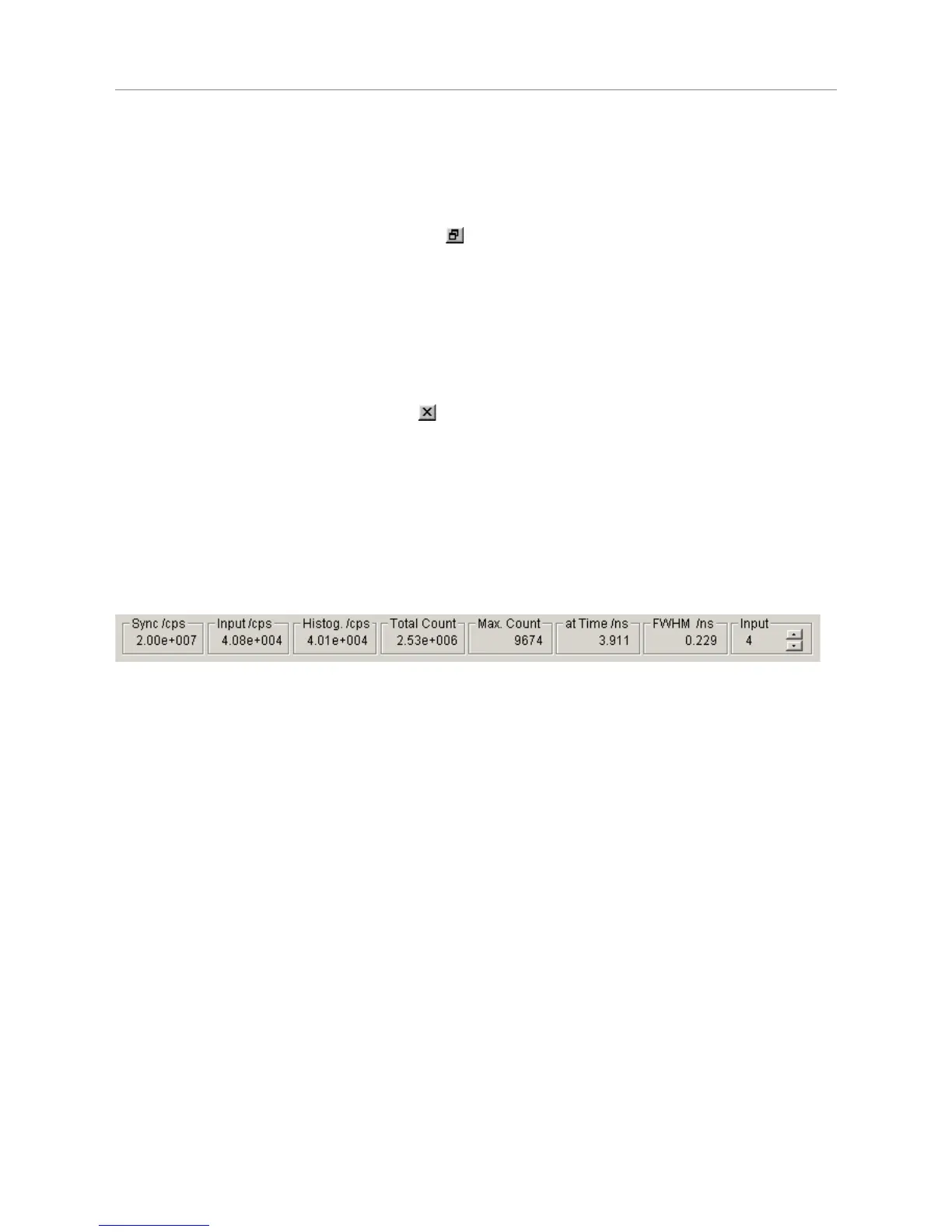
At the bottom of the main window there is a set of panel meters. The meters showing units of cps (counts per
second) in their title are rate meters. The leftmost rate meter shows the Sync input rate. The next meter shows
the channel input rate. Note the selector at the right of the panel meters. This selects the channel the rate
meters (except Sync) are referring to. The other meters show the histogramming rate, the total count in the
histogram, the maximum (peak) count and the position of the maximum. They all depend on the input selector.
Note that the Input selector also has a selection option Sum. In this case the meters are fed from the sum of all
input channels. Also note that the internal rate counters have a gate time of 100 ms. Very low rates can
therefore not be measured very accurately and the meter reading may fluctuate between two values.
Page 42



 To Next Page