MAINTENANCE
6-40 / Welding
© 2020 Pierce Manufacturing Inc. All Rights Reserved.
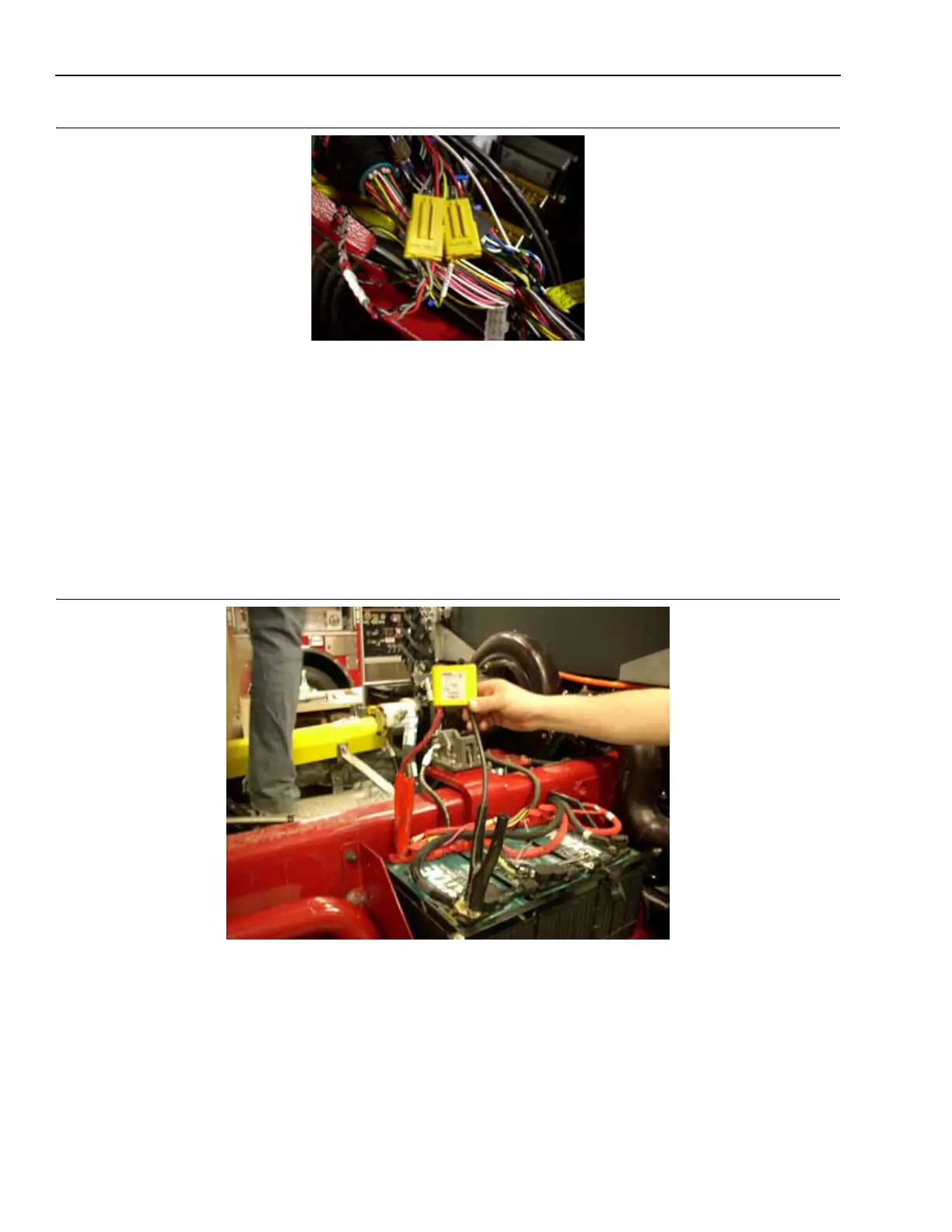
Figure 6-12: Side Roll Protection and Frontal Impact Connectors
1390
6-26.3 Battery System Protection
With the Battery Switch ON and the cab raised:
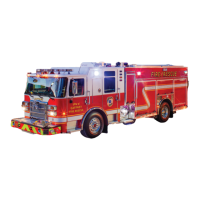
1. Connect the Positive and Negative clamps of the Anti-Zap Device across the driver side battery terminals.
2. Repeat this procedure on the passenger side of the truck with a second Anti-Zap Device.
3. If there is an isolated battery on the truck, then you must also connect a third Anti-Zap across its battery
terminals.
4. Make sure the green indicator is ON and the red indicator is OFF for each of the devices.
5. Turn OFF the Battery Switch.
Figure 6-13: Connecting the Anti-Zap Device
1395
6-26.4 After Welding
Electronic components listed in Table 6-8 can be reconnected after all welding is completed.



 To Next Page