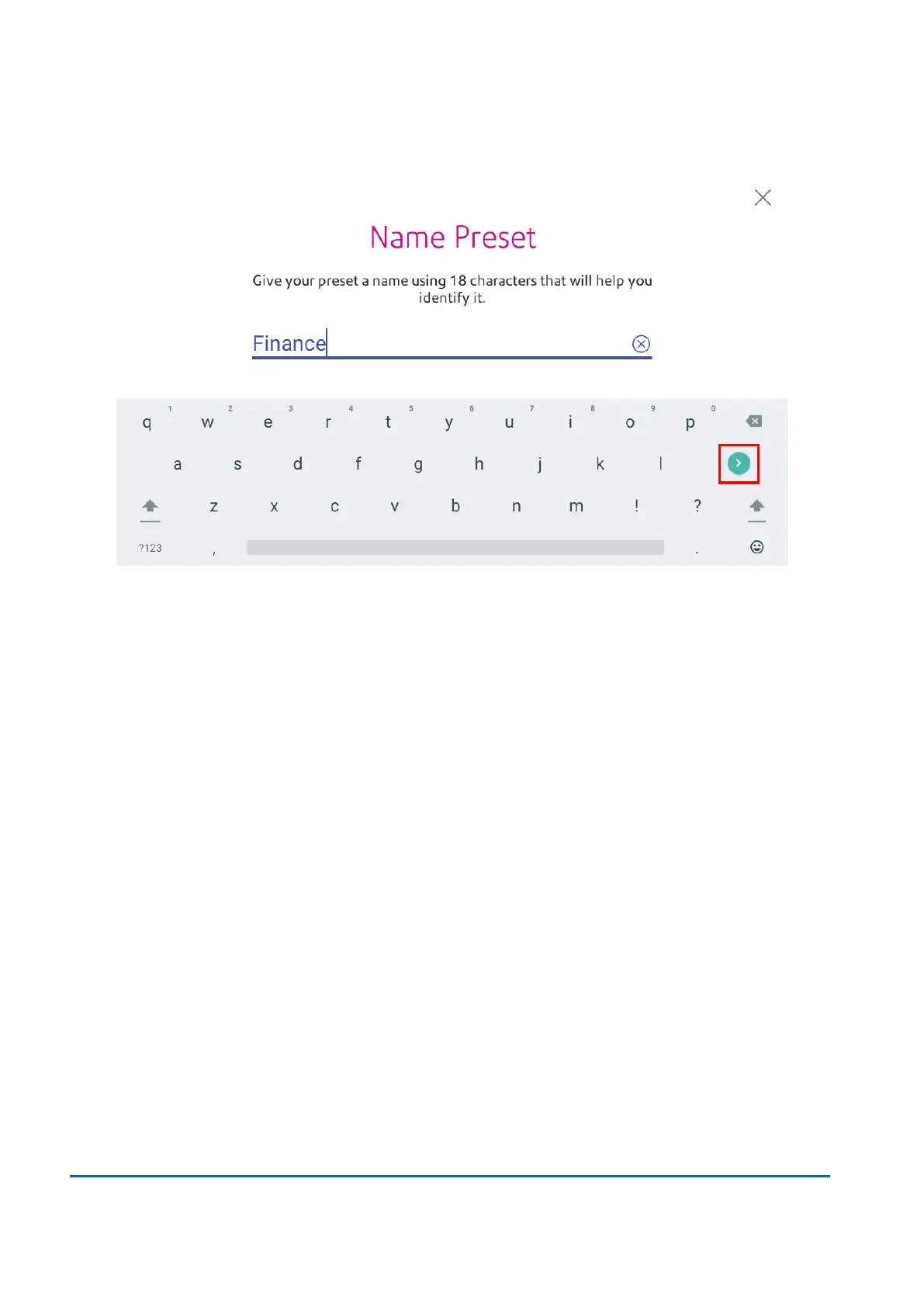
3. For a new preset, enter a name, then tap Enter when complete.
Selecting a preset
Select a preset to quickly select a commonly-used group of settings.
1. Tap Envelope Printing on the Home screen.
2. Tap Preset.
3. Tap the preset you want to use, then tap Apply Preset.
If you select a preset and do not use it within about one minute, the Envelope Printing app restores the
default preset values. The same is true when you switch your device off or it enters sleep mode
Renaming a Preset
Rename a preset when you change settings such as an account name or class.
1. Tap Envelope Printing on the Home screen.
2. Tap Preset.
3. Tap the preset you want to rename.
13 • Settings
Pitney Bowes User Guide March 2023 131











 To Next Page