7. Select Start Over to show the class options.
8. Tap the class you want.
9. Select special services, if required.
10. Tap Apply.
11. Remove a mailpiece from the scale and insert it into the device. The device then prints the
postage.
12. Continue removing mail from the scale until you reach the last mailpiece. When you remove the
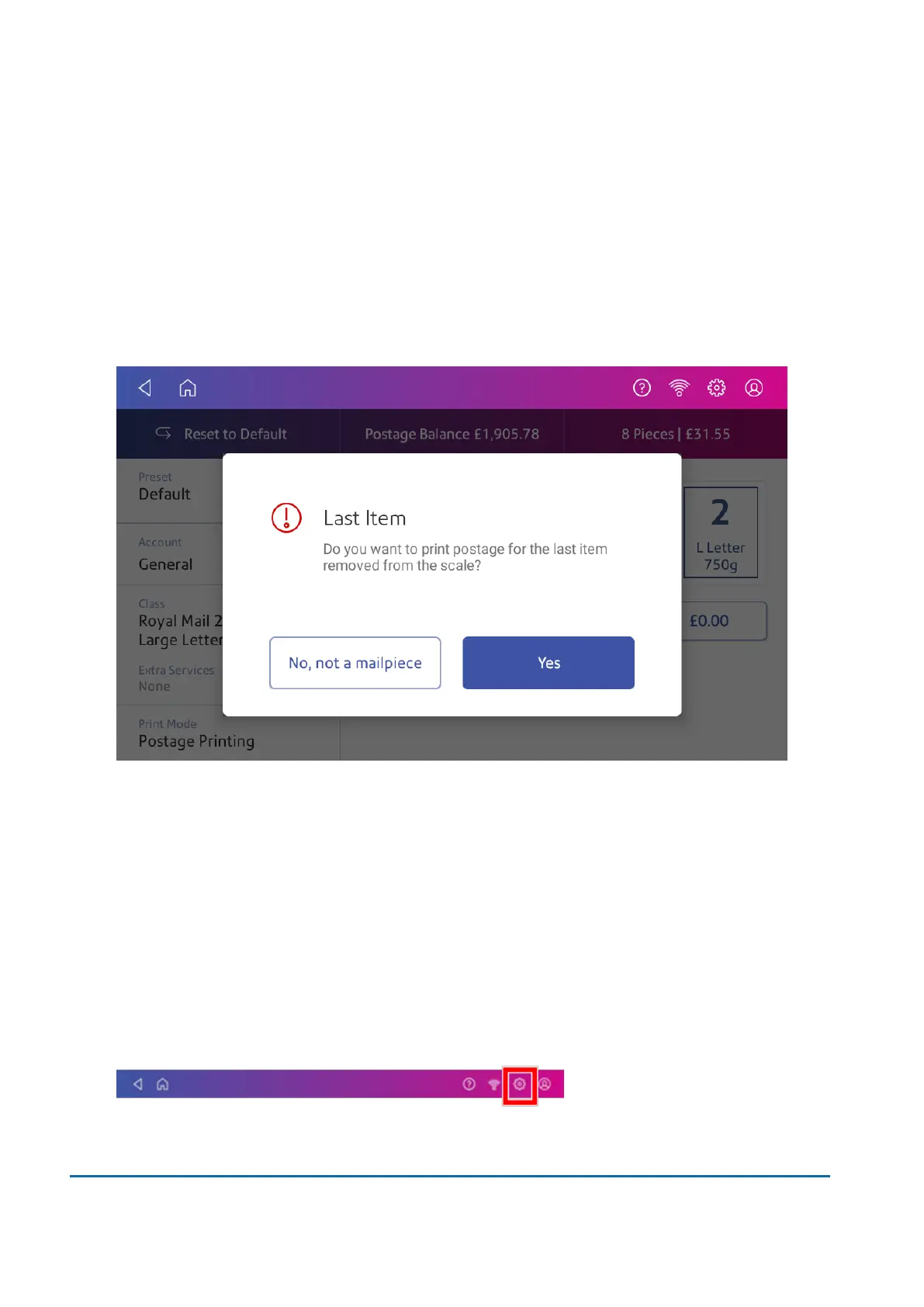
last mailpiece, the device asks you if you want to print postage for the last item removed. Tap
Yes if the item is a mailpiece. Alternatively, tap No, not a mailpiece.
13. If necessary, insert the mail into the device. The device then prints the postage.
Editing the Differential Weighing threshold
To edit the minimum weight each mailpiece must weigh while using Differential Weighing, you can set
the Differential Weighing Threshold.
You can set the threshold weight in multiples of 1 gram up to 250 grams.
1. Tap Envelope Printing on the Home screen.
2. Tap Settings.
3 • Scales and Weighing
Pitney Bowes User Guide March 2023 46











 To Next Page