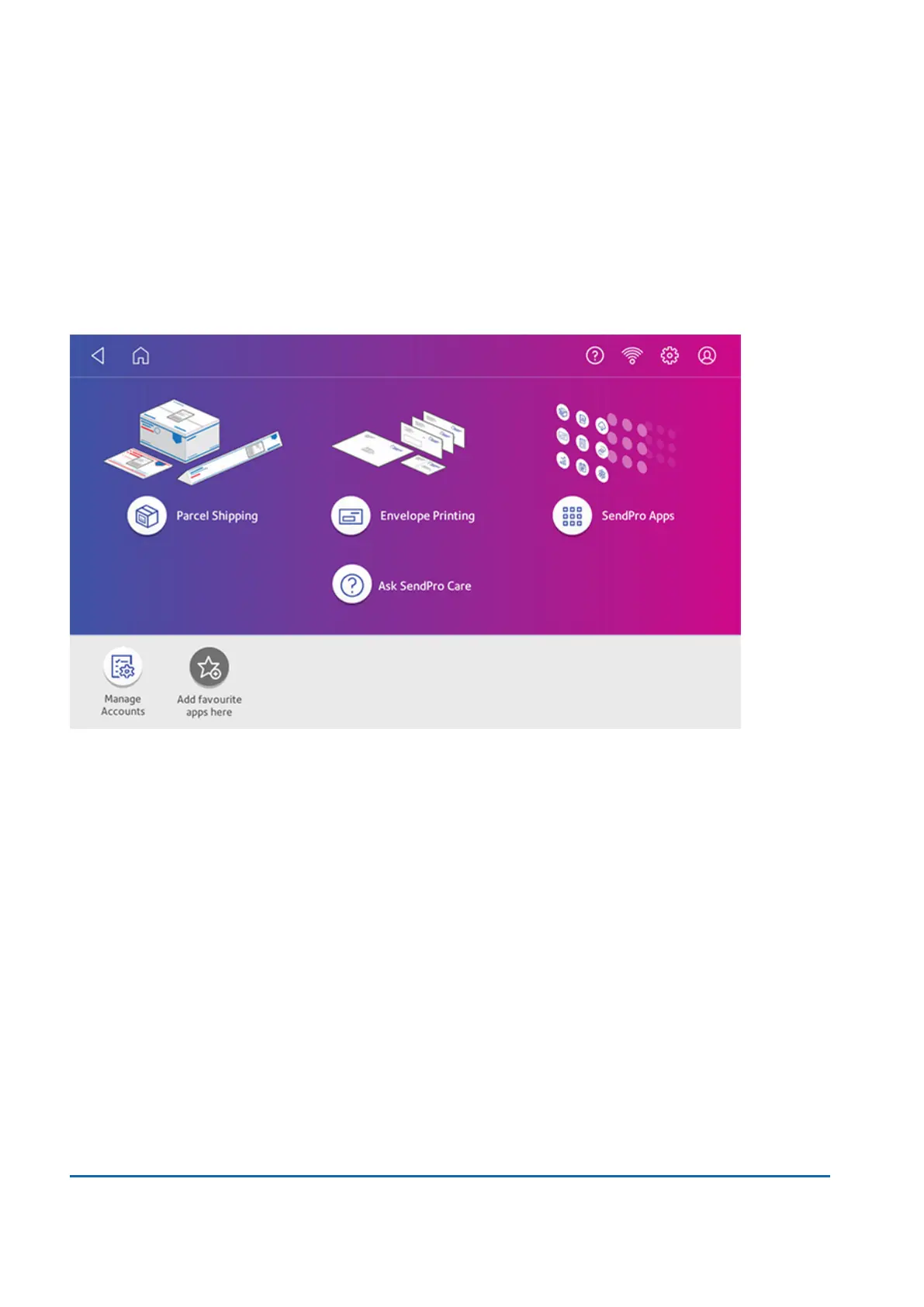
Navigating the Home screen
The Home screen is the first screen you see after switching the device on or if you wake it from sleep
mode. The Home screen provides the starting point for printing a Parcel Shipping label or printing
postage.
Tap the Home icon in any screen to return to the Home screen.
l
Parcel Shipping: Tap Parcel Shipping to print Parcel Shipping labels for important large
envelopes or parcels using Royal Mail or ParcelForce.
l
Envelope Printing: Tap Envelope Printing to print envelopes, post cards and small parcels.
Navigating the Envelope Printing app
The Envelope Printing app is the starting point for printing postage on an envelope or tape. It also
allows you to change what you print.
Tap Envelope Printing to open the Envelope Printing app.
16 • Product Information
Pitney Bowes User Guide March 2023 156











 To Next Page