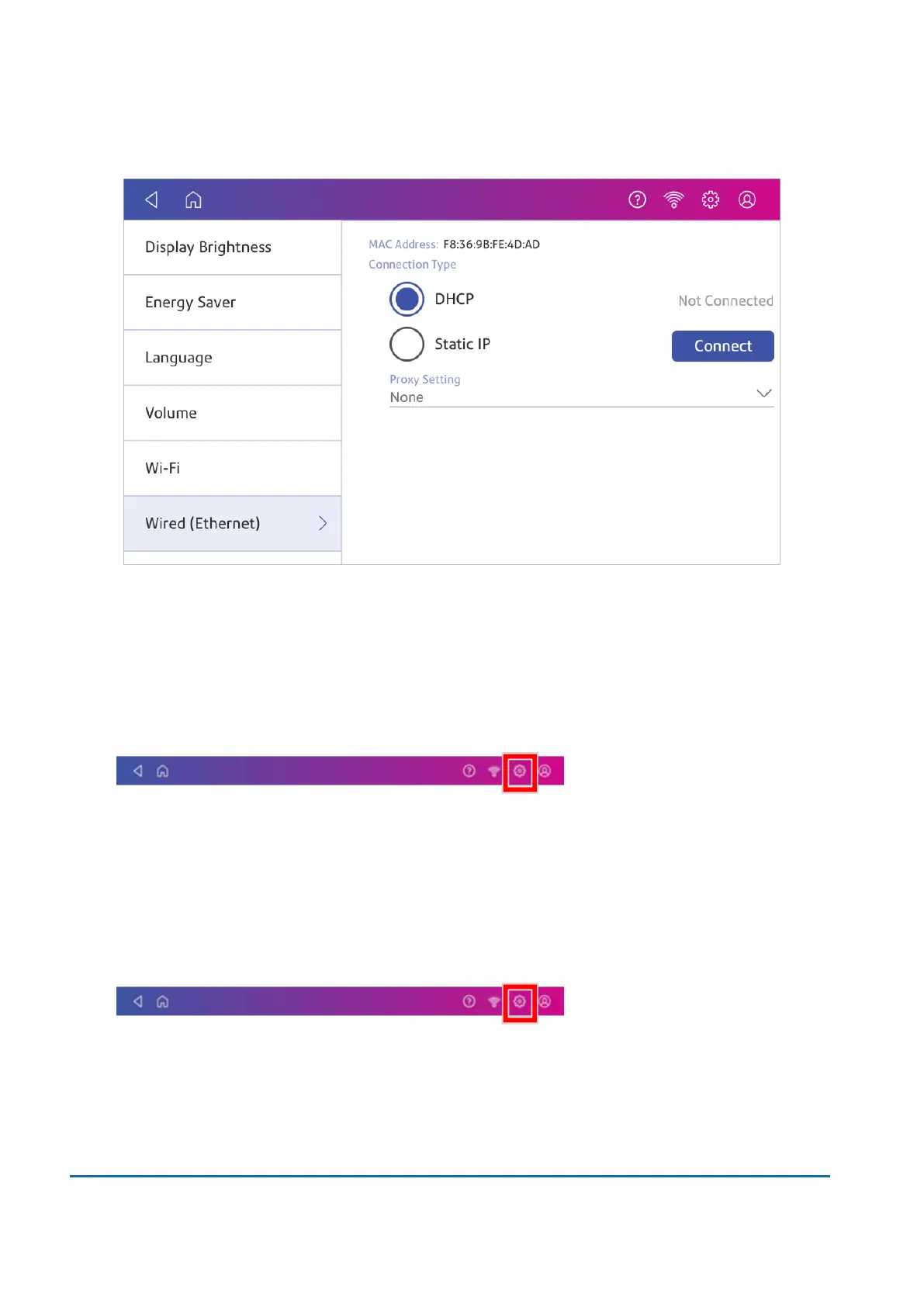
3. Select DHCP.
4. Tap Connect.
5. If it does not connect, unplug the power cord.
6. Wait 30 seconds. The screen should turn off after 10 seconds.
7. Plug the power cord back in directly into a wall outlet.
8. Quickly tap and release the power button to turn the device back on.
9. Tap Settings.
10. Tap Wired (Ethernet).
11. Tap DHCP.
12. Tap Connect.
Static IP
1. Tap Settings.
2. Tap Wired.
2 • Connectivity
Pitney Bowes User Guide March 2023 28











 To Next Page