8 ● Ink Installation and Maintenance
mailstation
™
2 Digital Postal Meter | SV61983 Rev. H 8-3
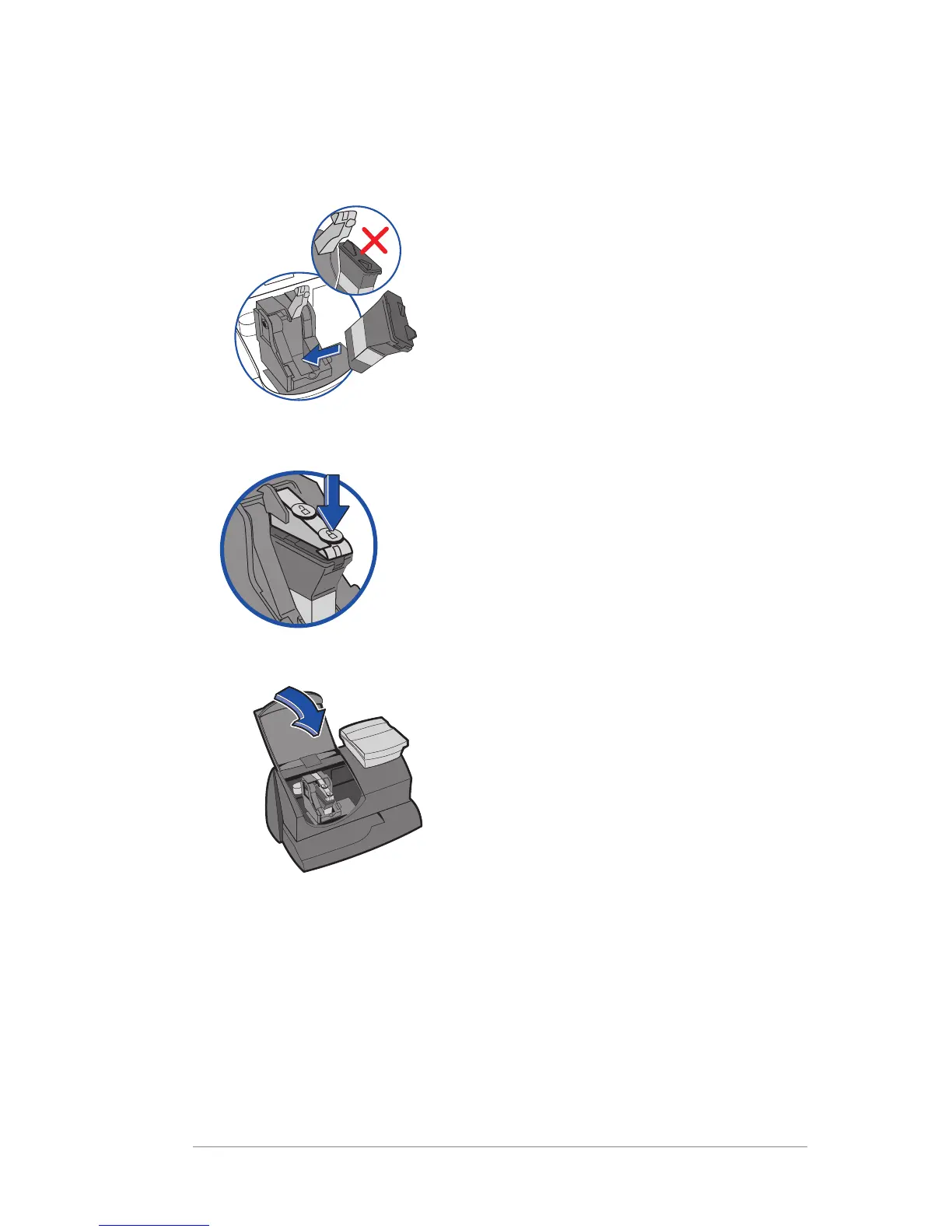
8. Tilt new cartridge towards you and insert into print head. Straighten
cartridge so it is upright.
9. Close ink cover by pressing down on lock symbol in circle nearest to
you.
10. Close machine cover. Press Enter/yes.
11. Press Enter/yes to confirm the replacement. A print head
initialization occurs which lasts about 2-3 minutes.
12. When prompted, insert an envelope/tape sheet to print a test pattern
to confirm print quality.
13. If test pattern looks good (see figures below), press Enter/yes. If it
looks poor, proceed with step 5 from Printing a Test Pattern procedure
on the next page













 To Next Page