8 ● Ink Installation and Maintenance
8-4 mailstation™ 2 Digital Postal Meter | SV61983 Rev. H
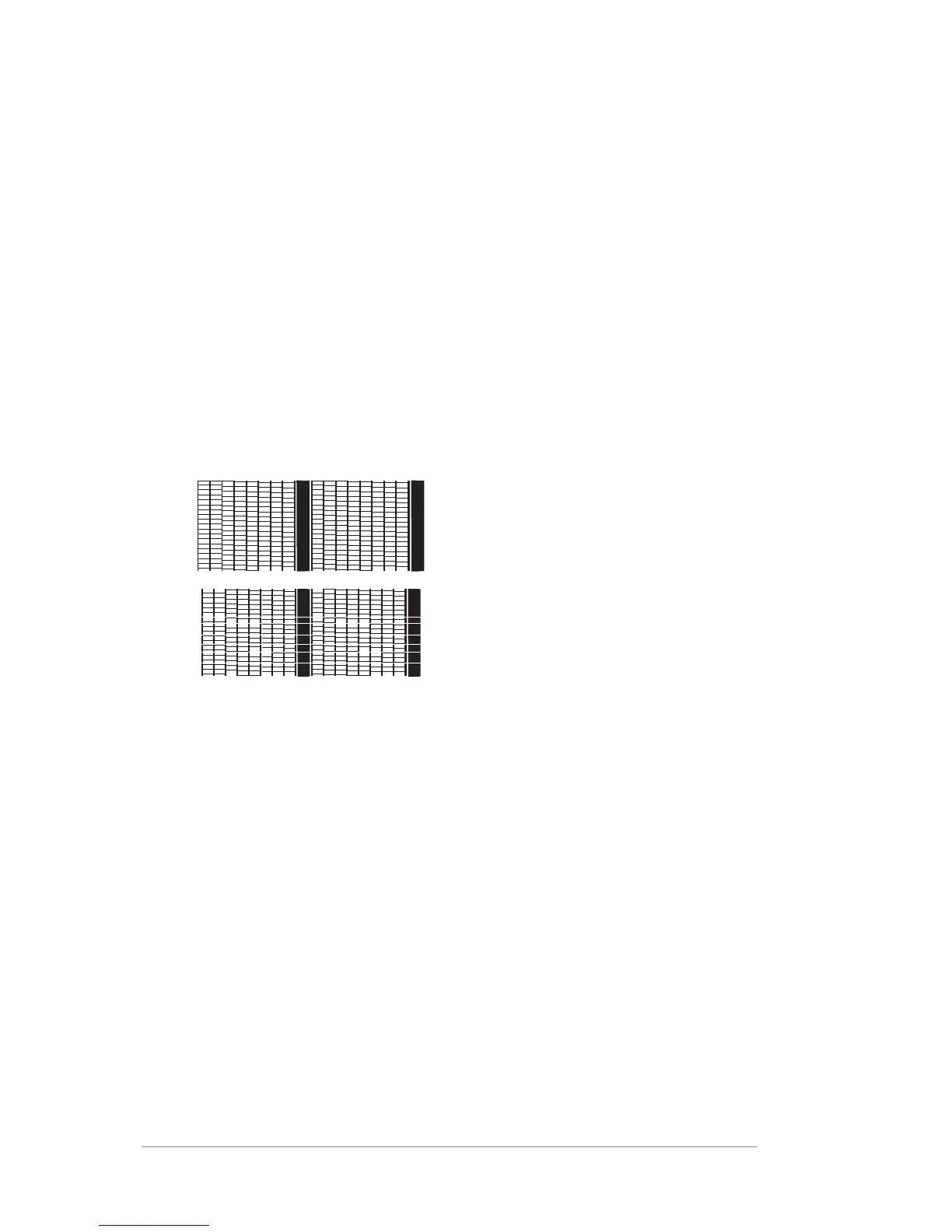
Good Test Print
(No Missing Lines)
Poor Test Print
(Missing Lines)
Printing Test Pattern
Running a print test may help you identify a printing problem.
1. Press Menu.
2. Use the Review keys to scroll to "Use ink functions?" and press
Enter/yes.
3. Use the Review keys to scroll to "Print test pattern?" and press
Enter/yes.
4. When prompted, insert an envelope or tape sheet into the
machine. After a few seconds, remove envelope when prompted.
5. At "Is test pattern OK" prompt, either press Enter/yes if it looks good
(you'll return to the main screen), or press No and continue at step 3 in
the Cleaning Printer Nozzle procedure on the next page.
Cleaning Printer Nozzles
Cleaning the printer nozzles may help you fix a printing problem.
1. Press Menu.
2. Use the Review keys to scroll to "Use ink functions?" and press
Enter/yes.
3. Use the Review keys to scroll to "Clean printer nozzles?" and press
Enter/yes. A "Preparing ink Please wait..." message displays as the
machine performs its cleaning.
4. When prompted, insert an envelope or tape sheet into the machine.
5. At "Is test pattern OK" prompt, press Enter/yes.
6. When finished, follow prompts to return to main screen.













 To Next Page